
The Ultimate Guide to Modifying Your Voice on Ps4
Are you tired of being recognized by your friends online while playing games on your PlayStation 4? Do you want to add a touch of creativity and humor to your gaming experience? Look no further! In this article, we’ll show you how to modify your voice on PS4 using various methods.
Method 1: Using an Android App
One of the easiest ways to modify your voice on PS4 is by using an Android app. With the help of a smartphone or tablet with Android operating system (version 4.0 Or later), you can install an app that transforms your device into a microphone for PS4. This app, called Voice Changer Mic for Gaming, offers a wide range of filters and effects to modify your voice.
How to Use The App
To get started, you’ll need a cable with a 3.5Mm jack and a “Y” adapter (also known as an audio splitter). You can find these cables online or at local electronics stores. Once you have the necessary equipment, follow these steps:
- Connect the “Y” adapter to your PS4 controller.
- Connect a pair of stereo headphones to the “Y” adapter.
- Connect one end of the cable with the microphone jack to the PS4 controller and the other end to your smartphone or tablet.
Method 2: Using a Voice Changer Commutator
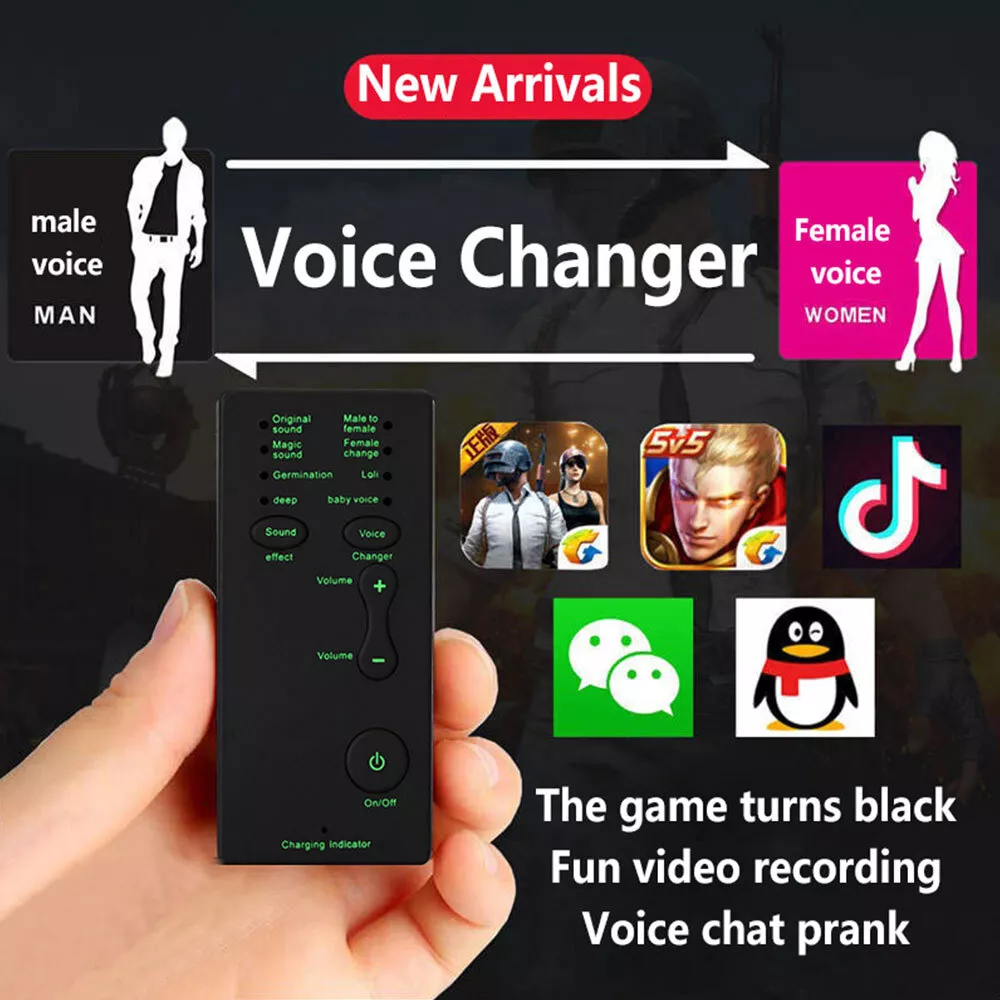
Another way to modify your voice on PS4 is by using a voice changer commutator. This device can be inserted between your PS4 controller and microphone, allowing you to change your voice in real-time. You can find these devices online or at local electronics stores.
How to Use The Voice Changer Commutator
To use the voice changer commutator, follow these steps:
- Connect the commutator to your PS4 controller.
- Insert a pair of headphones with a microphone into the commutator.
- Select the desired filter or effect from the menu.
Method 3: Using PC And Remote Play
You can also modify your voice on PS4 using your computer and the remote play feature. With a wide band internet connection, you can play games online while using a voice changer software on your PC. This method requires a microphone connected to your PC, but it’s a great option if you don’t have an Android device.
How to Use Remote Play With Voice Changer
To use this method, follow these steps:
- Download and install the Voicemod software on your computer.
- Connect a microphone to your PC.
- Launch the PS4 remote play app on your computer.
- Select the desired voice filter or effect from the Voicemod menu.
Recording Your Voice on Ps4
In addition to modifying your voice, you can also record your voice on PS4 using the built-in audio recording feature. This method is easy and doesn’t require any external devices. Here’s how:
- Go to Settings > Sharing and transmission > Setting of sharing audio.
- Select the “Include audio of the microphone in the clip video” option.
- Start a game, press two consecutive times the Share button on your controller, and start speaking!
Conclusion
Modifying your voice on PS4 can add a fun and creative twist to your gaming experience. Whether you choose to use an Android app, a voice changer commutator, or the remote play feature with Voicemod software, there are plenty of options available. Just remember to follow these simple steps and enjoy the humor and creativity that comes with modifying your voice on PS4.
Frequently Asked Questions
- Q: What is The Best Way to Modify my Voice on Ps4?
A: The best method depends on your personal preference and the devices you have available. - Q: Can I Use a Voice Changer Commutator on Xbox or Pc?
A: Unfortunately, these devices are specifically designed for PS4 and may not be compatible with other gaming platforms. - Q: How do I Record my Voice on Ps4?
A: You can record your voice using the built-in audio recording feature in Settings > Sharing and transmission > Setting of sharing audio. - Q: Can I Use a Voice Changer App on Ios Devices?
A: Unfortunately, there are no safe and official apps available for iOS devices that can modify your voice on PS4. - Q: Is it Safe to Use a Voice Changer Commutator or Software?
A: As with any electronic device, be sure to follow the manufacturer’s instructions and take necessary precautions to avoid damaging your equipment or compromising your online security. - Q: Can I Modify my Voice on Ps4 Without an External Device?
A: Yes, you can use the remote play feature with Voicemod software on PC to modify your voice without any external devices. - Q: How do I Select a Good Voice Changer App or Software?
A: Look for apps and software that are highly rated, easy to use, and compatible with your gaming platform.
I hope this article has been helpful in answering all your questions about modifying your voice on PS4!


