
How to Burden Your Iphone: A Comprehensive Guide
Are you tired of running out of battery on your iPhone? Do you want to know the secrets to extending its lifespan? Look no further! In this article, we will guide you through the process of burdening your iPhone, from the basics to advanced techniques.
The Importance of Burdening Your Iphone
Burdening your iPhone is essential to maintaining its performance and longevity. A fully charged battery ensures that your device can handle demanding tasks, run for extended periods, and maintain a healthy state. Ignoring this simple practice can lead to battery degradation, reduced performance, and even device failure.
How to Burden Your Iphone With a Cable
To burden your iPhone using a cable:
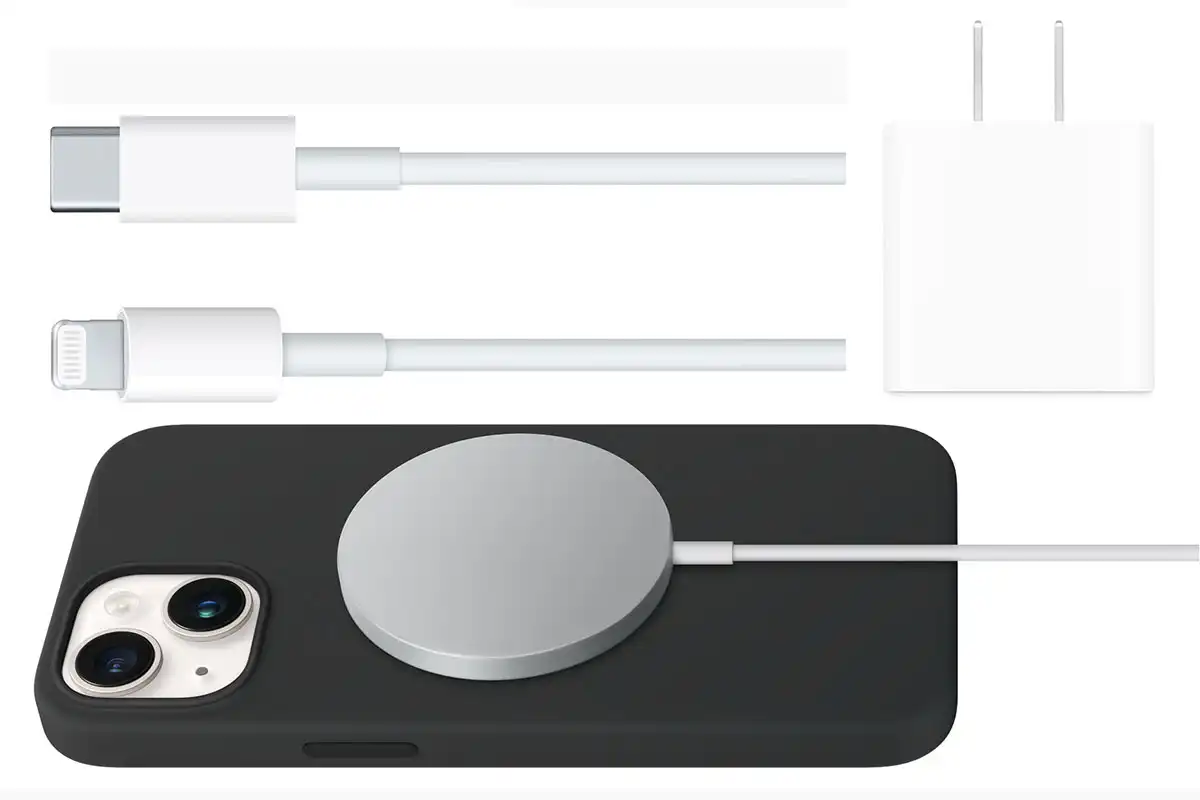
- Use The Original Lightning Cable: The original Lightning cable provided by Apple is the best option for charging your iPhone.
- Connect The Cable Correctly: Attach one end of the cable to your iPhone’s Lightning port, and the other end to a USB-A power source or a wall adapter.
- Charge Your Iphone: Wait for about 30 minutes to an hour for your iPhone to fully charge.
How to Burden Your Iphone Without a Cable
If you don’t have a cable handy, don’t worry! You can still burden your iPhone using:
- Wireless Charging: If you have an iPhone 8 or later model, you can use wireless charging capabilities.
- Power Banks: Portable power banks can also be used to charge your iPhone.
Tips For Optimal Charging
To ensure optimal charging and battery health:
- Keep Your Iphone’s Battery Between 30% And 80% Charged: Avoid letting your iPhone’s battery drop below 20% or rise above 90%.
- Avoid Extreme Temperatures: Keep your iPhone away from extreme temperatures, as this can affect battery performance.
- Update to The Latest Ios Version: Regularly update your iPhone to the latest iOS version for improved battery management.
How to Calibrate Your Iphone’s Battery
If you notice any issues with your iPhone’s battery, such as inaccurate charge estimates or reduced performance, try calibrating it:
- Fully Charge Your Iphone: Let your iPhone charge until it reaches 100%.
- Let It Drain Completely: Allow the battery to drain completely.
- Charge It Again: Repeat this process several times for optimal results.
Troubleshooting Battery Issues
If you’re experiencing persistent battery problems, try:
- Resetting Your Iphone’s Battery Calibration: Follow our guide on how to calibrate your iPhone’s battery.
- Contacting Apple Support: Reach out to Apple support for personalized assistance and guidance.
Conclusion
Burdening your iPhone is a simple yet essential practice that ensures optimal performance, longevity, and health. By following these guidelines, you’ll be able to keep your device running smoothly and prolong its lifespan.
Frequently Asked Questions (FAQs)
- Q: How Often Should I Charge my Iphone?
A: Charge your iPhone when it reaches 30% or lower. - Q: Can I Use a Third-party Cable For Charging my Iphone?
A: While possible, using an original Apple cable is recommended for optimal performance and safety. - Q: Will Calibrating my Iphone’s Battery Affect Its Lifespan?
A: No, calibrating your iPhone’s battery can actually improve its performance and accuracy. - Q: How do I Know if my Iphone’s Battery Needs to be Replaced?
A: If your iPhone’s battery capacity has dropped below 80% after 1,000 cycles or more, it may need to be replaced. - Q: Can I Use a Power Bank to Charge my Iphone?
A: Yes, portable power banks are a great option for charging your iPhone on-the-go. - Q: How do I Reset my Iphone’s Battery Calibration?
A: Follow our guide on how to calibrate your iPhone’s battery for optimal results.
We hope you found this comprehensive guide helpful!


