
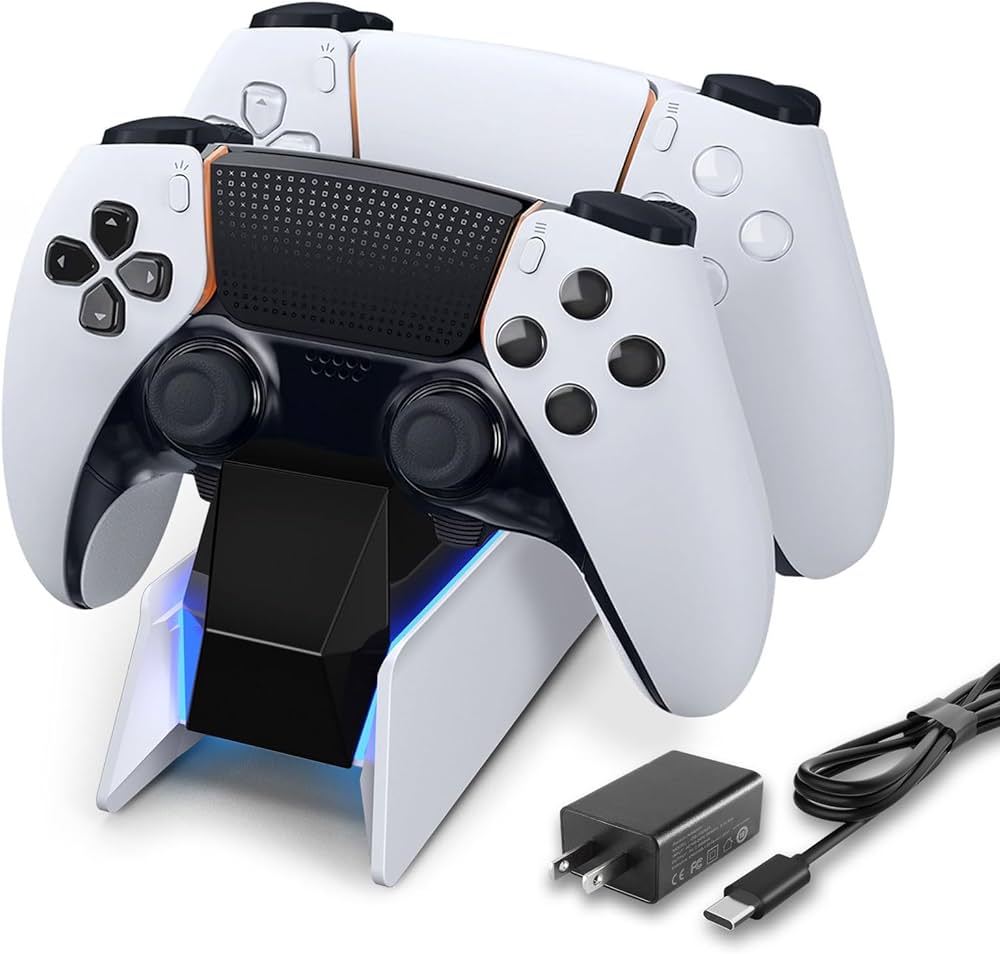
The Ultimate Guide to Charging Your Ps5 Controller
As a proud owner of the latest PlayStation 5 console, you’re likely no stranger to the excitement of gaming with your DualSense controller. However, when it’s time to charge that precious piece of tech, things can get confusing. Fear not, dear gamer! In this comprehensive guide, we’ll walk you through the different ways to charge your PS5 controller, from the classic cable method to more innovative solutions.
Understanding Your Ps5 Controller’s Charging Needs
Before we dive into the nitty-gritty, it’s essential to understand how your PS5 controller works. The DualSense controller uses a rechargeable battery that can be charged through a USB-C port. This means you’ll need a compatible cable or charging solution to keep your controller juiced up and ready for action.
Method 1: Charging Your Ps5 Controller With a Cable
The most straightforward way to charge your PS5 controller is by using a USB-C cable, specifically designed for the DualSense controller. Here’s how it works:
- Connect one end of the cable to the console’s USB-C port.
- Connect the other end of the cable to the controller’s charging port (located on top).
- Make sure the controller is turned off or in rest mode.
- Wait for approximately 2-3 hours for the battery to fully charge.
Method 2: Charging Your Ps5 Controller Without The Console
Yes, you can charge your PS5 controller even when the console is not powered on! Here’s how:
- Connect one end of a USB-C cable to the console.
- Connect the other end of the cable to the controller’s charging port (located on top).
- Make sure the console is turned off or in rest mode.
- Wait for approximately 2-3 hours for the battery to fully charge.
Method 3: Charging Your Ps5 Controller With a Power Bank And External Batteries
Take your gaming experience to the next level by using a power bank and external batteries! Here’s how:
- Connect one end of a USB-C cable to the power bank.
- Connect the other end of the cable to the controller’s charging port (located on top).
- Make sure the power bank is fully charged.
- Wait for approximately 2-3 hours for the battery to fully charge.
Method 4: Charging Your Ps5 Controller With a External Battery Pack
For an added layer of convenience, you can use an external battery pack specifically designed for your PS5 controller. Here’s how:
- Connect one end of the cable to the battery pack.
- Connect the other end of the cable to the controller’s charging port (located on top).
- Make sure the battery pack is fully charged.
- Wait for approximately 2-3 hours for the battery to fully charge.
Checking Your Ps5 Controller’s Charge Level
Want to know exactly how much juice is left in your controller? Here’s how:
- Turn off or put the controller in rest mode.
- Press and hold the PS button until the controller LED lights up.
- Check the battery level by looking at the controller’s LED indicators (three dots mean it’s fully charged, one dot means it’s running low).
Conclusion
Charging your PS5 controller is a straightforward process that can be achieved through various methods. By following this comprehensive guide, you’ll be able to keep your DualSense controller juiced up and ready for action. Whether you prefer the classic cable method or more innovative solutions like power banks and external batteries, we’ve got you covered.
Frequently Asked Questions
- Q: How Long Does it Take to Fully Charge my Ps5 Controller?
A: It takes approximately 2-3 hours to fully charge your PS5 controller using any of the methods mentioned above. - Q: Can I Charge my Ps5 Controller Without The Console?
A: Yes, you can charge your PS5 controller even when the console is not powered on! - Q: What Are The Different Charging Methods For my Ps5 Controller?
A: We’ve covered four different methods:- Charging with a cable
- Charging without the console
- Charging with a power bank and external batteries
- Charging with an external battery pack
- Q: How do I Check my Ps5 Controller’s Charge Level?
A: Simply turn off or put the controller in rest mode, press and hold the PS button until the LED lights up, and check the battery level by looking at the controller’s LED indicators. - Q: What Happens if I Don’t Charge my Ps5 Controller Regularly?
A: If you don’t charge your PS5 controller regularly, it may affect its performance and battery life. - Q: Can I Use Any Usb-c Cable to Charge my Ps5 Controller?
A: No, make sure to use a compatible USB-C cable specifically designed for the DualSense controller. - Q: How Often Should I Clean my Ps5 Controller’s Charging Port?
A: Clean your PS5 controller’s charging port regularly to prevent dust and debris from affecting its performance. - Q: Can I Use a Power Bank With my Ps5 Controller?
A: Yes, you can use a power bank specifically designed for the DualSense controller.
Hope this helps!


