
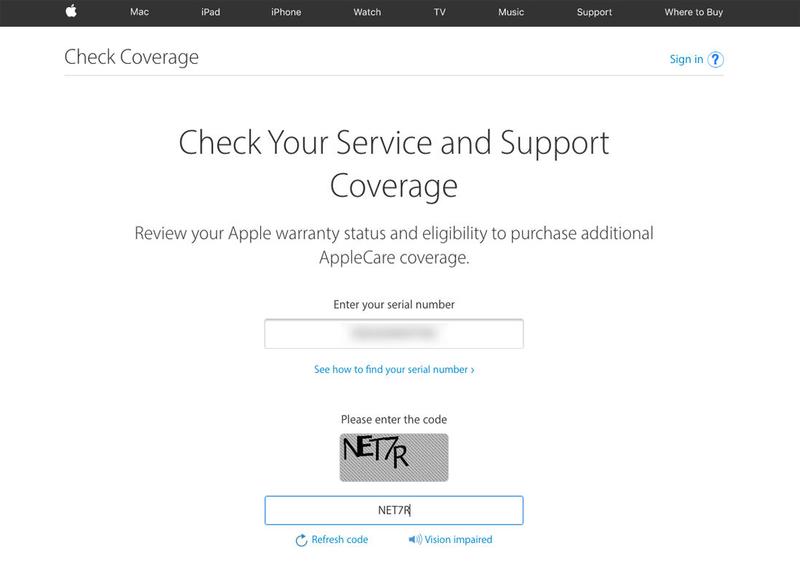
Understanding Apple’s Warranty Policy: A Comprehensive Guide
As a consumer, it’s essential to understand the warranty policy of any electronic device you purchase, including those from Apple. The tech giant offers various levels of protection for its products, and knowing how to check and utilize this coverage can be a lifesaver in case of technical issues or defects.
What You Need to Know About Apple’s Warranty
Before we dive into the nitty-gritty details, let’s cover some basic points:
- European Union (EU) Warranty: If you purchased an Apple product within the EU, it comes with a two-year warranty, which covers defects in materials and workmanship. This warranty is typically handled by the retailer from whom you bought the device.
- Apple’s Limited One-year Warranty: For devices purchased outside of the EU, Apple offers a limited one-year warranty, which applies to all products regardless of where they were bought.
- Applecare+: This extended warranty plan provides additional coverage for accidental damage and includes unlimited repairs for up to two incidents within 12 months.
How to Check Your Apple Device’s Warranty
Now that we’ve covered the basics, let’s talk about how to check your Apple device’s warranty status. The process varies slightly depending on the type of device you have, but here are some general steps:
- Iphones And Ipads: Go to Settings > General > About > Coverage Status.
- Macbooks And Imacs: Open System Preferences > AppleCare+ Summary (if you have AppleCare+) or Apple Support > Hardware Service.
- Apple Watches: Navigate to Settings > General > About > Coverage Status.
What’s Covered Under Apple’s Warranty?
Apple’s warranty covers defects in materials and workmanship for a period of two years from the date of purchase. This includes:
- Hardware Issues: Problems with the device’s hardware, such as the screen, battery, or logic board.
- Software Issues: Issues related to the operating system, apps, or other software installed on your device.
What’s Not Covered Under Apple’s Warranty?
While Apple’s warranty provides comprehensive protection for defects in materials and workmanship, there are some exceptions:
- Accidental Damage: Physical damage caused by accidents, such as dropping your iPhone or spilling liquid on your MacBook.
- Cosmetic Issues: Scratches, dents, or other cosmetic damage that don’t affect the device’s functionality.
What to Do in Case of a Warranty Issue?
If you experience any problems with your Apple device and believe it may be covered under warranty, follow these steps:
- Contact Apple Support: Reach out to Apple’s customer support team via phone, online chat, or email.
- Visit an Apple Store: Visit your nearest Apple Store for in-person assistance from a knowledgeable staff member.
- Schedule a Repair: If necessary, schedule a repair at an authorized Apple Service Provider.
Conclusion
In conclusion, understanding Apple’s warranty policy is crucial to ensure you’re adequately protected against defects and technical issues with your device. By knowing what’s covered and how to check your warranty status, you can enjoy peace of mind and focus on using your Apple product without worry.
Frequently Asked Questions (FAQs)
Here are some additional questions and answers related to Apple’s warranty policy:
Q: How do I check my Apple device’s warranty status?
A: You can check your warranty status by navigating to Settings > General > About > Coverage Status for iPhones and iPads, or System Preferences > AppleCare+ Summary for MacBooks and iMacs.
Q: What is AppleCare+?
A: AppleCare+ is an extended warranty plan that provides additional coverage for accidental damage and includes unlimited repairs for up to two incidents within 12 months.
Q: Are cosmetic issues covered under Apple’s warranty?
A: No, cosmetic issues such as scratches or dents are not covered under Apple’s warranty.
Q: How do I contact Apple Support in case of a warranty issue?
A: You can contact Apple Support via phone, online chat, or email.


