
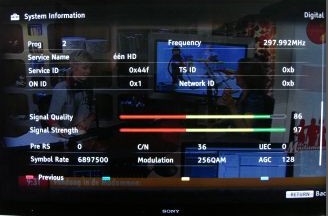
How to Check if Your TV is Ready For HD Channels: A Step-by-step Guide
Are you ready to upgrade your TV experience with high-definition (HD) channels? With the transition from standard definition (SD) to HD, it’s essential to ensure that your television is compatible with the new technology. In this article, we’ll guide you through a step-by-step process to check if your TV is ready for HD channels.
What Are HD Channels?
Before we dive into the guide, let’s briefly explain what HD channels are. HD channels offer higher picture quality and resolution compared to SD channels. They use advanced compression algorithms like MPEG-4 and HEVC (High Efficiency Video Coding) to deliver crystal-clear visuals.
Why Do I Need to Check My TV For HD Channels?
With the digital terrestrial transition, many Italian TV channels have switched from SD to HD. If your TV is not compatible with HD channels, you might experience poor picture quality or no signal at all. By following this guide, you’ll ensure that your TV is ready to receive and display HD channels.
Step 1: Check Your Tv’s Specifications
The first step is to check your TV’s specifications to see if it supports HD channels. Look for the following details:
- Resolution: Make sure your TV has a resolution of at least 720p (1280×720 pixels) or Full HD (1920×1080 pixels).
- HDMI ports: Ensure that your TV has at least one HDMI port, which is necessary for connecting devices that output HD signals.
- Compatibility with DVB-T2 and HEVC: Check if your TV is compatible with the new digital terrestrial standard (DVB-T2) and the HEVC compression algorithm.
Step 2: Check The Availability of HD Channels in Your Area
Once you’ve confirmed that your TV supports HD channels, check the availability of these channels in your area. You can do this by:
- Checking the official website of your local TV provider (e.G., Rai or Mediaset) to see if they offer HD channels.
- Using an online tool or app to scan for available HD channels in your region.
Step 3: Update Your Tv’s Software
If you’ve confirmed that HD channels are available in your area, but your TV is not receiving them, it might be due to outdated software. Check with the manufacturer to see if there are any software updates available for your TV model.
Step 4: Reset Your TV
In some cases, simply resetting your TV might resolve the issue. Try unplugging your TV from the power source, waiting for a few minutes, and then plugging it back in.
Troubleshooting Tips
If you’ve followed these steps and still can’t receive HD channels on your TV, here are some troubleshooting tips to try:
- Check if your TV is correctly connected to the antenna or cable.
- Ensure that your TV’s HDMI ports are functioning properly.
- Try using a different HDMI port or connecting a separate device (e.G., A set-top box) to see if it resolves the issue.
What If My TV Isn’t Compatible With HD Channels?
If you’ve checked all the above steps and still can’t receive HD channels on your TV, it might be time to consider upgrading to a new TV model that supports HD channels. You can also explore other options like purchasing a separate device (e.G., A set-top box) or subscribing to an external streaming service.
Conclusion
Upgrading to HD channels is an exciting experience, but it requires ensuring that your TV is compatible with the new technology. By following this step-by-step guide, you’ll be able to check if your TV is ready for HD channels and troubleshoot any issues that might arise. Happy viewing!
Frequently Asked Questions (FAQs)
- Q: What Are HD Channels?
A: HD channels offer higher picture quality and resolution compared to SD channels. - Q: Why do I Need to Check my TV For HD Channels?
A: With the digital terrestrial transition, many Italian TV channels have switched from SD to HD. If your TV is not compatible with HD channels, you might experience poor picture quality or no signal at all. - Q: How Can I Check if my TV Supports HD Channels?
A: Check your TV’s specifications for a resolution of at least 720p (1280×720 pixels) or Full HD (1920×1080 pixels), HDMI ports, and compatibility with DVB-T2 and HEVC. - Q: How Can I Update my Tv’s Software?
A: Contact the manufacturer to see if there are any software updates available for your TV model. - Q: What if my TV Isn’t Compatible With HD Channels?
A: Consider upgrading to a new TV model that supports HD channels or exploring other options like purchasing a separate device (e.G., A set-top box) or subscribing to an external streaming service. - Q: How Can I Troubleshoot Issues With Receiving HD Channels on my Tv?
A: Check if your TV is correctly connected to the antenna or cable, ensure that your TV’s HDMI ports are functioning properly, and try using a different HDMI port or connecting a separate device (e.G., A set-top box) to see if it resolves the issue. - Q: Are There Any Bonus Programs Available For Upgrading to HD Channels?
A: Yes, in Italy, there are two bonus programs available: Bonus TV-Decoder and Bonus Rottamazione TV. These programs offer discounts or rebates on the purchase of compatible devices. - Q: What is The Difference Between Dvb-t2 And Hevc?
A: DVB-T2 is a digital terrestrial standard that supports HD channels, while HEVC (High Efficiency Video Coding) is a compression algorithm used to deliver high-quality video signals.
Bonus Programs
- Bonus TV-Decoder: A program offering discounts or rebates on the purchase of compatible devices for upgrading to HD channels.
- Bonus Rottamazione TV: A program allowing you to receive a discount or rebate on the purchase of a new TV model that supports HD channels, provided you dispose of an old non-compatible TV.
Recommended Devices
- Edision Picco T265: A digital terrestrial receiver with Full HD and DVB-T2 support.
- Techly 360998 Decoder: A set-top box supporting DVB-T/T2 and H.265 HEVC.
- Canvases System Cam Certified tivùsat 4K Ultra HD: A satellite CAM device for receiving HD channels on your TV.
Final Note
Upgrading to HD channels is an exciting experience, but it requires ensuring that your TV is compatible with the new technology. By following this step-by-step guide and troubleshooting tips, you’ll be able to check if your TV is ready for HD channels and enjoy a better viewing experience!


