
How to Control The Recognitions of a Website: A Comprehensive Guide
As a website owner or administrator, understanding how to control the recognitions of your website is crucial in monitoring its performance and making informed decisions. In this article, we will guide you through the process of controlling recognitions using various online tools.
Why Monitor Website Recognitions?
Recognitions refer to the number of users visiting your website over a specific period. Monitoring these numbers can provide valuable insights into how well your website is performing, which can be essential in making data-driven decisions about its future development.
Using Google Analytics
Google Analytics is a free web service provided by Google that allows you to monitor and analyze the traffic on your website. To start using Google Analytics, follow these steps:
- Sign up for an account with Google.
- Create a new property by following the instructions on the Google Analytics page.
- Add the tracking code to your website’s HTML.
Configuring Google Analytics
Once you have added the tracking code, configure Google Analytics to collect relevant data about your website. To do this:
- Log in to your Google Analytics account and navigate to the “Admin” section.
- Select the property for which you want to configure the settings.
- Click on the “Create view” button to create a new view of your data.
Understanding Google Analytics Reports
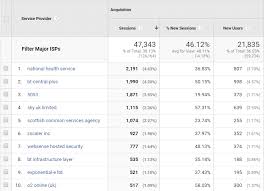
Google Analytics provides various reports that can help you understand how users interact with your website. To access these reports, follow these steps:
- Log in to your Google Analytics account and navigate to the “Reports” section.
- Select the report you want to view (e.G., “Overview,” “Audience,” or “Acquisition”).
- Use the filters and segments provided to customize your data.
Using Similarweb
SimilarWeb is another online tool that allows you to monitor website traffic, including recognitions. To use SimilarWeb:
- Sign up for a free account with SimilarWeb.
- Enter the URL of the website you want to analyze.
- Use the “Traffic Overview” report to view data about your website’s traffic.
Other Online Tools
There are several other online tools available that can help you control recognitions, including:
- Seozoom: A comprehensive SEO tool that provides detailed reports on website traffic and performance.
- Alexa: A web traffic analysis tool that offers insights into website traffic, engagement, and audience demographics.
- Ahrefs: An all-in-one SEO tool that provides data on backlinks, organic traffic, and content performance.
- Semrush: A comprehensive online marketing tool that includes features for keyword research, technical audit, and competitor analysis.
- Ubersuggest: A free online tool that provides insights into website traffic, keyword suggestions, and domain analysis.
Using Online Tools to Monitor Competitor Websites
Monitoring your competitors’ websites can be a valuable exercise in understanding their strategies and strengths. To use online tools for this purpose:
- Choose the tool you want to use (e.G., SimilarWeb or SEOZoom).
- Enter the URL of the competitor website.
- Use the reports provided by the tool to gain insights into their website traffic, engagement, and content performance.
Best Practices For Monitoring Website Recognitions
To get the most out of monitoring your website’s recognitions, follow these best practices:
- Use a Consistent Tracking Method: Choose one online tool and stick to it.
- Monitor Regularly: Regularly review reports to stay on top of trends and insights.
- Compare Data: Compare data from different tools or time periods to identify patterns and areas for improvement.
Conclusion
Monitoring website recognitions is crucial in understanding how well your website is performing. By using online tools like Google Analytics, SimilarWeb, SEOZoom, Alexa, Ahrefs, SEMrush, and Ubersuggest, you can gain valuable insights into your website’s traffic, engagement, and content performance. Remember to use best practices when monitoring recognitions, such as choosing a consistent tracking method and comparing data from different sources.
Frequently Asked Questions (FAQs)
- Q: What is The Purpose of Monitoring Website Recognitions?
A: Monitoring website recognitions helps you understand how well your website is performing, which can inform data-driven decisions about its future development. - Q: How do I Use Google Analytics to Monitor Website Recognitions?
A: To use Google Analytics, sign up for an account, create a new property, add the tracking code to your website’s HTML, and configure settings to collect relevant data. - Q: What Are Some Other Online Tools That Can Help me Control Website Recognitions?
A: Other online tools include SEOZoom, Alexa, Ahrefs, SEMrush, and Ubersuggest. - Q: How do I Monitor my Competitors’ Websites Using Online Tools?
A: Choose an online tool (e.G., SimilarWeb or SEOZoom), enter the URL of your competitor’s website, and use reports to gain insights into their website traffic, engagement, and content performance. - Q: What Are Some Best Practices For Monitoring Website Recognitions?
A: Best practices include using a consistent tracking method, monitoring regularly, and comparing data from different tools or time periods.
References
- “Google Analytics Help.” Google, n.D.
- “SimilarWeb: Website Traffic Analysis Tool.” SimilarWeb, n.D.
- “SEOZoom: Comprehensive SEO Tool.” SEOZoom, n.D.
- “Alexa: Web Traffic Analysis Tool.” Alexa, n.D.
- “Ahrefs: All-in-One SEO Tool.” Ahrefs, n.D.
- “SEMrush: Online Marketing Tool.” SEMrush, n.D.
- “Ubersuggest: Free Online Tool.” Ubersuggest, n.D.


