
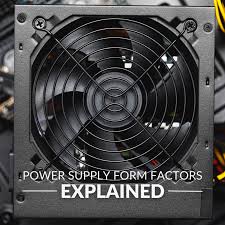
The Ultimate Guide to Choosing a Power Supply Unit (PSU) For Your PC
Are you looking for a reliable and efficient power supply unit (PSU) for your PC? Look no further! In this article, we’ll guide you through the process of choosing the perfect PSU for your needs.
Why is a Psu Important?
A PSU, also known as a Power Supply Unit, is an essential component of any computer system. Its primary function is to provide a stable and efficient electrical power supply to all the components in your PC. A good PSU ensures that your computer operates smoothly, reduces energy consumption, and prolongs its lifespan.
Types of Psus
There are various types of PSUs available on the market, including:
- Non-modular Psus: These PSUs have pre-installed cables, making them easy to install but limiting flexibility.
- Semi-modular Psus: These PSUs have some pre-installed cables and others that can be detached or rearranged.
- Fully Modular Psus: These PSUs have all the cables detachable and can be arranged as needed.
Key Parameters to Consider
When choosing a PSU, consider the following parameters:
- Capacity (Wattage): Ensure the PSU’s capacity matches your PC’s power requirements.
- Efficiency (80 Plus Certification): Look for a PSU with high efficiency (80 Plus Bronze, Silver, Gold, or Titanium) to reduce energy consumption and heat generation.
- Modularity: Choose a fully modular PSU for greater flexibility and ease of installation.
- Form Factor: Select a PSU that fits your PC case’s form factor (e.G., ATX, SFX, or Mini-ITX).
- Connectors: Ensure the PSU has sufficient connectors to support all your PC components.
Recommended Psus
Here are some top-rated PSUs in different categories:
- Best Overall: Corsair RM750x 80 Plus Gold Modular PSU
- Best Budget: EVGA SuperNOVA 550 GA, 80 Plus Bronze Semi-Modular PSU
- Best High-power: Thermaltake Toughpower Grand RGB 850W, 80 Plus Platinum Fully Modular PSU
- Best Small Form Factor (SFX): Corsair SF450 80 Plus Gold Modular SFX PSU
Conclusion
Choosing the right power supply unit for your PC is crucial to ensure reliable and efficient operation. By considering factors like capacity, efficiency, modularity, form factor, and connectors, you can make an informed decision that meets your needs. Don’t forget to check the recommended PSUs listed above to find the perfect match for your PC.
Frequently Asked Questions (FAQs)
- What is a Psu’s Efficiency?
A PSU’s efficiency is measured by its 80 Plus certification, which indicates how efficiently it converts AC power from the wall outlet into DC power for your computer components. - Why is a Fully Modular Psu Preferred?
Fully modular PSUs offer greater flexibility and ease of installation, making them ideal for custom PC builds or upgrades. - Can I Use a Lower Wattage Psu Than my Pc’s Requirements?
No, it’s not recommended to use a lower wattage PSU than your PC’s requirements, as it can lead to power supply overload and damage to components. - What is The Difference Between a Semi-modular And Fully Modular Psu?
A semi-modular PSU has some pre-installed cables, while a fully modular PSU has all the cables detachable and rearrangeable. - Can I Use a Psu From a Different Brand Than my Pc’s Components?
Yes, but ensure that the PSU is compatible with your PC’s form factor and has sufficient connectors to support all your components.
Hope this article helps you make an informed decision when choosing a Power Supply Unit (PSU) for your PC!


