
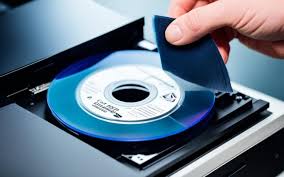
How to Clean a Ps4 Disc: A Step-by-step Guide
Are you tired of getting the “Error 10002” message on your PS4 console? Do you find yourself constantly cleaning the disc, only to have it get dirty again? Well, you’re in luck! In this article, we’ll show you how to clean a PS4 disc effectively and easily.
What Causes Dirt on Ps4 Discs?
Before we dive into the cleaning process, let’s first understand what causes dirt on PS4 discs. The lenses of the optical reader in the PS4 are sensitive to dust and dirt, which can cause errors during gameplay. When you insert a disc into the console, it can pick up dust and debris from the environment, leading to problems.
The Risks of Not Cleaning Your Disc
If you don’t clean your PS4 disc regularly, it can lead to a range of problems, including:
- Error 10002: This is the most common error message you’ll get when your disc is dirty.
- Game freezing or crashing: A dirty disc can cause your game to freeze or crash mid-play.
- Disc damage: If you’re not careful, dirt and dust can scratch the surface of your disc, leading to permanent damage.
The Best Ways to Clean a Ps4 Disc
Now that we’ve covered the risks of not cleaning your disc, let’s move on to the best ways to clean it. Here are some effective methods:
1. Pano Electrostatic Capture Powder
This is one of the easiest and most effective ways to clean a PS4 disc. All you need is a soft brush or cloth to gently remove dust and debris from the surface.
- Buy on Amazon: Superfive VD-GCI100 Catturapolvere Roll Duster, Poliestere, Bianco, Ro…
- How to Use: Take your disc and hold it firmly with one hand. With the other hand, gently brush or wipe the surface with a soft cloth or brush.
2. Pano Umido
This method is perfect for removing stubborn dust and debris from your PS4 disc. All you need is a damp cloth and some patience.
- How to Use: Take a damp cloth and gently wipe the surface of your disc, making sure not to apply too much pressure.
- Tips: Avoid using detergents or harsh chemicals, as they can damage the surface of your disc.
3. Alcol Isopropilico
This method is a bit more aggressive than the previous two, but it’s effective in removing stubborn dust and debris from your PS4 disc.
- How to Use: Mix equal parts water and alcohol in a small container. Dip a soft cloth into the solution and gently wipe the surface of your disc.
- Tips: Be careful not to apply too much pressure or let the solution dry on the surface, as it can damage the disc.
Cleaning The Inner Disc of Your Ps4
While cleaning the outer disc is important, it’s equally crucial to clean the inner disc. Here are some steps you can follow:
- Turn Off Your Console: Before you start cleaning the inner disc, make sure to turn off your console.
- Locate The Disc Tray: Find the disc tray in your PS4 console and gently pull it out.
- Clean The Inner Disc: Take a soft cloth or brush and gently clean the inner disc, removing any dust or debris.
Conclusion
Cleaning your PS4 disc is an essential part of maintaining your console’s health. By following these simple steps, you can ensure that your disc stays clean and free from errors. Remember to always handle your disc with care and avoid using harsh chemicals or detergents that can damage the surface.
Faqs
- Q: How Often Should I Clean my Ps4 Disc?
A: We recommend cleaning your PS4 disc every 2-3 months, or whenever you notice it getting dirty. - Q: What Are Some Common Mistakes to Avoid When Cleaning my Ps4 Disc?
A: Avoid using harsh chemicals, detergents, or abrasive cloths that can damage the surface of your disc. - Q: Can I Clean my Ps4 Disc With a Vacuum Cleaner?
A: No, it’s not recommended to use a vacuum cleaner to clean your PS4 disc, as it can push dust and debris further into the console. - Q: How do I Know if my Disc is Damaged Beyond Repair?
A: If you notice any scratches or deep scuffs on the surface of your disc, it may be time to consider replacing it. - Q: Can I Use a Ps4 Cleaning Kit to Clean my Disc?
A: Yes, there are specialized cleaning kits available for PS4 consoles that can help clean and maintain your disc.
By following these tips and best practices, you can ensure that your PS4 disc stays clean and free from errors. Happy gaming!


