
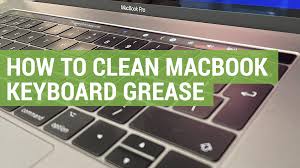
How to Clean Your Mac Keyboard: A Step-by-step Guide
Are you tired of typing on a dirty Mac keyboard? Do you want to know the secret to keeping your MacBook’s keys clean and functional? Look no further! In this article, we’ll guide you through a simple and effective process to clean your Mac keyboard.
The Importance of Cleaning Your Mac Keyboard
Just like any other electronic device, your Mac keyboard can accumulate dust, dirt, and other debris over time. If not cleaned regularly, these particles can cause problems with your keyboard’s functionality, such as:
- Sticking keys
- Difficulty typing
- Inconsistent key presses
Cleaning your Mac keyboard is essential to maintain its performance and extend its lifespan.
Materials Needed
To clean your Mac keyboard, you’ll need the following materials:
- A compressed air duster (available at most electronics stores or online)
- A soft, microfiber cloth (preferably one specifically designed for cleaning electronic devices)
- A small bowl of water
- A gentle soap or cleaning solution (optional)
Step 1: Prepare Your Mac
Before you start cleaning your keyboard, make sure to:
- Turn off your Mac
- Unplug any external keyboards or other peripherals connected to it
Step 2: Clean The Keyboard
Follow these steps to clean your Mac keyboard:
- Use compressed air to blow out any loose dust or debris from between the keys.
- Gently sweep the microfiber cloth across the keys, starting from one end of the keyboard and working your way down. Repeat this process a few times to ensure all dirt and dust are removed.
- If there’s stubborn dirt or stains on specific keys, dampen the microfiber cloth with water (not too wet) and gently scrub those areas. Be cautious not to get any liquid between the keys.
Step 3: Clean Between Keys
Use compressed air to blow out any remaining debris from between the keys:
- Hold the can upright and spray a short burst of compressed air into the spaces between the keys.
- Move the can around, spraying different areas, until you’ve cleaned all the crevices.
Step 4: Dry The Keyboard
Once you’ve finished cleaning your keyboard, let it dry completely before using it:
- Place the microfiber cloth over the keyboard to absorb any remaining moisture.
- Allow the keyboard to air-dry for at least an hour or more before reassembling and reconnecting peripherals.
Alternative Methods For Cleaning a Macbook Keyboard
If you’re experiencing stubborn stains or damage, consider trying these alternative methods:
- For tougher stains or spills, mix equal parts water and white vinegar in a bowl. Dip the microfiber cloth into this solution and gently scrub the affected areas.
- Avoid using household cleaners or harsh chemicals that might damage your keyboard.
Frequently Asked Questions (FAQs)
Here are some answers to common questions about cleaning your Mac keyboard:
- Q: How often should I clean my Mac keyboard?
A: Aim for every 3-6 months, depending on usage. - Q: What can I use to clean between keys?
A: Compressed air or a small brush specifically designed for electronics. - Q: Will using compressed air damage my keyboard?
A: No, but avoid spraying it too close to the motherboard or electrical components.
Conclusion
Cleaning your Mac keyboard is a simple and effective way to maintain its performance and longevity. By following these steps, you’ll be able to remove dirt, dust, and debris that can cause problems with your typing experience. Remember to clean your keyboard regularly to keep it running smoothly!
Frequently Asked Questions (FAQs)
- Q: How do I know if my Mac keyboard needs cleaning?
A: Look for visible signs of dirt or stains on the keys. - Q: Can I use a different type of cleaning solution instead of compressed air?
A: Avoid using household cleaners, but water and white vinegar can be used in moderation. - Q: Will cleaning my Mac keyboard void its warranty?
A: No, as long as you follow Apple’s recommended cleaning procedures.
Note to the Reader:
If you’re still unsure about how to clean your Mac keyboard or have specific questions, feel free to reach out to our support team for personalized assistance!


