
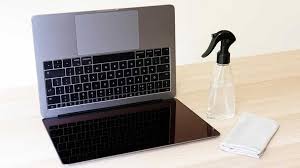
The Ultimate Guide to Cleaning Your Mac: Tips, Tricks, And Best Practices
Are you tired of dealing with a cluttered and slow MacBook? Do you want to keep your iMac or Mac Pro running smoothly and efficiently? Look no further! In this comprehensive guide, we’ll show you how to clean your Mac like a pro, from the outside to the inside.
Why Clean Your Mac?
Cleaning your Mac is essential for maintaining its performance and longevity. Over time, dust, dirt, and other debris can accumulate on the exterior and interior of your device, causing problems with heat dissipation, keyboard functionality, and overall system stability. By regularly cleaning your Mac, you’ll be able to:
- Improve airflow and reduce overheating
- Prevent dust from damaging internal components
- Remove malware and viruses that may be hiding in files and folders
- Enhance the overall look and feel of your device
Cleaning The Exterior
To start, gather the necessary materials:
- A microfiber cloth (preferably new and antistatic)
- A gentle detergent for display cleaning
- A soft-bristled brush or mini-vacuum cleaner (optional)
Follow these steps to clean the exterior of your Mac:
- Turn off your device and unplug it from power.
- Use a microfiber cloth to wipe down the entire surface, paying attention to any stubborn stains or smudges.
- If necessary, dampen the cloth with water and gently scrub away dirt and grime.
- Use a dry section of the microfiber cloth to clean any remaining streaks or marks.
Cleaning The Monitor
The monitor is a sensitive area that requires special care:
- Turn off your device and unplug it from power.
- Apply a gentle detergent specifically designed for display cleaning to a soft cloth.
- Gently rub the cloth in circular motions, avoiding any excessive pressure.
- Use a dry section of the microfiber cloth to wipe away any remaining residue.
Cleaning Hard-to-reach Areas
For areas that are difficult to access, such as keyboard crevices or mouse surfaces:
- Use a soft-bristled brush or mini-vacuum cleaner to gently sweep away debris.
- Avoid using excessive force or pressure, which can damage delicate components.
- If necessary, use a gentle detergent specifically designed for electronics.
Cleaning The Keyboard And Mouse
To clean the keyboard and mouse:
- Turn off your device and unplug it from power.
- Use a soft cloth to wipe away any visible dust or debris.
- Apply a gentle detergent specifically designed for keyboards and mice.
- Gently rub the cloth in circular motions, avoiding any excessive pressure.
Cleaning Your Mac of Viruses
To prevent malware and viruses from infecting your device:
- Regularly update your operating system and software.
- Use reputable antivirus software to scan your device regularly.
- Avoid downloading files or apps from unknown sources.
- Be cautious when clicking on links or opening attachments.
Cleaning Your Mac of Temporary Files
To free up space and improve performance:
- Use a reputable cleaning tool, such as CleanMyMac X.
- Run the software and follow the prompts to delete temporary files and system junk.
- Consider upgrading to the premium version for additional features and benefits.
Preparing Your Mac For Sale or Trade-in
If you’re planning to sell or trade-in your Mac:
- Back up all data and personal files.
- Remove any sensitive information, such as login credentials or financial records.
- Use a reliable cleaning tool to delete temporary files and system junk.
- Perform a factory reset to restore the device to its original settings.
Conclusion
Cleaning your Mac is an essential part of maintaining its performance and longevity. By following these tips and tricks, you’ll be able to:
- Improve airflow and reduce overheating
- Prevent dust from damaging internal components
- Remove malware and viruses that may be hiding in files and folders
- Enhance the overall look and feel of your device
Remember to regularly clean your Mac to prevent issues with performance and longevity. Happy cleaning!
Frequently Asked Questions (FAQs)
- Q: How Often Should I Clean my Mac?
A: It’s recommended to clean your Mac every 3-6 months, depending on usage. - Q: What Materials do I Need For Cleaning?
A: A microfiber cloth, gentle detergent specifically designed for display cleaning, soft-bristled brush or mini-vacuum cleaner (optional). - Q: How Can I Prevent Malware And Viruses From Infecting my Mac?
A: Regularly update your operating system and software, use reputable antivirus software to scan your device regularly. - Q: What’s The Best Way to Clean The Keyboard And Mouse?
A: Use a soft cloth to wipe away any visible dust or debris, apply gentle detergent specifically designed for keyboards and mice. - Q: How Can I Prepare my Mac For Sale or Trade-in?
A: Back up all data and personal files, remove sensitive information, use reliable cleaning tool to delete temporary files and system junk, perform factory reset.
I hope this guide has been helpful!


