
Retracting Amazon Packages: A Step-by-step Guide
As an avid online shopper, have you ever found yourself in a situation where your Amazon package couldn’t be delivered to your doorstep? Perhaps you were not at home when the delivery person arrived, or maybe you wanted to pick up your purchase in person. Whatever the reason, Amazon has got you covered with its innovative Amazon Locker service.
In this article, we’ll delve into the world of Amazon Lockers and provide you with a comprehensive guide on how to use them to retrieve your packages. From choosing a locker location to retrieving your package, we’ve got everything covered.
What Are Amazon Lockers?
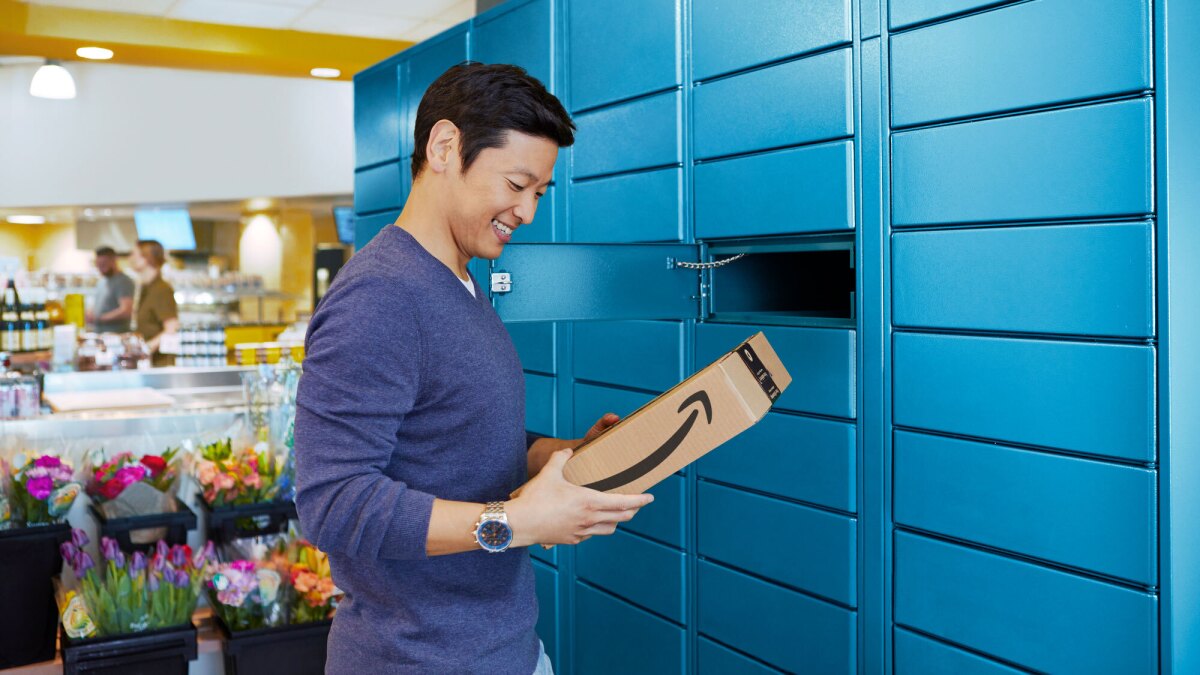
Amazon Lockers are self-service kiosks located in convenient spots throughout the city. These lockers allow customers to pick up their Amazon packages at their own convenience, 24/7. The service is free, and you can use it to retrieve your package without any additional costs.
How do I Choose a Locker Location?
To get started with Amazon Locker, simply follow these steps:
- Log in to Your Amazon Account: Go to the Amazon website or mobile app and sign in to your account.
- Search For Products: Browse through the Amazon catalog and find the product you’d like to purchase.
- Add to Cart: Click on “Add to Cart” to add the item to your shopping cart.
- Proceed to Checkout: Once you’ve added all the items you want, click on “Proceed to Checkout.”
- Select a Locker Location: During the checkout process, select an Amazon Locker location that suits you best.
How do I Retrieve my Package From a Locker?
Retrieving your package is easy and straightforward:
- Go to The Locker Location: Visit the Amazon Locker location you selected during checkout.
- Scan The Code: Use the scanner provided at the locker to scan the 6-digit code and bar code sent to you via email by Amazon.
- Open The Locker: Once scanned, the locker will open automatically, revealing your package inside.
What Are The Conditions For Using Amazon Lockers?
Before you start using Amazon Lockers, here are some essential things to know:
- Availability: Amazon Lockers are not available for all products on sale on Amazon. Only items labeled as “This item can be delivered to an Amazon Locker” will work with this service.
- Size And Weight Limitations: Your package must be within the size and weight limits specified by Amazon (42cm x 35cm x 32cm and 4.5 Kg, respectively).
- Weather Conditions: In case of bad weather, your package might not be retrieved from the locker. However, you’ll receive a notification via email.
What if I Encounter Problems?
If you’re experiencing any issues with Amazon Lockers, don’t worry! Here’s what to do:
- Wait For 3 Days: Give Amazon time to deliver and retrieve your package.
- Check The Status of Your Order: Log in to your Amazon account and check the status of your order.
- Contact Amazon Customer Support: If you’re still having issues, reach out to Amazon’s customer support team via phone or email.
Tips And Tricks
To ensure a smooth experience with Amazon Lockers:
- Double-check The Locker Location: Make sure you’ve selected the correct locker location before completing your purchase.
- Be Aware of Package Size And Weight Limits: Only send packages within the specified size and weight limitations.
- Monitor Weather Conditions: In case of bad weather, your package might not be retrieved from the locker.
Conclusion
Amazon Lockers offer a convenient solution for customers to pick up their Amazon packages at their own convenience. With this guide, you’re now equipped with all the necessary information to start using Amazon Lockers and retrieve your packages smoothly. Remember to always follow the conditions specified by Amazon to ensure a hassle-free experience.
Frequently Asked Questions (FAQs)
- Q: How do I Find an Amazon Locker Location?
A: You can search for available locker locations on the Amazon website or mobile app during checkout. - Q: What if I’m Not Home When my Package is Delivered to a Locker?
A: Your package will be stored in the locker for 3 days before being returned to Amazon. You’ll receive an email notification with instructions on how to retrieve your package. - Q: Can I Use Amazon Lockers For All Types of Packages?
A: No, Amazon Lockers are only available for specific products labeled as “This item can be delivered to an Amazon Locker.” - Q: How Long do I Have to Retrieve my Package From a Locker?
A: You have 3 days from the date your package was delivered to a locker to pick it up. - Q: Can I Return or Exchange a Package Stored in a Locker?
A: Yes, you can return or exchange an item that’s been stored in a locker by contacting Amazon customer support.


