
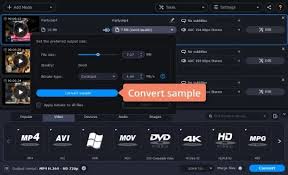
How to Compress a Video: A Comprehensive Guide
Are you tired of dealing with large video files that take up too much space on your computer or mobile device? Do you want to share videos with friends and family without worrying about them being too heavy for their devices? Look no further! In this article, we’ll show you how to compress a video using various tools and techniques.
Why Compress a Video?
Compressing a video is a great way to reduce its size without sacrificing much of its quality. This can be especially useful when:
- Sharing videos on social media or messaging apps
- Uploading videos to cloud storage services like Google Drive or Dropbox
- Saving videos on your computer or mobile device for later viewing
How to Compress a Video on PC
If you’re using a Windows or macOS computer, there are several tools that can help you compress a video. Here are some of the most popular options:
1. Adapter
Adapter is a free software that allows you to compress videos in various formats, including MP4, AVI, and MOV. It’s easy to use and supports multiple profiles for different devices.
- Download and install Adapter on your computer
- Select the video you want to compress and choose a profile from the menu
- Adjust settings as needed (e.G., Bitrate, resolution)
- Click “Convert” to start the compression process
2. Handbrake
HandBrake is another popular tool for compressing videos. It’s free and open-source, making it a great option for those on a budget.
- Download and install HandBrake on your computer
- Select the video you want to compress and choose a preset from the menu
- Adjust settings as needed (e.G., Bitrate, resolution)
- Click “Start” to initiate the compression process
3. Vlc
VLC is a versatile media player that also offers video compression capabilities.
- Download and install VLC on your computer
- Open VLC and select “Media” > “Convert / Save”
- Choose the profile you want to use for compressing the video
- Adjust settings as needed (e.G., Bitrate, resolution)
- Click “Save” to start the compression process
How to Compress a Video on Mobile Device
If you’re using an Android or iOS device, there are also several options available for compressing videos.
1. Video Compress (Android)
Video Compress is a free app that allows you to compress videos in various formats.
- Download and install the app from the Google Play Store
- Select the video you want to compress and choose a compression level (high, medium, low)
- Adjust settings as needed (e.G., Resolution, bitrate)
- Click “Compress” to start the compression process
2. Compressor Video (iOS)
Compressor Video is a free app that allows you to compress videos in various formats.
- Download and install the app from the App Store
- Select the video you want to compress and choose a preset from the menu
- Adjust settings as needed (e.G., Bitrate, resolution)
- Click “Compress” to start the compression process
How to Compress a Video For Whatsapp
If you want to share videos on WhatsApp without sacrificing much quality, you can use one of the tools mentioned above. Alternatively, you can also compress your video using the built-in features of the Facebook-owned platform.
- Use a tool like Adapter or HandBrake to compress your video
- Share the compressed video on WhatsApp
Conclusion
Compressing a video is a simple yet effective way to reduce its size without sacrificing much quality. By using the tools and techniques outlined in this article, you can share videos with friends and family without worrying about them being too heavy for their devices.
We hope this guide has been helpful! Do you have any questions or need further assistance? Feel free to ask!
Frequently Asked Questions
- What is Video Compression?
Video compression involves reducing the size of a video file while preserving its quality. - Why Compress a Video?
Compressing a video can help reduce its size, making it easier to share or store on your device. - How do I Compress a Video Using Adapter?
To compress a video using Adapter, select the video you want to compress, choose a profile from the menu, and adjust settings as needed before clicking “Convert” to start the compression process. - What is Handbrake?
HandBrake is a free and open-source tool that allows you to compress videos in various formats. - Can I Use Vlc to Compress a Video?
Yes, VLC offers video compression capabilities. Simply select “Media” > “Convert / Save,” choose the profile you want to use, adjust settings as needed, and click “Save” to start the compression process.
Faqs (Continued)
- What is Video Compress?
Video Compress is a free app for Android devices that allows you to compress videos in various formats. - How do I Compress a Video Using Compressor Video (iOS)?
To compress a video using Compressor Video, select the video you want to compress, choose a preset from the menu, adjust settings as needed, and click “Compress” to start the compression process. - Can I Use Whatsapp to Share Compressed Videos?
Yes, you can use WhatsApp to share compressed videos by using one of the tools mentioned above or sharing the built-in features of the platform.


