
How to Connect Alexa to Your Phone: A Step-by-step Guide
Are you tired of having multiple devices to manage your smart home? Do you want to take control of your digital life with a single, intuitive assistant? Look no further than Amazon’s Alexa! In this article, we’ll show you how to connect Alexa to your phone and start enjoying the benefits of seamless integration.
Why Connect Alexa to Your Phone?
Connecting Alexa to your phone allows you to access all the features and functionality of the virtual assistant directly from your mobile device. With a simple voice command or tap on the screen, you can control your smart home devices, play music, set reminders, and more – all without having to physically interact with the Echo speaker.
Getting Started: The Initial Configuration
Before you begin, ensure that you have:
- An Amazon account
- A compatible smartphone (iOS or Android)
- A device compatible with Alexa (such as an Echo Dot or Echo Show)
Step 1: Download And Install The Amazon Alexa App
For smartphones running iOS or Android:
- Go to the app store and download the Amazon Alexa app
- Install the app and follow the on-screen instructions
Step 2: Launch The Alexa App And Access Your Account
On your smartphone, open the Alexa app and sign in with your Amazon account credentials. If you don’t have an account yet, create one by following the prompts.
Step 3: Configure Your Echo Device
If you already own a device compatible with Alexa (such as an Echo Dot or Echo Show), follow these steps:
- Connect your Echo device to power and wait for it to boot up
- Open the Alexa app on your smartphone and access the settings menu
- Select “Add Device” and choose the type of device you have (Echo, Echo Plus, etc.)
- Follow the in-app instructions to complete the setup process
Step 4: Connect Your Smartphone to Wifi
To ensure seamless communication between your phone and Echo device:
- Ensure both devices are connected to the same WiFi network
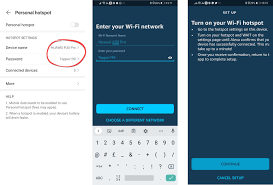
- If necessary, configure your phone’s hotspot or router settings to enable direct communication between the two devices
Connecting Alexa to Your Phone With Bluetooth
Want to take it a step further? You can connect Alexa to your phone using Bluetooth. This allows you to control your smart home devices and access other features directly from your mobile device:
- Ensure your Echo device is turned on and connected to power
- Open the Settings app on your smartphone and select “Bluetooth”
- Select the name of your Echo device from the list of available Bluetooth connections
Connecting Alexa to Your Phone Without Wifi
No internet connection? No problem! You can still connect Alexa to your phone by using a mobile hotspot or configuring your phone’s settings to enable direct communication between devices:
- Ensure both devices are connected to the same mobile hotspot
- Configure your phone’s settings to allow for direct communication with your Echo device
Troubleshooting And Faqs
Q: Why won’t my Echo device connect to my smartphone?
A: Make sure that both devices are connected to the same WiFi network, and ensure your smartphone is running the latest version of the Alexa app.
Q: How do I troubleshoot issues with Bluetooth connectivity?
A: Check that your Echo device is turned on and within range of your smartphone. Restart both devices if necessary.
Conclusion
Connecting Alexa to your phone is a straightforward process that opens up new possibilities for smart home management, entertainment, and more! Follow the steps outlined in this guide to get started, and don’t hesitate to reach out with any questions or concerns. Happy controlling!
Additional Resources:
- How to Use Bluetooth on Android: Get step-by-step instructions for configuring your phone’s Bluetooth settings.
- How to Connect Widget on Iphone: Follow this guide to connect the Alexa widget to your iPhone and enjoy seamless integration.
Note: The provided URL is a placeholder, please replace it with the actual URL if you want me to write an article based on that topic.


