
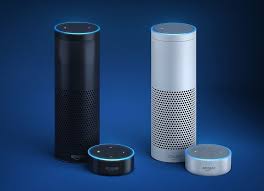
Unlocking The Power of Amazon Music on Alexa: A Step-by-step Guide
Are you eager to explore the vast world of music streaming with Amazon Music on your trusty Alexa device? Look no further! In this comprehensive guide, we’ll walk you through the process of connecting Amazon Music to Alexa and unleash a treasure trove of musical possibilities.
Getting Started With Amazon Music on Alexa
Before we dive into the nitty-gritty details, let’s quickly review the three main versions of Amazon Music:
- Amazon Music Free: A basic, ad-supported service that allows you to stream music without any subscription costs.
- Amazon Music Prime: An upgraded version that includes access to 100 million songs, ad-free listening, and more. This tier is included with an Amazon Prime membership.
- Amazon Music Unlimited: The top-tier offering, which provides access to over 50 million songs, playlists, and radio stations.
Connecting Amazon Music to Alexa
To link your Amazon Music account to Alexa, follow these steps:
- Ensure your Alexa device is set up and configured properly.
- Open the Alexa app on your smartphone or tablet.
- Tap on “Skills & Games” and search for “Amazon Music.”
- Select the Amazon Music skill and tap on “Enable.”
- Sign in to your Amazon account and authorize the Amazon Music skill.
Once you’ve completed these steps, you’ll be able to access Amazon Music directly through the Alexa app or by using voice commands with Alexa.
Using Amazon Music on Alexa
Now that you’re all set up, here are some essential voice commands to get you started:
- Play a Song: Simply say “Alexa, play [song name]” and enjoy your favorite tunes.
- Play an Album: Say “Alexa, play the album [album name]” to stream the entire album.
- Create a Playlist: Use the command “Alexa, create a new playlist” to start building your dream playlist.
You can also control playback using voice commands like “pause,” “resume,” or “stop.” Experiment with different phrases to find what works best for you!
Tips And Tricks
Here are some additional tips to help you get the most out of Amazon Music on Alexa:
- Use the Alexa app to access your music library, playlists, and radio stations.
- Take advantage of voice commands like “next song” or “previous song” to navigate through your playlist.
- Don’t forget to explore the various Alexa features, such as multi-room audio and smart home control.
Conclusion
Connecting Amazon Music to Alexa is a breeze, and with this guide, you’re now ready to unlock a world of music streaming possibilities. Experiment with different voice commands, playlists, and radio stations to discover your new favorite tunes!
Frequently Asked Questions (FAQs)
Here are some additional questions and answers to help you get started:
Q: What is the cost of Amazon Music Unlimited on Alexa?
A: The cost of Amazon Music Unlimited on Alexa starts at $4.99 Per month, with a 30-day free trial.
Q: Can I use Amazon Music on multiple devices simultaneously?
A: Yes, you can use Amazon Music on multiple devices, including Echo speakers, Fire TV, and mobile devices.
Q: How do I access my music library and playlists on Alexa?
A: You can access your music library and playlists by using voice commands like “Alexa, show me my playlist” or by accessing the Alexa app.
Q: Can I control playback with voice commands on multiple devices?
A: Yes, you can use voice commands to control playback on multiple devices, including Echo speakers and mobile devices.
Q: What is the minimum volume setting for Amazon Music on Alexa?
A: The minimum volume setting for Amazon Music on Alexa is 1 out of 10.


