
The Ultimate Guide to Connecting a Switch Ethernet: A Step-by-step Tutorial
Are you looking for a comprehensive guide on how to connect a switch Ethernet? Look no further! In this article, we will walk you through the process of connecting a switch Ethernet to your router and other devices in a step-by-step manner.
Why Do You Need a Switch Ethernet?
Before we dive into the tutorial, let’s understand why you might need a switch Ethernet. A switch Ethernet is a device that allows multiple devices to connect to the internet using a single cable. It’s useful when you have multiple devices connected to your router and want to share the available bandwidth.
The Types of Switches
There are two types of switches: Unmanaged and Managed. An Unmanaged switch is a simple device that connects multiple devices without any configuration required. A Managed switch, on the other hand, allows for advanced configuration options such as Quality of Service (QoS) and Virtual Local Area Network (VLAN).
Step 1: Physically Connecting The Switch
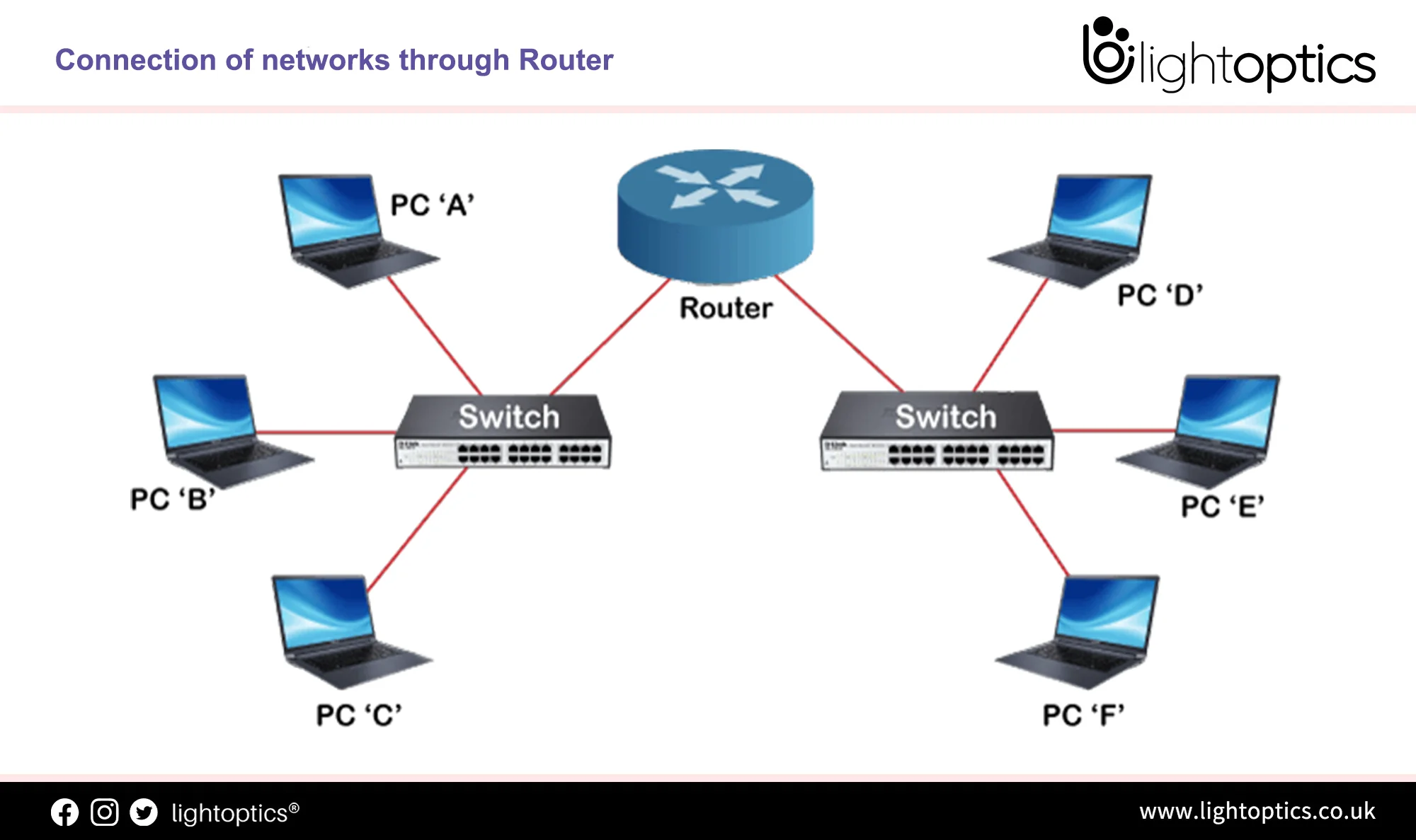
To connect your switch Ethernet to your router or other devices, you’ll need a cable Ethernet. Take one end of the cable and insert it into an empty port on the back of your router or switch. Make sure the other end is securely connected to the device you want to connect.
Step 2: Configuring The Switch
If you have a Managed switch, you’ll need to configure it using its web-based interface. This will involve setting up the IP address, subnet mask, and default gateway for your network. Don’t worry; we’ll guide you through this process in a later section.
Step 3: Connecting Multiple Devices
Once you’ve configured your switch Ethernet, you can connect multiple devices to it using separate cables. Make sure each device has its own cable connecting it to the switch.
The Benefits of Using a Switch Ethernet
Using a switch Ethernet offers several benefits, including:
- Increased bandwidth for multiple devices
- Improved network performance and reliability
- Simplified network management
How to Configure Your Managed Switch
Configuring your Managed switch involves setting up its IP address, subnet mask, and default gateway. Here’s a step-by-step guide:
- Connect to the switch using its web-based interface.
- Set up the IP address, subnet mask, and default gateway for your network.
- Save the changes and reboot the switch.
How to Configure Vlans on Your Managed Switch
Configuring VLANs (Virtual Local Area Networks) involves setting up separate networks within a larger network. Here’s a step-by-step guide:
- Connect to the switch using its web-based interface.
- Go to the VLAN settings page and create a new VLAN.
- Assign devices to the VLAN.
Troubleshooting Common Issues
If you encounter issues while configuring your switch Ethernet, here are some common problems and their solutions:
- No Internet Connection: Check that all cables are securely connected and that the IP address is correctly set up on the switch.
- Devices Not Connecting: Make sure each device has its own cable connecting it to the switch.
Conclusion
In this article, we’ve provided a comprehensive guide on how to connect a switch Ethernet. We’ve walked you through the process of physically connecting the switch, configuring it using its web-based interface, and troubleshooting common issues. With this knowledge, you should be able to set up your own switch Ethernet with ease.
Frequently Asked Questions
Here are some frequently asked questions about switch Ethernet:
Q: What is a switch Ethernet?
A: A switch Ethernet is a device that allows multiple devices to connect to the internet using a single cable.
Q: Do I need a Managed or Unmanaged switch?
A: The choice of switch depends on your specific needs. If you have advanced configuration requirements, choose a Managed switch. Otherwise, an Unmanaged switch will suffice.
Q: Can I connect multiple devices to a single switch Ethernet?
A: Yes, you can connect multiple devices using separate cables.
Q: How do I configure my Managed switch?
A: Follow the step-by-step guide provided earlier in this article.
Additional Resources
For further information on switch Ethernet, check out these additional resources:
- What is a Switch?: Learn about the different types of switches and their uses.
- How to Set up a Vlan: Find out how to configure VLANs on your Managed switch.
- Troubleshooting Guide: Get help with common issues that might arise when using a switch Ethernet.
I hope this article has provided you with a comprehensive understanding of switch Ethernet. If you have any further questions or need more clarification, feel free to ask!


