
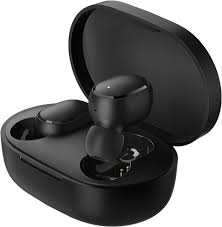
How to Connect Xiaomi Bluetooth Earphones: A Step-by-step Guide
Are you tired of struggling to connect your Xiaomi Bluetooth earphones? Look no further! In this article, we will guide you through the process of connecting your Xiaomi earphones to various devices, including PCs, Macs, Android smartphones, and iPhones.
Understanding The Basics
Before we dive into the step-by-step instructions, it’s essential to understand the basics of Bluetooth connectivity. Bluetooth is a wireless personal area network (PAN) technology that allows devices to communicate with each other over short distances. To connect your Xiaomi earphones to a device, you’ll need to put them in pairing mode and follow the device-specific instructions.
Step-by-step Instructions For Connecting Xiaomi Earphones
Connecting Xiaomi Earphones to Pcs
To connect your Xiaomi earphones to a PC, follow these steps:
- Extract both earphones from the charging case.
- Wait until the LED on the right earphone starts blinking slowly in white.
- Open the Settings app on your PC and click on the Start button (the Windows logo).
- Click on the Settings icon (the gear icon) to open the Settings window.
- Click on the “Devices” option from the left menu.
- Click on the “Bluetooth & other devices” option from the right panel.
- Click on the “Add device” button and select “Bluetooth”.
- Follow the prompts to connect your earphones to your PC.
Connecting Xiaomi Earphones to Macs
To connect your Xiaomi earphones to a Mac, follow these steps:
- Extract both earphones from the charging case.
- Wait until the LED on the right earphone starts blinking slowly in white.
- Click on the Apple logo in the top left corner of your screen and select “System Preferences”.
- Click on the “Bluetooth” icon to open the Bluetooth settings window.
- Select your earphones from the list of available devices and click “Connect”.
- Wait until the connection is established.
Connecting Xiaomi Earphones to Android Smartphones
To connect your Xiaomi earphones to an Android smartphone, follow these steps:
- Extract both earphones from the charging case.
- Wait until the LED on the right earphone starts blinking slowly in white.
- Open the Settings app on your phone and click on the “Connection device” or “Connections” option.
- Click on the “Bluetooth” option to open the Bluetooth settings window.
- Select your earphones from the list of available devices and click “Connect”.
- Wait until the connection is established.
Connecting Xiaomi Earphones to Iphones
To connect your Xiaomi earphones to an iPhone, follow these steps:
- Extract both earphones from the charging case.
- Wait until the LED on the right earphone starts blinking slowly in white.
- Open the Settings app on your phone and click on the “Bluetooth” option.
- Select your earphones from the list of available devices and click “Connect”.
- Wait until the connection is established.
Tips And Tricks
- Make sure to put your earphones in pairing mode before attempting to connect them to a device.
- If you’re having trouble connecting your earphones, try restarting both the earphones and the device.
- If you’ve already paired your earphones with a device, you may need to unpair them and re-pair them to connect them to another device.
Conclusion
Connecting Xiaomi Bluetooth earphones to various devices is a straightforward process. By following these step-by-step instructions, you’ll be able to enjoy high-quality audio from your earphones on your PC, Mac, Android smartphone, or iPhone. Remember to always put your earphones in pairing mode and follow the device-specific instructions for a seamless connection.
Frequently Asked Questions
- Q: How do I Know if my Xiaomi Earphones Are Connected?
A: Your earphones will indicate that they’re connected when the LED on the right earphone starts blinking slowly. - Q: Why Won’t my Earphones Connect to my Device?
A: Try restarting both your earphones and your device, or try unpairing and re-pairing them. - Q: Can I Use my Xiaomi Earphones With Multiple Devices at The Same Time?
A: Yes, you can pair your earphones with multiple devices, but be aware that they may drop one connection to establish a new one. - Q: How do I Disconnect my Xiaomi Earphones From my Device?
A: Simply put your earphones in pairing mode and select “Forget device” or “Disconnect” on your phone. - Q: Are Xiaomi Earphones Compatible With All Devices?
A: Yes, Xiaomi earphones are compatible with most devices that support Bluetooth connectivity. - Q: How do I Troubleshoot Connection Issues With my Xiaomi Earphones?
A: Try restarting both your earphones and your device, or try unpairing and re-pairing them.


