
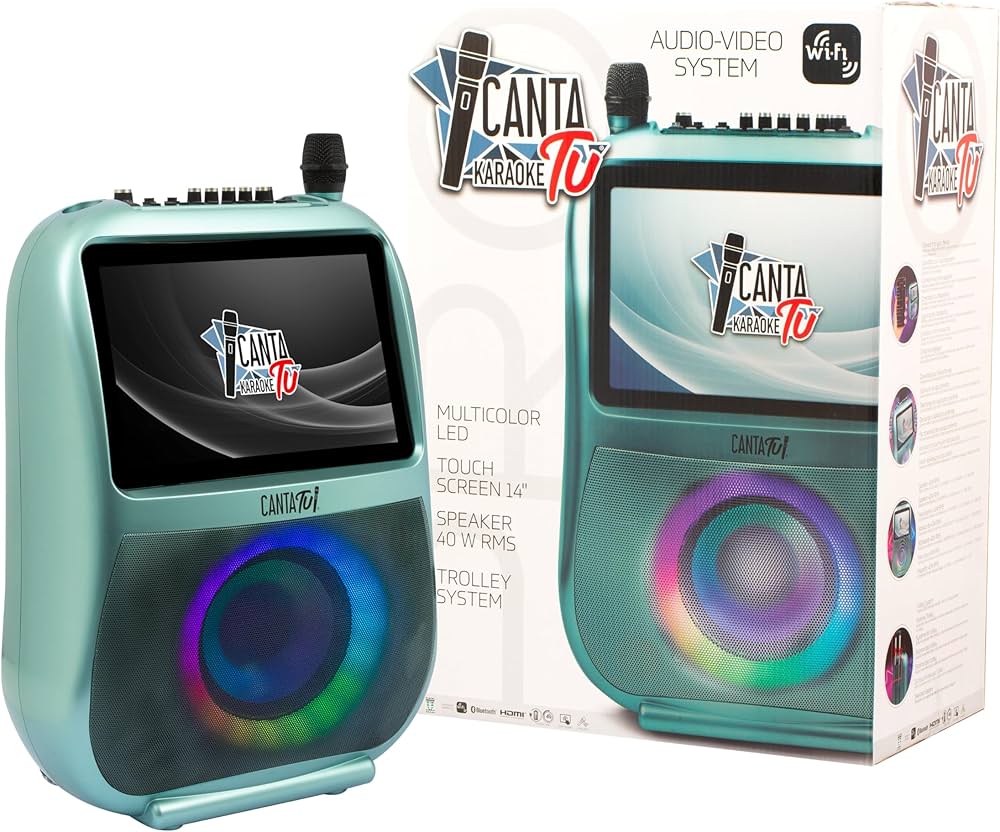
How to Connect Your Sing Tu Karaoke Device to a Mobile Phone
Are you ready to sing your favorite songs at the party, but don’t know how to connect your Sing Tu karaoke device to your mobile phone? Don’t worry, I’ve got you covered! In this article, we’ll guide you through the process of connecting your Sing Tu device to both Android and iPhone devices.
What is Sing Tu Karaoke Device?
The Sing Tu karaoke device is a fun way to enjoy music and singing with friends and family. It allows you to connect to various devices, including mobile phones, tablets, and computers, making it easy to access a vast range of songs and functionalities. With the Sing Tu device, you can sing along to your favorite songs, create playlists, and even record and share your performances on social media.
Connecting Sing Tu Karaoke Device to Android Mobile Phone
To connect your Sing Tu karaoke device to an Android mobile phone, follow these steps:
- Charge or Connect The Device: Ensure that the Sing Tu device is fully charged or connected to a power source.
- Activate Bluetooth on Your Phone: Open the Settings app on your phone and tap on the “Bluetooth” option. Make sure it’s turned on.
- Find Available Devices: On your phone, navigate to the list of available devices in the Bluetooth settings. You should see the Sing Tu device listed.
- Select The Device: Tap on the Sing Tu device to select it.
- Connect The Device: The Sing Tu device will start flashing its LED light. Hold down the Bluetooth button until the light starts blinking.
- Complete The Connection: Once connected, you’ll see a confirmation message on your phone.
Connecting Sing Tu Karaoke Device to Iphone
To connect your Sing Tu karaoke device to an iPhone, follow these steps:
- Charge or Connect The Device: Ensure that the Sing Tu device is fully charged or connected to a power source.
- Activate Bluetooth on Your Phone: Open the Settings app on your phone and tap on the “Bluetooth” option. Make sure it’s turned on.
- Find Available Devices: On your phone, navigate to the list of available devices in the Bluetooth settings. You should see the Sing Tu device listed.
- Select The Device: Tap on the Sing Tu device to select it.
- Connect The Device: The Sing Tu device will start flashing its LED light. Hold down the Bluetooth button until the light starts blinking.
- Complete The Connection: Once connected, you’ll see a confirmation message on your phone.
Additional Tips And Features
- If your Sing Tu device supports Wi-Fi connectivity, you can connect it to your home network or venue’s network for more advanced features and access to a wider music library.
- With the Sing Tu Pro model, you can even record and share your performances directly from the device using social media platforms like YouTube and Spotify.
Conclusion
Connecting your Sing Tu karaoke device to your mobile phone is a straightforward process that takes just a few minutes. By following these simple steps, you’ll be able to enjoy singing along to your favorite songs with friends and family in no time!


