
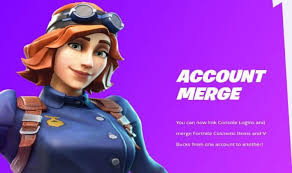
How to Link Your Fortnite Account
Are you tired of playing Fortnite on a single platform? Do you want to access your progress and exclusive rewards across multiple devices? Look no further! In this article, we will guide you through the process of linking your Fortnite account to other services or games.
Why Link Your Fortnite Account?
Linking your Fortnite account to other services or games offers numerous benefits. You can gain exclusive rewards, save your progress in cross-platform mode, and access your account from various devices. For example, if you link your Fortnite account to Twitch Prime, you will receive exclusive cosmetic items and other perks.
How to Link Your Fortnite Account to Twitch
Linking your Fortnite account to Twitch is a straightforward process. Here’s how:
- Go to the official Epic Games website.
- Click on the “Link” button next to your account.
- Select the option to link your account to Twitch.
- Enter your Twitch username and password, then click on the “Connect” button.
How to Link Your Fortnite Account to Ps4
If you want to link your Fortnite account to PS4, follow these steps:
- Go to the official Epic Games website.
- Click on the “Link” button next to your account.
- Select the option to link your account to PSN (PlayStation Network).
- Follow the prompts to complete the linking process.
How to Link Your Fortnite Account to Other Services or Games
If you want to link your Fortnite account to other services or games, such as Rocket League or Square Enix, follow these general steps:
- Go to the official website of the service or game.
- Look for the “Link” or “Connect” button next to your account.
- Follow the prompts to complete the linking process.
For example, if you want to link your Fortnite account to Rocket League, you can do so directly within the game by following these steps:
- Launch Rocket League and go to the main menu.
- Click on the “Link” button next to your Epic Games account.
- Select the option to link your account to Rocket League.
- Follow the prompts to complete the linking process.
Common Questions And Answers
Q: Why do I need to link my Fortnite account?
A: Linking your Fortnite account allows you to access exclusive rewards, save your progress in cross-platform mode, and play on multiple devices.
Q: How do I link my Fortnite account to Twitch Prime?
A: To link your Fortnite account to Twitch Prime, go to the official Epic Games website, click on the “Link” button next to your account, select the option to link your account to Twitch, and follow the prompts.
Q: Can I link my Fortnite account to other services or games?
A: Yes, you can link your Fortnite account to other services or games by following the general steps outlined above.
Conclusion
Linking your Fortnite account to other services or games offers numerous benefits, including exclusive rewards, saved progress in cross-platform mode, and access to multiple devices. By following the steps outlined in this article, you can easily link your account to Twitch, PS4, or other services. Remember to always follow the prompts and instructions provided by the service or game to ensure a smooth linking process.
Frequently Asked Questions
Q: What are the benefits of linking my Fortnite account?
A: Linking your Fortnite account allows you to access exclusive rewards, save your progress in cross-platform mode, and play on multiple devices.
Q: How do I link my Fortnite account to Twitch Prime?
A: To link your Fortnite account to Twitch Prime, go to the official Epic Games website, click on the “Link” button next to your account, select the option to link your account to Twitch, and follow the prompts.
Q: Can I link my Fortnite account to other services or games?
A: Yes, you can link your Fortnite account to other services or games by following the general steps outlined above.


