
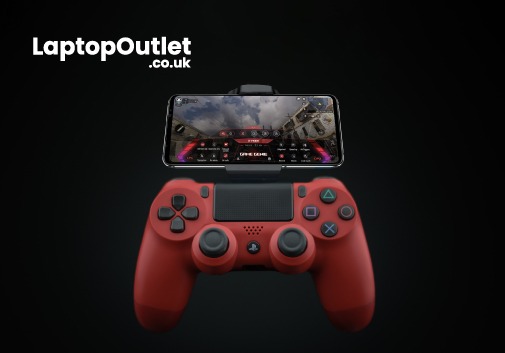
Connecting Your Phone to Ps4: A Comprehensive Guide
Are you excited to explore the world of gaming on your PlayStation 4? Connecting your phone to your PS4 can enhance your gaming experience, allowing you to access various features and functions directly from your mobile device. In this article, we will guide you through the process of connecting your phone to your PS4 using different methods.
Understanding The Connection Methods
Before diving into the connection process, it’s essential to understand that there are several ways to connect your phone to your PS4. These include:
- Remote Play: This method allows you to play games on your PS4 directly from your phone.
- Ps4 Second Screen: This app enables you to control your PS4 using your phone, access information about games, and chat with friends.
- Playstation App: This app allows you to manage your PS4 online features, download games, and interact with friends.
Setting Up Remote Play
To set up Remote Play, follow these steps:
- Configure Your Ps4 For Remote Play: Go to the Settings menu on your PS4 and select “Remote Play” or “Remote Connection.” Make sure that your console is connected to the same network as your phone.
- Download The PS Remote Play App: Download the app from the Play Store (for Android) or App Store (for iPhone).
- Connect Your Phone to Your Ps4: Open the PS Remote Play app and select “Connect” or “Join.” Enter the code displayed on your PS4 screen, and you’ll be connected.
Using The Ps4 Second Screen App
The PS4 Second Screen app allows you to control your PS4 using your phone, access information about games, and chat with friends. To set up this app:
- Download The Ps4 Second Screen App: Download the app from the Play Store (for Android) or App Store (for iPhone).
- Connect Your Phone to Your Ps4: Open the app and select “Connect” or “Join.” Enter the code displayed on your PS4 screen, and you’ll be connected.
Using The Playstation App
The PlayStation App allows you to manage your PS4 online features, download games, and interact with friends. To set up this app:
- Download The Playstation App: Download the app from the Play Store (for Android) or App Store (for iPhone).
- Connect Your Phone to Your Ps4: Open the app and select “Connect” or “Join.” Enter your login credentials, and you’ll be connected.
Connecting Your Dualshock 4 Controller
If you want to connect your DualShock 4 controller to your phone without installing a third-party app, follow these steps:
- Download The PS Remote Play App: Download the app from the Play Store (for Android) or App Store (for iPhone).
- Connect Your Phone to Your Ps4: Open the app and select “Connect” or “Join.” Enter the code displayed on your PS4 screen, and you’ll be connected.
Using Your Phone as a Hotspot
You can use your phone as a hotspot to access the internet with your PS4. To set up this feature:
- Enable Hotspot on Your Phone: Go to your phone’s settings menu and enable the hotspot feature.
- Connect Your Ps4 to The Hotspot: Connect your PS4 to the hotspot using your phone’s network information.
Conclusion
Connecting your phone to your PS4 can enhance your gaming experience, allowing you to access various features and functions directly from your mobile device. By following these steps, you’ll be able to set up Remote Play, use the PS4 Second Screen app, and connect your DualShock 4 controller or use your phone as a hotspot.
Frequently Asked Questions
- Q: How do I Connect my Phone to my Ps4?
A: You can connect your phone to your PS4 using Remote Play, the PS4 Second Screen app, or the PlayStation App. - Q: What is Remote Play?
A: Remote Play allows you to play games on your PS4 directly from your phone. - Q: Can I Use my Phone as a Hotspot With my Ps4?
A: Yes, you can use your phone as a hotspot to access the internet with your PS4. - Q: How do I Set up The Ps4 Second Screen App?
A: To set up the PS4 Second Screen app, download it from the Play Store or App Store and follow the instructions. - Q: Can I Connect my Dualshock 4 Controller to my Phone Without a Third-party App?
A: Yes, you can connect your DualShock 4 controller to your phone using the PS Remote Play app. - Q: How do I Enable Hotspot on my Phone?
A: To enable hotspot on your phone, go to your phone’s settings menu and select “Hotspot” or “Wi-Fi Hotspot.”


