
Reviving Nostalgia: How to Connect Your Ps4 Controller to a Ps3
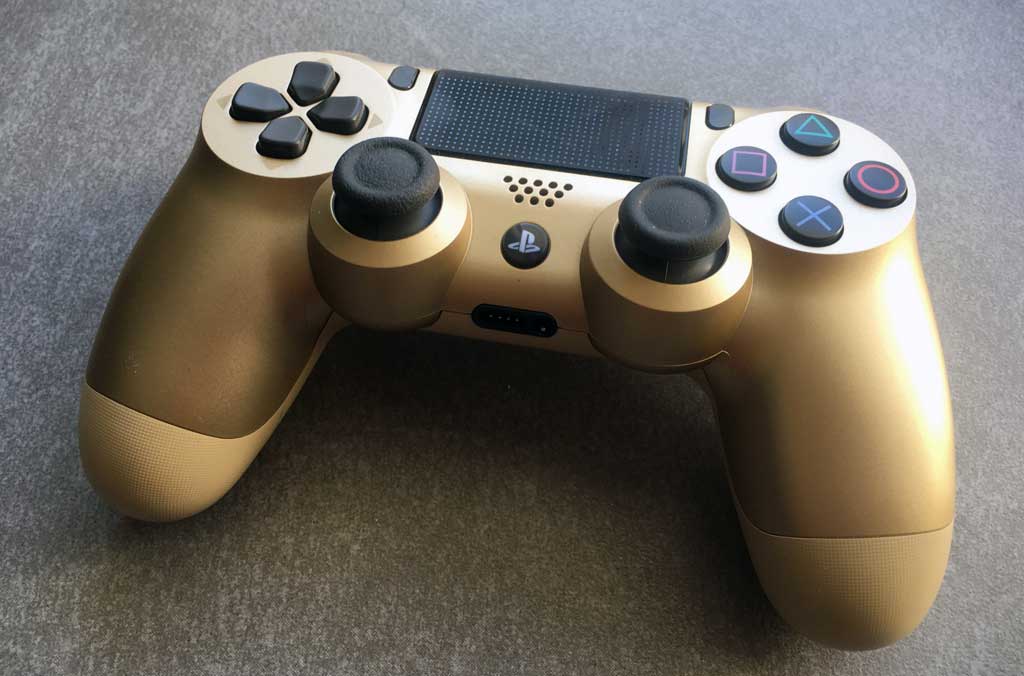
Are you yearning for the good old days of gaming with your PlayStation 3? Do you miss playing your favorite games on the classic console, but can’t bear to part with your modern-day DualShock 4 controller? Well, you’re in luck! It is indeed possible to connect your PS4 controller to a PS3, and we’ll guide you through the process.
Why Connect Your Ps4 Controller to a Ps3?
Before we dive into the how-to, let’s explore why you might want to connect your PS4 controller to a PS3 in the first place. For one, it’s a great way to relive nostalgic gaming memories without breaking the bank or digging out old controllers that might not work as well as they used to. Additionally, some games on the PS3 are still classics and worth playing, but using an outdated controller can be frustrating.
What You’ll Need
To connect your PS4 controller to a PS3, you’ll need:
- A DualShock 4 controller
- A USB cable (microUSB)
- A PS3 console with firmware version 4.60 Or later
Step-by-step Guide: Connecting Your Ps4 Controller to a Ps3 Via Usb
- Update Your Ps3 Firmware: Make sure your PS3 is updated to the latest firmware version, which is 4.60 Or later.
- Connect The Dualshock 4 to Your Ps3: Connect the DualShock 4 controller to your PS3 using the microUSB cable. Ensure that the cable is securely plugged into both the controller and the console.
- Light Up The Console: Turn on the PS3 by pressing the power button. Wait for it to fully boot up before proceeding.
- Initiate The Connection Process: On the PS3, go to Settings > Accessory and confirm the voice “Manage Devices.”
- Pair The Controller: Press the Share + PlayStation buttons on the DualShock 4 simultaneously, then release them. The controller’s light will start flashing blue.
- Confirm The Connection: Go back to your PS3 menu and select Wireless Controller. Confirm that it has successfully connected.
Alternative: Connecting Your Ps4 Controller to a Ps3 Via Wireless
If you prefer not to use a cable or want to take advantage of wireless connectivity, you can also connect your DualShock 4 controller to your PS3 wirelessly.
- Update The Firmware: Ensure that your PS3 is updated to firmware version 4.60 Or later.
- Connect Your Ps4 Controller to The Ps3 Via Usb: Follow the same steps as above to connect the controller via USB, but only for this initial setup process.
- Update The Firmware (Again): Update the firmware on your PS3 to version 4.60 Or later.
- Pair The Wireless Controller: On the PS3, go to Settings > Accessory and confirm the voice “Manage Devices.”
- Initiate Scanning: Press Yes on the DualShock 4 and then click Initiate scanning.
- Confirm The Connection: Go back to your PS3 menu and select Wireless Controller. Confirm that it has successfully connected.
Troubleshooting
If you encounter any issues during this process, don’t panic! We’ve got some troubleshooting tips for you:
- Resettle Your Dualshock 4: If the controller fails to sync with the PS3, try resetting it.
- Contact Support: Reach out to Sony support directly or check online forums and guides for further assistance.
Conclusion
Reviving nostalgic gaming memories is now within reach! By following our step-by-step guide on how to connect your PS4 controller to a PS3, you’ll be able to relive the thrill of playing classic games with modern-day convenience. Happy gaming!
Frequently Asked Questions (FAQs)
- Q: What Firmware Version do I Need For Wireless Connectivity?
A: Your PS3 must have firmware version 4.60 Or later. - Q: Can I Connect Multiple Controllers Wirelessly to my Ps3?
A: Yes, you can connect up to four DualShock 4 controllers wirelessly to your PS3. - Q: How do I Reset my Dualshock 4 Controller if it Stops Working?
A: Try resetting the controller and repeating the pairing process. - Q: Can I Use my Dualshock 4 Controller With Games on my Ps3 That Have a Different Format (e.G., From Ps2 or Psp)?
A: Unfortunately, no. The DualShock 4 is designed specifically for the PS3, so it won’t work with games in other formats. - Q: What if I Encounter Any Problems While Connecting my Dualshock 4 Controller to my Ps3?
A: Don’t worry! Try troubleshooting as mentioned above or consult online resources and official support.
Hope this helps, folks!


