
The Ultimate Guide to Connecting Your Headset to Xbox: A Step-by-step Tutorial
As a gamer, you’re always looking for ways to enhance your gaming experience. One of the most popular ways to do this is by connecting your headset to your Xbox console. In this article, we’ll show you how to connect your headsets to your Xbox, including wireless and wired options.
Why Connect Your Headset to Xbox?
Connecting your headset to your Xbox provides a more immersive gaming experience. You can hear the sounds of the game in high-quality audio, and communicate with your fellow gamers through voice chat. It’s also a great way to improve your gaming performance, as you’ll be able to react quicker to what’s happening on screen.
Do Xbox Consoles Support Bluetooth?
Unfortunately, no Xbox consoles support Bluetooth connectivity out of the box. However, there are workarounds that allow you to connect your wireless headsets to your Xbox console. We’ll cover these options in more detail later in this article.
Connecting Wired Headsets to Xbox
Connecting a wired headset to your Xbox is straightforward and requires minimal setup. Here’s how to do it:
- Check Compatibility: Make sure your headset is compatible with your Xbox console. You can check the manufacturer’s website or consult the packaging for more information.
- Split The Headset: Split the headset into two parts: The cable and the earpiece.
- Insert The Cable: Insert one end of the cable into the corresponding port on your Xbox controller.
- Test Your Connection: Test your connection by playing a game or chatting with friends.
Connecting Wireless Headsets to Xbox
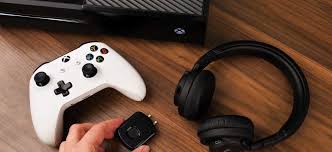
Connecting a wireless headset to your Xbox requires an adapter, which can be either official or third-party. Here’s how to do it:
- Check Compatibility: Check if your headset is compatible with the adapter you plan to use.
- Connect The Adapter: Connect the adapter to your Xbox console using a USB cable.
- Pair Your Headset: Pair your headset with the adapter by following the manufacturer’s instructions.
- Test Your Connection: Test your connection by playing a game or chatting with friends.
What Kind of Headsets Can I Use?
You can use various types of headsets with your Xbox, including:
- Wired headsets
- Wireless headsets (with an adapter)
- Gaming headsets
- Standard earphones (but be aware that these may not support voice chat)
Tips And Tricks
Here are some tips to keep in mind when connecting your headset to your Xbox:
- Use The Correct Adapter: Use a high-quality adapter that’s designed specifically for your headset.
- Check Compatibility: Check compatibility before buying an adapter or headset.
- Test Your Connection: Test your connection regularly to ensure it’s working properly.
Conclusion
Connecting your headset to your Xbox is a simple process that requires minimal setup. By following the steps outlined in this article, you can enjoy a more immersive gaming experience with high-quality audio and voice chat capabilities. Remember to check compatibility before buying an adapter or headset, and test your connection regularly to ensure it’s working properly.
Frequently Asked Questions (FAQs)
Q: Can I use any headset with my Xbox?
A: No, you’ll need a headset that’s compatible with your Xbox console.
Q: Do I need an adapter for wireless headsets?
A: Yes, you’ll need an adapter to connect wireless headsets to your Xbox console.
Q: What kind of audio quality can I expect from wired headsets?
A: Wired headsets provide high-quality audio that’s comparable to wireless headsets.
Q: Can I use standard earphones with my Xbox?
A: Yes, but be aware that these may not support voice chat.
Q: How do I test my connection?
A: Test your connection by playing a game or chatting with friends.
Q: What should I do if my headset doesn’t connect to my Xbox?
A: Try restarting your console and checking compatibility with the manufacturer’s website.
Q: Can I use multiple headsets at once?
A: No, you can only use one headset at a time with your Xbox console.


