
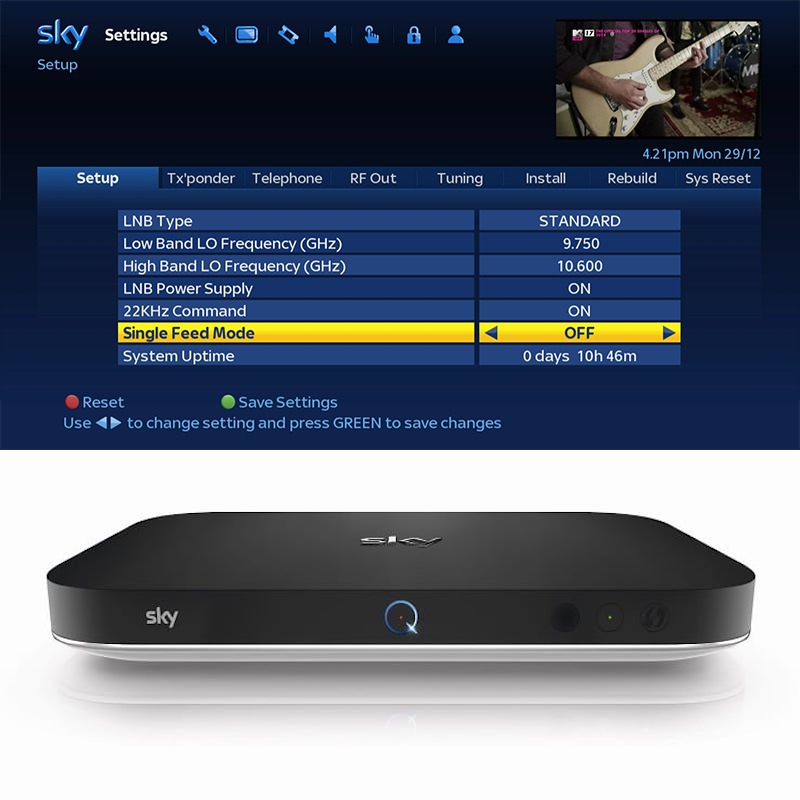
Setting Up Your Sky Decoder: A Step-by-step Guide
Are you looking forward to enjoying your favorite TV channels on Sky? Look no further! This comprehensive guide will walk you through the process of setting up your Sky decoder, from connecting it to your TV to configuring it with your internet connection.
Understanding Your Sky Decoder
Before we dive into the setup process, let’s take a moment to understand what your Sky decoder is and what it can do. The Sky decoder is a device that receives and decodes satellite signals, allowing you to access a wide range of TV channels, including Sky Sports, Sky Movies, and more. With the latest models, you can also enjoy digital terrestrial TV (DTT) channels directly on your Sky decoder.
Connecting Your Sky Decoder to Your TV
To start enjoying your favorite TV channels, you’ll need to connect your Sky decoder to your TV. Here’s a step-by-step guide:
- Locate The Hdmi Port: Find an available HDMI port on your TV and make sure it’s not occupied by any other device.
- Connect The Hdmi Cable: Use the provided HDMI cable to connect the Sky decoder to the free HDMI port on your TV.
- Power up The Devices: Turn on both your Sky decoder and TV.
- Select The Correct Source: On your TV, select the correct HDMI input to match the port you connected the Sky decoder to.
Configuring Your Sky Decoder With Your Internet Connection
Now that your Sky decoder is connected to your TV, it’s time to configure it with your internet connection. Here’s how:
- Access The Settings Menu: Use your Sky remote control to access the settings menu on your Sky decoder.
- Select The Configuration Option: Choose the “Configuration” or “Settings” option and select the tab for “Net and Internet”.
- Choose Your Connection Method: Select either a wired Ethernet connection or wireless Wi-Fi connection, depending on what you have available.
- Enter Your Network Details: If using Wi-Fi, enter your network name (SSID) and password to connect your Sky decoder to the internet.
Connecting Your Sky Decoder to Digital Terrestrial TV
If you’ve opted for a digital terrestrial subscription, you’ll need to connect your Sky decoder to an antenna. Here’s how:
- Locate The RF IN Port: Find the RF IN port on the back of your Sky decoder.
- Connect The Coaxial Cable: Use the provided coaxial cable to connect the antenna to the RF IN port on your Sky decoder.
Troubleshooting Tips
If you encounter any issues during setup, don’t worry! Here are some troubleshooting tips to help you resolve problems:
- Check Cables And Connections: Ensure all cables are securely connected to their respective ports.
- Restart Devices: Try restarting both your Sky decoder and TV to see if that resolves the issue.
- Contact Sky Support: If none of the above steps work, don’t hesitate to contact Sky support for assistance.
Conclusion
Setting up your Sky decoder is a straightforward process that requires attention to detail. By following this guide, you should be able to connect your Sky decoder to your TV and configure it with your internet connection in no time. Remember to take your time and double-check connections to avoid any potential issues. Happy viewing!
Faqs
- Q: What is The Difference Between a Wired Ethernet Connection And Wireless Wi-fi Connection?
A: A wired Ethernet connection uses a physical cable to connect your Sky decoder to the internet, while a wireless Wi-Fi connection uses radio waves to establish a network connection. - Q: How do I Configure my Sky Decoder With my Internet Connection?
A: Use the settings menu on your Sky decoder to access the configuration options for net and internet. - Q: What Should I do if I Encounter Issues During Setup?
A: Check cables and connections, restart devices, or contact Sky support for assistance. - Q: Can I Connect my Sky Decoder to Digital Terrestrial Tv?
A: Yes, if you’ve opted for a digital terrestrial subscription, you’ll need to connect your Sky decoder to an antenna. - Q: How do I Troubleshoot Issues With my Sky Decoder?
A: Follow the troubleshooting tips provided in this guide or contact Sky support for assistance. - Q: Can I Use an Old Sky Decoder With a New Tv?
A: Yes, but you may need to acquire an adapter certified by Sky Link to establish a connection between your old Sky decoder and new TV. - Q: How do I Connect my Sky Decoder to Wi-fi Using Wps?
A: Use the settings menu on your Sky decoder to access the configuration options for net and internet, then select the option to connect using WPS. - Q: What Should I do if I Encounter Issues With Digital Terrestrial Tv?
A: Restart devices, check cables and connections, or contact Sky support for assistance.


