
Connecting Your Air Conditioner to Wifi: A Step-by-step Guide
Are you tired of living in a sweltering hot house during the summer months? Do you wish there was an easier way to control your air conditioner from anywhere, at any time? Look no further! In this article, we will guide you through the process of connecting your air conditioner to WiFi, making it possible to control and monitor your home’s temperature with ease.
Why Connect Your Air Conditioner to Wifi?
Connecting your air conditioner to WiFi can bring numerous benefits to your daily life. With a WiFi-enabled air conditioner, you can:
- Control the temperature of your home from anywhere using a smartphone app
- Receive notifications when the temperature reaches a set point
- Program the AC to turn on/off automatically based on your schedule
- Monitor the energy consumption and receive recommendations for optimization
Which Air Conditioners Can Be Connected to Wifi?
Not all air conditioners are created equal. Some models come with built-in WiFi connectivity, while others may require additional hardware or adapters. The following brands offer WiFi-enabled air conditioners:
- Hisense: Their air conditioners can be connected to WiFi using the Smart Home app.
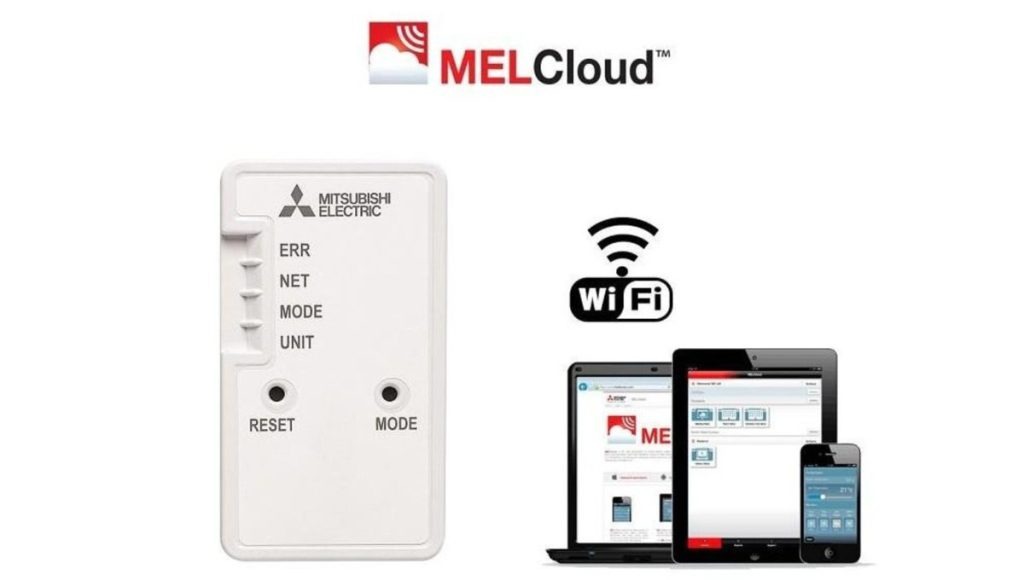
- Mitsubishi: You can connect their air conditioners to WiFi using the Air-Con remote controller.
- Samsung: Samsung’s air conditioners can be controlled via the SmartThings app.
- Beko: Beko’s air conditioners feature a HomeWhiz app for WiFi connectivity.
- Toshiba: Toshiba’s air conditioners can be connected to WiFi using the AC Control app.
How to Connect Your Air Conditioner to Wifi: A Step-by-step Guide
Connecting your air conditioner to WiFi is relatively straightforward, but it may vary depending on the brand and model you own. Here are some general steps:
- Download The App: Download the manufacturer-provided app for your specific air conditioner model.
- Configure The App: Follow the in-app instructions to configure the WiFi connection and link it to your air conditioner.
- Connect The Adapters: If your air conditioner requires an adapter, follow the manufacturer’s instructions to connect it to the AC unit.
- Test The Connection: Ensure that the app is connected to your air conditioner by testing its functionality.
Adapters For Non-wifi Air Conditioners
If you own a non-WiFi air conditioner, don’t worry! There are adapters available that can help you connect it to WiFi:
- Tado° Control: Tado° offers a smart thermostat that can be connected to your existing air conditioner.
- Netatmo Intelligent Control: Netatmo’s intelligent control system allows you to monitor and control your AC remotely.
Benefits of Using Adapters
Using adapters like Tado° or Netatmo can provide several benefits, including:
- Enhanced energy efficiency
- Improved comfort and temperature control
- Remote monitoring and control capabilities
Conclusion
Connecting your air conditioner to WiFi can be a game-changer for your daily life. Not only does it provide enhanced comfort and temperature control, but it also helps you save energy and reduce your carbon footprint.
Frequently Asked Questions (FAQs)
- Q: What Are The Benefits of Connecting my Air Conditioner to Wifi?
A: With a WiFi-enabled air conditioner, you can control and monitor your home’s temperature from anywhere using a smartphone app. - Q: Which Brands Offer Wifi-enabled Air Conditioners?
A: Hisense, Mitsubishi, Samsung, Beko, Toshiba, and Daikin are some of the brands that offer WiFi-enabled air conditioners. - Q: What Adapters Can I Use to Connect my Non-wifi Air Conditioner to Wifi?
A: Tado° Control, Netatmo Intelligent Control, and other similar adapters can help you connect your existing AC unit to WiFi. - Q: How do I Configure The App For my Air Conditioner?
A: Follow the in-app instructions provided by the manufacturer to configure the WiFi connection and link it to your air conditioner. - Q: Can I Use Voice Assistants Like Alexa or Google Assistant With my Wifi-enabled Air Conditioner?
A: Yes, you can integrate your air conditioner with popular voice assistants like Alexa, Google Assistant, and Siri for added convenience. - Q: What if I’m Not Tech-savvy? Can I Still Connect my Air Conditioner to Wifi?
A: Don’t worry! Many manufacturers provide easy-to-use apps and adapters that make the process simple and straightforward. - Q: Will Connecting my Air Conditioner to Wifi Increase Its Energy Consumption?
A: No, a WiFi-enabled air conditioner will not consume more energy than a non-WiFi model. In fact, it can help you optimize your AC’s performance and reduce energy waste. - Q: Can I Control Multiple Devices Using The Same App?
A: Yes, some apps allow you to control multiple devices, including lights, thermostats, and security cameras, making it easier to manage your smart home ecosystem.
We hope this article has provided you with a comprehensive guide on connecting your air conditioner to WiFi. Remember, it’s always a good idea to consult the manufacturer’s instructions for specific guidance tailored to your air conditioner model. Happy cooling!


