
The Ultimate Guide to Connecting Your Decoder to Tv: A Step-by-step Tutorial
Are you struggling to connect your decoder to your TV? Look no further! In this article, we’ll provide a comprehensive guide on how to connect your decoder to your TV using different methods.
What is a Decoder And Why Do I Need It?
A decoder is a device that decodes digital signals from the air or satellite into analog signals that can be viewed on your TV. If you want to watch digital channels, such as DVB-T or satellite channels, you’ll need a decoder.
Why Can’t My Old TV Connect to The New Digital Channels?
If you have an old TV that’s not compatible with the new digital channels, you’ll need a decoder to connect to your TV. The decoder will decode the digital signals and send them to your TV for viewing.
Connecting Your Decoder to Your Tv: Methods And Tips
There are several ways to connect your decoder to your TV, including:
Method 1: Connecting With Scart Cable
If you have a TV with a SCART port and your decoder has a SCART output, connecting them is relatively easy. Here’s how:
Step-by-step Instructions
- Position The Decoder: Place the decoder near your TV.
- Connect The Antenna Cable: Connect the antenna cable to the RF IN port on the back of the decoder.
- Connect The Scart Cable: Connect one end of the SCART cable to the output port on the decoder and the other end to the input port on the TV.
- Power On: Turn on both the decoder and the TV.
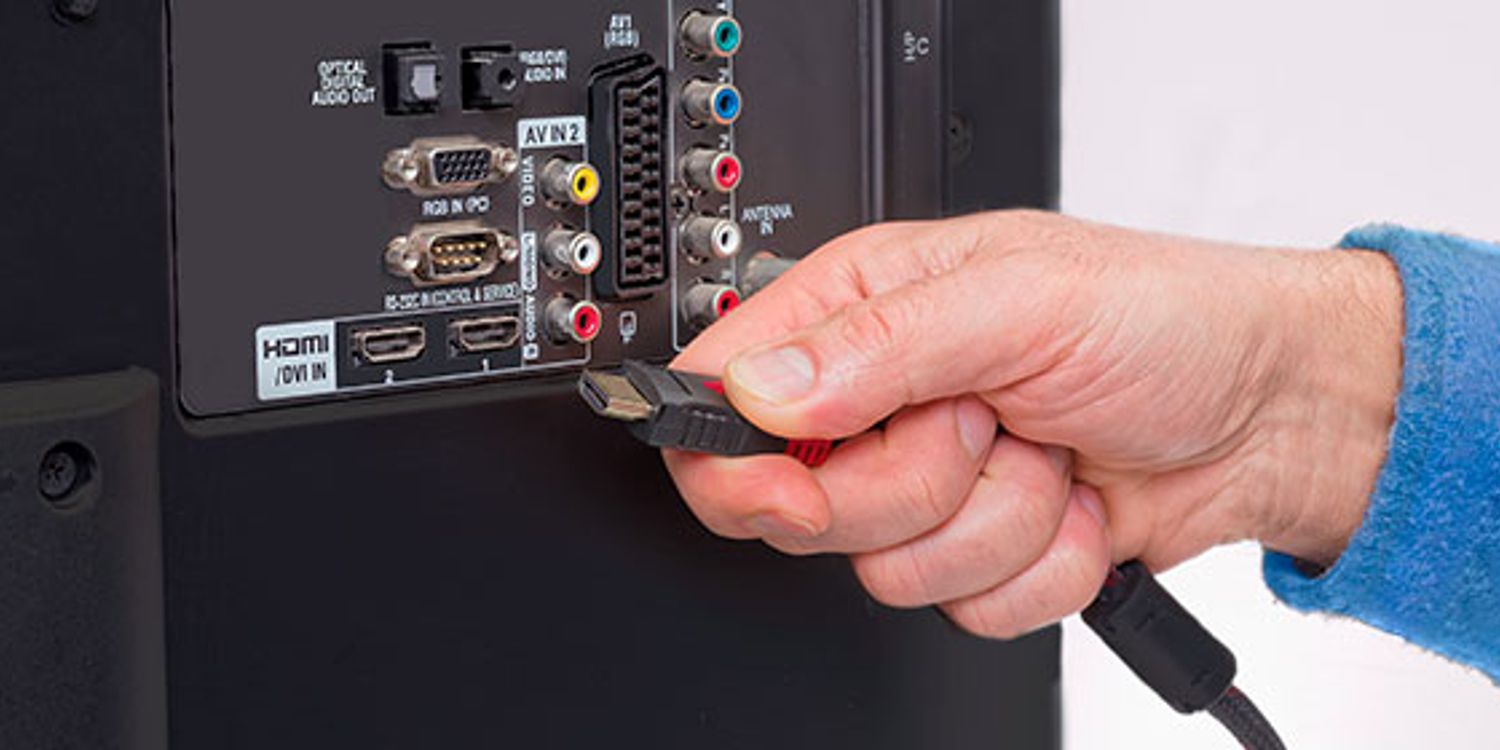
Method 2: Connecting With Hdmi Cable
If your TV has an HDMI port and your decoder has an HDMI output, you can connect them using an HDMI cable. Here’s how:
Step-by-step Instructions
- Connect The Hdmi Cable: Connect one end of the HDMI cable to the output port on the decoder and the other end to the input port on the TV.
- Power On: Turn on both the decoder and the TV.
Method 3: Connecting With Rca Cables
If you don’t have an HDMI or SCART connection, you can use RCA cables to connect your decoder to your TV. Here’s how:
Step-by-step Instructions
- Connect The Rca Converter: Connect one end of the RCA converter to the output port on the decoder and the other end to the input ports on the TV.
- Power On: Turn on both the decoder and the TV.
Additional Tips And Tricks
- Use a high-quality HDMI cable for optimal picture quality.
- Make sure the SCART cable is securely connected to both devices.
- If you’re using RCA cables, use a good quality RCA converter for optimal sound quality.
Troubleshooting Common Issues
If you encounter any issues while connecting your decoder to your TV, here are some common solutions:
- No Signal: Check that all cables are securely connected and try restarting the decoder and TV.
- Poor Picture Quality: Try using a different HDMI cable or adjusting the picture settings on the TV.
Conclusion
Connecting your decoder to your TV is relatively easy, and with this guide, you should be able to do it yourself. Remember to choose the right method for your devices, and don’t hesitate to reach out if you need further assistance.
Frequently Asked Questions (FAQs)
- What is a Decoder?
A decoder is a device that decodes digital signals from the air or satellite into analog signals that can be viewed on your TV. - Why do I Need a Decoder?
If you want to watch digital channels, such as DVB-T or satellite channels, you’ll need a decoder. - Can I Connect my Decoder Directly to my TV Without Using Cables?
No, you’ll need to use cables, such as SCART, HDMI, or RCA, to connect your decoder to your TV. - What is The Difference Between a Scart And an Hdmi Connection?
SCART connections are analog, while HDMI connections are digital. - Can I Record Channels on my Dvd Recorder Using a Decoder?
Yes, you can record channels on your DVD recorder using a decoder.
Recommended Products
- KabelDirekt 1.5M Cable SCART (21 poles, multiple shielding)
- PremiumCord SCART-SCART 3m #M/#M
- Amazon Basics – Cable HDMI 4K 1.8 M, high speed with Ethernet


