
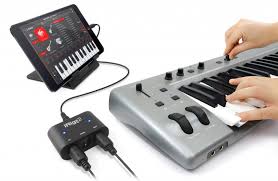
How to Connect a Keyboard to a Tablet: A Comprehensive Guide
Are you looking to upgrade your tablet experience with an external keyboard? Look no further! In this article, we’ll show you how to connect a keyboard to your tablet, whether it’s running Android, iOS, or Windows.
Why Use a Keyboard With Your Tablet?
Using a keyboard with your tablet can be incredibly convenient. It allows you to type documents, browse the internet, and use apps with ease. With a keyboard, you’ll never have to worry about autocorrect mistakes or accidentally deleting text again.
Types of Keyboards Available
There are several types of keyboards available for tablets, including:
- Wireless Keyboards: These keyboards connect to your tablet via Bluetooth, eliminating the need for cables.
- Cabled Keyboards: These keyboards plug directly into your tablet using a USB cable.
- Cases With Built-in Keyboards: Some cases come with built-in keyboards that can be used in conjunction with your tablet.
Connecting a Wireless Keyboard to Your Tablet
If you’re looking to use a wireless keyboard, the process is relatively simple. Here’s how:
- Open the Settings app on your tablet.
- Go to Connections > Bluetooth or Devices connected > Couple new device.
- Select the name of your keyboard from the list of available devices.
- Tap “Pair” to connect your keyboard to your tablet.
Connecting a Cabled Keyboard to Your Tablet
If you’re looking to use a cabled keyboard, here’s what you need to do:
- Connect the keyboard to your tablet using a USB cable.
- Open the Settings app on your tablet.
- Go to Devices > USB devices or Bluetooth and select the name of your keyboard from the list.
- Tap “Connect” to connect your keyboard to your tablet.
Connecting a Keyboard to an Android Tablet
Android tablets are compatible with most keyboards, whether they’re wireless or cabled. Here’s how to connect a keyboard to your Android tablet:
- Open the Settings app on your tablet.
- Go to Connections > Bluetooth or Devices connected > Couple new device.
- Select the name of your keyboard from the list of available devices.
- Tap “Pair” to connect your keyboard to your tablet.
Connecting a Keyboard to an Ios Tablet
IOS tablets are also compatible with most keyboards, including wireless and cabled options. Here’s how to connect a keyboard to your iPad:
- Open the Settings app on your tablet.
- Go to Bluetooth or Devices connected > Couple new device.
- Select the name of your keyboard from the list of available devices.
- Tap “Pair” to connect your keyboard to your tablet.
Connecting a Keyboard to a Windows Tablet
Windows tablets are compatible with most keyboards, including wireless and cabled options. Here’s how to connect a keyboard to your Windows tablet:
- Open the Settings app on your tablet.
- Go to Devices > USB devices or Bluetooth and select the name of your keyboard from the list.
- Tap “Connect” to connect your keyboard to your tablet.
Troubleshooting Tips
- Make sure that your keyboard is fully charged before attempting to connect it to your tablet.
- Restart your tablet if you’re experiencing issues connecting your keyboard.
- Try reconnecting your keyboard to your tablet if you encounter any connectivity issues.
Conclusion
Using a keyboard with your tablet can be incredibly convenient. Whether you choose a wireless or cabled keyboard, we’ve shown you how to connect it to your tablet using our step-by-step guide. Happy typing!
Frequently Asked Questions (FAQs)
- Q: What Types of Keyboards Are Available For Tablets?
A: There are several types of keyboards available for tablets, including wireless, cabled, and cases with built-in keyboards. - Q: How do I Connect a Wireless Keyboard to my Tablet?
A: To connect a wireless keyboard to your tablet, go to Settings > Connections > Bluetooth or Devices connected > Couple new device and select the name of your keyboard from the list. - Q: Can I Use Any Type of Keyboard With my Android Tablet?
A: Yes, you can use most keyboards with your Android tablet, including wireless and cabled options. - Q: How do I Connect a Keyboard to my Windows Tablet?
A: To connect a keyboard to your Windows tablet, go to Settings > Devices > USB devices or Bluetooth and select the name of your keyboard from the list. - Q: What if I Encounter Issues Connecting my Keyboard to my Tablet?
A: Try restarting your tablet and reconnecting your keyboard to resolve any connectivity issues.
Additional Resources


