
How to Connect Your Phone to a Car Stereo: A Step-by-step Guide
Are you tired of using your phone’s speakers while driving? Do you want to enjoy high-quality music on your car stereo without having to remove your phone from its case? Look no further! In this article, we will guide you through the process of connecting your phone to a car stereo using different methods.
Why Connect Your Phone to a Car Stereo?
Connecting your phone to a car stereo offers several benefits. Firstly, it allows you to enjoy high-quality music while driving without having to use your phone’s speakers. This is especially useful when driving with passengers or in areas with heavy traffic. Secondly, it enables you to use voice assistants like Siri and Google Assistant to make hands-free calls, send messages, and access other features.
Method 1: Using Bluetooth
One of the most convenient ways to connect your phone to a car stereo is by using Bluetooth technology. This method is widely supported by modern cars and smartphones. Here’s how to do it:
- Locate the Bluetooth button on your car stereo. It might be labeled as “Bluetooth” or have a symbol of two overlapping circles.
- Press the button to put your car stereo in pairing mode.
- Open your phone’s settings app and go to the Bluetooth menu.
- Select the name of your car stereo from the list of available devices.
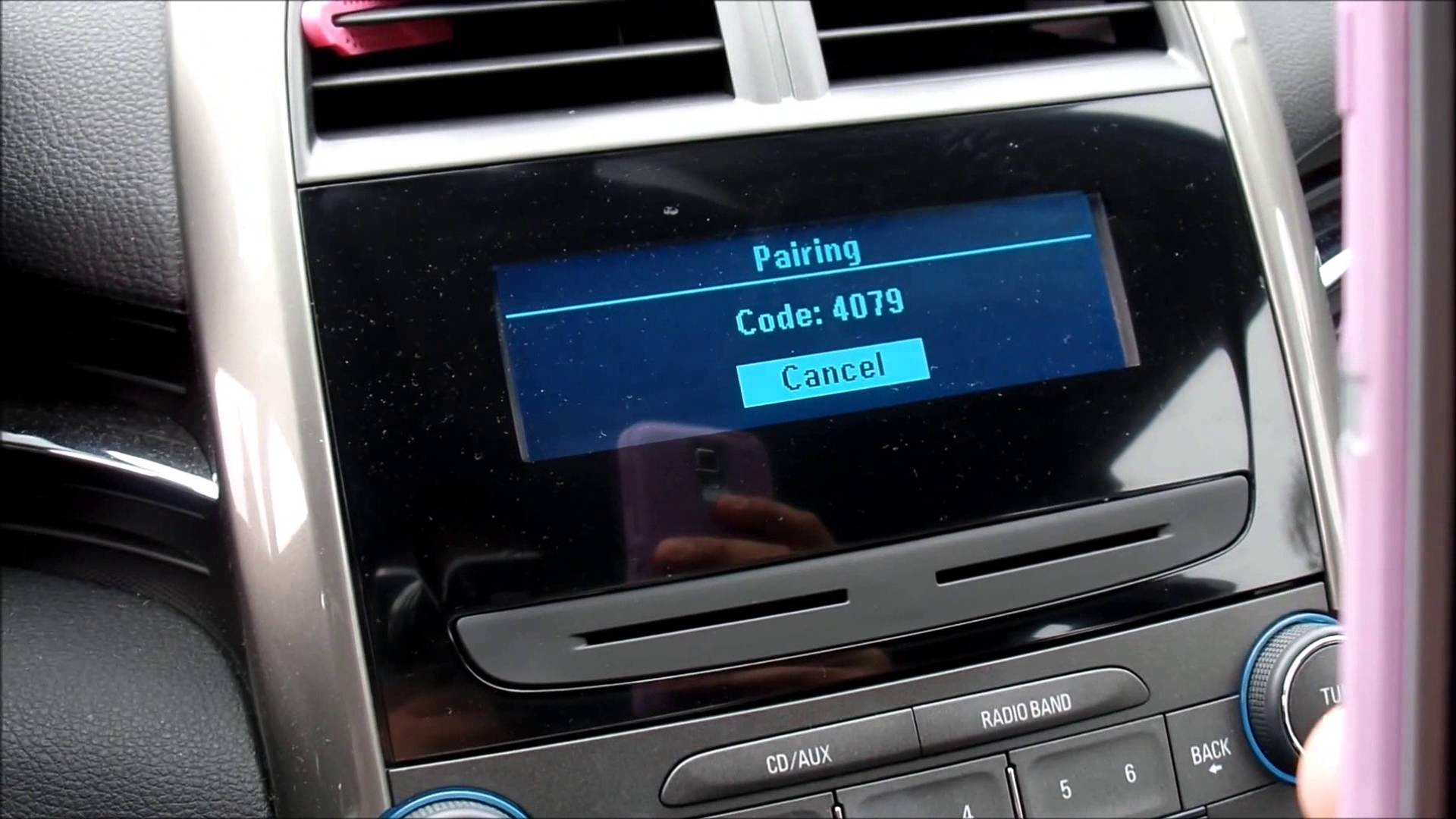
- Enter the passcode displayed on your car stereo’s screen.
- Wait for the connection to be established. Once it is, you can start playing music from your phone on your car stereo.
Method 2: Using an Aux Cable
If your car stereo doesn’t have Bluetooth capabilities or if you prefer a wired connection, you can use an AUX cable. Here’s how:
- Purchase an AUX cable with a male-male connector (3.5Mm) that fits both your phone and car stereo.
- Plug one end of the cable into your phone’s headphone jack and the other end into your car stereo’s auxiliary input.
- Set the source on your car stereo to “AUX” or “External Audio.”
- Start playing music from your phone, and it should be played through your car stereo.
Method 3: Using a Usb Cable
If your car stereo has a USB port, you can connect your phone directly using a USB cable. Here’s how:
- Ensure that your car stereo is compatible with Android or iOS devices.
- Connect the phone to the car stereo via a USB cable.
- Set the source on your car stereo to “USB” and follow the on-screen instructions.
- Your phone will be charged, and music will be played through your car stereo.
Tips And Precautions
Before connecting your phone to your car stereo, make sure you have a compatible car stereo and smartphone. Also, ensure that both devices are turned off before making any connections. If you’re unsure about the process, consult your car’s user manual or contact the manufacturer for assistance.
Conclusion
Connecting your phone to a car stereo is a straightforward process that offers several benefits. Whether you prefer Bluetooth, an AUX cable, or a USB connection, there’s a method suitable for everyone. By following these steps and tips, you can enjoy high-quality music while driving without compromising your safety on the road.
Frequently Asked Questions (FAQs)
Here are some frequently asked questions about connecting a phone to a car stereo:
- Q: What is The Best Way to Connect my Phone to a Car Stereo?
A: The best method depends on your car’s features and your personal preferences. Bluetooth, AUX cables, and USB connections all have their advantages. - Q: Can I Use Multiple Methods at The Same Time?
A: Yes, some car stereos can support multiple input methods simultaneously. Check your car stereo’s user manual for more information. - Q: How do I Ensure a Stable Connection Between my Phone And Car Stereo?
A: Ensure that both devices are turned off before making connections. Also, check the compatibility of your car stereo with your smartphone. - Q: Can I Connect my Phone to a Car Stereo Without Using an Aux Cable or Usb Port?
A: Yes, if your car has Bluetooth capabilities, you can pair your phone directly using this method.
Conclusion
Connecting your phone to a car stereo is a simple and convenient process that offers numerous benefits. By following the steps outlined in this article and considering your options carefully, you can enjoy high-quality music while driving without compromising your safety on the road.


