
How to Contact Amazon Logistics: A Step-by-step Guide
Are you having trouble contacting Amazon Logistics or tracking your package delivery? Look no further! In this article, we will provide a comprehensive guide on how to contact Amazon Logistics, including the procedures for tracking packages, reporting issues with delivery, and getting assistance from Amazon’s customer service team.
Introduction
As an online shopper, it can be frustrating when you’re unable to track your package or experience delays in delivery. That’s why we’ve put together this step-by-step guide on how to contact Amazon Logistics and resolve any issues that may arise.
Preliminary Information
Before diving into the procedures, it’s essential to understand what Amazon Logistics is and how it works. Amazon Logistics is a service provided by Amazon to vendors who want to trust them with packaging and shipping their products. It’s especially helpful for sellers who don’t have enough storage space or resources to manage the logistics of delivering their products.
How to Contact Messenger Amazon Logistic
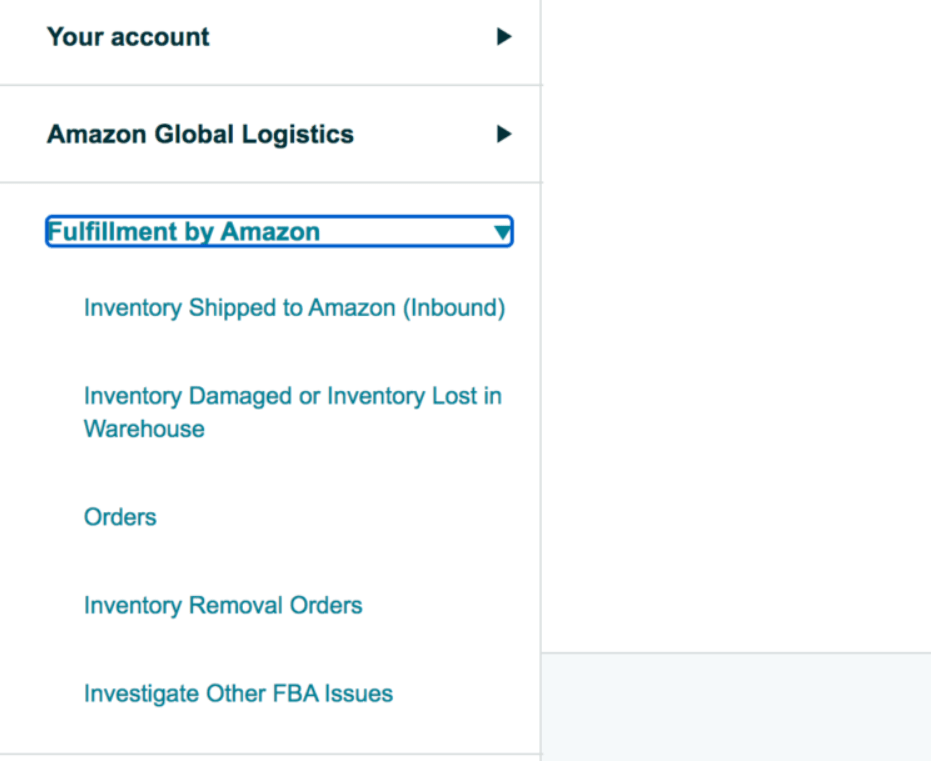
Unfortunately, it’s not possible to contact Amazon Logistics directly (you can only call the messenger in case of problems with delivery). However, you can still get assistance from Amazon’s customer service team by following these steps:
- From a Computer: Go to Amazon’s official website and log in to your account. Click on the menu button (☰) at the top right corner and select “Aid and settings”. Then, click on “Service clients” and follow the prompts.
- From a Smartphone or Tablet: Open the Amazon app and navigate to your account. Tap on the menu button (☰) and select “Service clients”. Follow the instructions provided.
Contacting Logistical Amazon
If you’re a vendor who needs assistance with Logistics Amazon, here’s how you can get help:
- From a Computer: Go to Amazon Seller Central and log in to your account. Click on the “Aid” button at the top right corner and select “Marketplace”. Then, click on “Describe the problem” and follow the prompts.
- From a Smartphone or Tablet: Open the Amazon Seller app and navigate to your account. Tap on the menu button (☰) and select “Assistance vendors”. Follow the instructions provided.
Monitoring Package Delivery
If you simply want to track your package delivery, you can do so from your computer or smartphone/tablet:
- From a Computer: Go to Amazon’s official website and log in to your account. Click on the menu button (☰) at the top right corner and select “Aid and settings”. Then, click on “Service clients” and follow the prompts.
- From a Smartphone or Tablet: Open the Amazon app and navigate to your account. Tap on the menu button (☰) and select “Service clients”. Follow the instructions provided.
Reporting Issues With Delivery
If you experience any issues with delivery, here’s how you can report them:
- From a Computer: Go to Amazon’s official website and log in to your account. Click on the menu button (☰) at the top right corner and select “Aid and settings”. Then, click on “Service clients” and follow the prompts.
- From a Smartphone or Tablet: Open the Amazon app and navigate to your account. Tap on the menu button (☰) and select “Service clients”. Follow the instructions provided.
Conclusion
Contacting Amazon Logistics can be a bit tricky, but with this guide, you should be able to resolve any issues that may arise. Remember to always follow the procedures outlined above and don’t hesitate to reach out to Amazon’s customer service team if you need assistance.
Frequently Asked Questions (FAQs)
- Q: How do I Contact Amazon Logistics?
A: Unfortunately, it’s not possible to contact Amazon Logistics directly. However, you can still get assistance from Amazon’s customer service team by following the procedures outlined above. - Q: Can I Track my Package Delivery Online?
A: Yes, you can track your package delivery online by logging into your account and clicking on the “Track Package” button. - Q: How do I Report Issues With Delivery?
A: You can report issues with delivery by following the procedures outlined above and selecting the “Report an Issue” option. - Q: Can I Contact Amazon Logistics Via Email or Phone?
A: Unfortunately, it’s not possible to contact Amazon Logistics directly via email or phone. However, you can still get assistance from Amazon’s customer service team by following the procedures outlined above. - Q: How do I Become a Messenger For Amazon Logistics?
A: To become a messenger for Amazon Logistics, you’ll need to register with Amazon’s logistics program and follow the instructions provided.
Additional Resources
If you’re still having trouble understanding how to contact Amazon Logistics or track your package delivery, here are some additional resources that might help:
- Amazon Logistics Support Page: This page provides more information on Amazon Logistics and its services.
- Amazon Seller Central: This is a resource for sellers who want to learn more about Amazon’s policies and procedures.
- Amazon Customer Service: If you’re experiencing any issues with delivery or need assistance from Amazon’s customer service team, don’t hesitate to reach out.
By following the procedures outlined above and using these additional resources, you should be able to resolve any issues that may arise with your package delivery.


