
How to Contact Booking.Com by Phone: A Step-by-step Guide
Are you planning a trip and need assistance from Booking.Com? Perhaps you’re experiencing issues with your booking, or you have questions about your reservation. Whatever the reason, contacting Booking.Com’s customer support team can be a daunting task, especially if you’re not familiar with their system. In this article, we’ll guide you through the process of contacting Booking.Com by phone, both as a guest and as a host.
As a Guest: Contacting Booking.Com For Assistance
If you’ve booked a hotel or vacation rental through Booking.Com but are experiencing issues or have questions about your reservation, don’t worry! You can contact their customer support team directly. Here’s how:
- Download The Booking.Com App: The first step is to download the Booking.Com app on your smartphone. This will give you access to all your bookings and allow you to easily contact the customer support team.
- Access Your Account: Once you’ve downloaded the app, log in with your email address and password. If you haven’t created an account yet, don’t worry! You can do so quickly and easily within the app.
- Tap on The Menu: Tap on the menu icon (three horizontal lines) in the top-left corner of the screen.
- Select “Aid And Support”: From the menu, select “Aid and Support”.
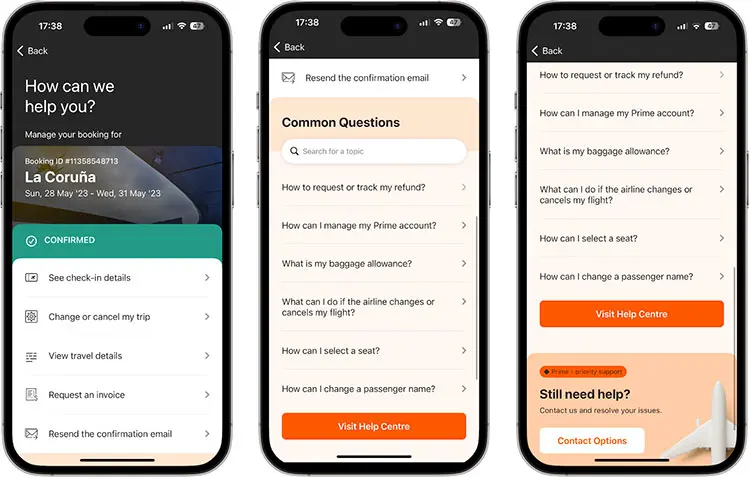
- Contact Customer Support: You’ll see a list of your bookings under the section “For which booking do you want assistance?” Select the relevant booking, then tap on “Any more options”.
- Tap on “Other Options of Contact”: This will take you to a page where you can choose how to contact customer support.
- Select “Call Customer Support”: Choose this option to speak with an operator directly.
As a Host: Contacting Booking.Com For Assistance
If you’re a host who has listed your property on Booking.Com and are experiencing issues or have questions about your listing, here’s how you can contact their customer support team:
- Download The Booking.Com Partner App: If you haven’t already, download the Booking.Com Partner app on your smartphone.
- Access Your Account: Log in with your partner account details.
- Tap on The Menu: Tap on the menu icon (three horizontal lines) in the top-left corner of the screen.
- Select “Partner Assistant”: From the menu, select “Partner Assistant”.
- Get Assistance: Choose this option to speak with an operator directly.
Alternative Ways to Contact Booking.Com
If you’re experiencing issues contacting Booking.Com by phone or prefer not to call, there are other ways to get assistance:
- Booking.Com’s Help Center: You can visit the Booking.Com website and access their help center for answers to common questions.
- Social Media: Booking.Com has a presence on various social media platforms. You can contact them directly through these channels.
- Email Support: If you prefer not to call, you can also email the customer support team.
Frequently Asked Questions (FAQs)
Here are some frequently asked questions about contacting Booking.Com:
- What if I’m experiencing technical issues while trying to contact Booking.Com?
- Can I contact Booking.Com through their website instead of calling?
- Are there any additional fees for contacting Booking.Com’s customer support team?
- How long does it typically take for an operator to respond to my call?
Conclusion
Contacting Booking.Com by phone can be a straightforward process if you know where to start. Whether you’re a guest or a host, their customer support team is available to assist you with any questions or issues you may have. Remember to always follow the steps outlined above and don’t hesitate to reach out for help.


