
How to Contact Timvision: A Step-by-step Guide
Are you looking to activate a new bid on TIMVISION but don’t know how to proceed? Or perhaps you need assistance with technical issues related to the service? Look no further! In this article, we will guide you through the various ways to contact TIMVISION, whether it’s via phone, online, or using their mobile app.
Why Contact Timvision?
TIMVISION is a popular streaming video service provided by TIM, and contacting them can be essential for resolving technical issues, activating new bids, or seeking administrative assistance. By following our guide, you’ll be able to get in touch with a cameraman from TIMVISION, who will be happy to assist you.
How to Contact Timvision Via Phone
The first solution is to call the service clients’ phone number, which is 187 (or +39 02 85 951 or +39 06 36 881 for international calls). Follow these steps:
- Compose the phone number on your keypad.
- If necessary, press the “call” button to initiate the call.
- Listen to the welcome message and press the “2” key to access the section dedicated to TIMVISION.
- Press the corresponding key to indicate your requirements:
- 1 For TV packs (e.G., DAZN, Infinity+, Disney+, Netflix).
- 2 For administrative assistance.
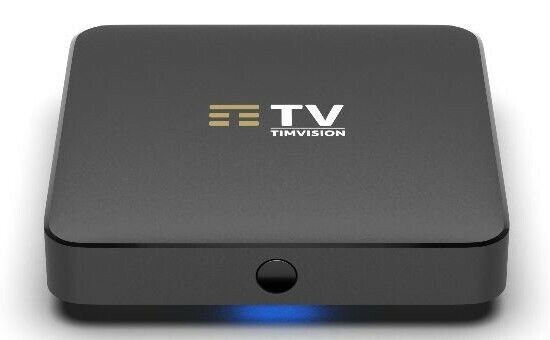
- 3 For technical assistance on TV services and TIMVISION Box.
How to Contact Timvision Online
If you prefer contacting TIMVISION online, you can access their website and follow these steps:
- Go to the official TIM website (www.Tim.It).
- Click on “MyTIM” in the top right corner.
- Log in with your credentials or register a new account if you don’t have one.
- Once logged in, click on the “Signal” button and follow the instructions to open a signaling.
How to Contact Timvision Using The Mobile App
You can also contact TIMVISION using their mobile app for Android or iPhone/iPad devices:
- Download and install the MyTIM app from the Google Play Store (for Android) or the App Store (for iOS).
- Log in with your credentials.
- Tap on the “Chat” option in the menu bar.
- Type “operator” in the chat box and press the send button to initiate a conversation with Angie, the virtual operator.
What Happens Next?
Once you’ve contacted TIMVISION via phone or online, the process will vary depending on your requirements. If you need technical assistance, follow the instructions provided by the operator to troubleshoot the issue. If necessary, they may reserve a call-back for a technician to resolve the problem.
Tips And Variations
Keep in mind that the combination of keys required after calling 187 might change, so be sure to follow the voice guide carefully to avoid errors. You can also refer to our separate guide on how to speak with an operator from TIM for more information.
Additionally, if you need administrative assistance or want to activate a new bid, you can call the number 800 583 993 and speak directly with a cameraman from TIM.
Conclusion
Contacting TIMVISION is a straightforward process that can be done via phone, online, or using their mobile app. By following our guide, you’ll be able to get in touch with a skilled technician who will assist you with technical issues, activate new bids, or provide administrative assistance. Remember to stay calm and follow the instructions provided by the operator, and you’ll be enjoying TIMVISION’s services in no time!
Frequently Asked Questions (FAQs)
- Q: Can I Contact Timvision For Technical Assistance?
A: Yes, you can contact TIMVISION via phone or online for technical assistance on their services. - Q: What Are The Different Ways to Contact Timvision?
A: You can contact TIMVISION via phone (187), online through their website (www.Tim.It), or using their mobile app for Android or iOS devices. - Q: Can I Reserve a Call-back With a Technician From Tim?
A: Yes, you can reserve a call-back with a technician from TIM by contacting them via phone or online. - Q: Do I Need to Have an Account With Tim to Contact Them?
A: No, you don’t necessarily need an account with TIM to contact them for technical assistance. However, having one may make the process easier and faster. - Q: Can I Get Administrative Assistance From Timvision?
A: Yes, you can contact TIMVISION for administrative assistance, such as activating new bids or resolving other non-technical issues.


