
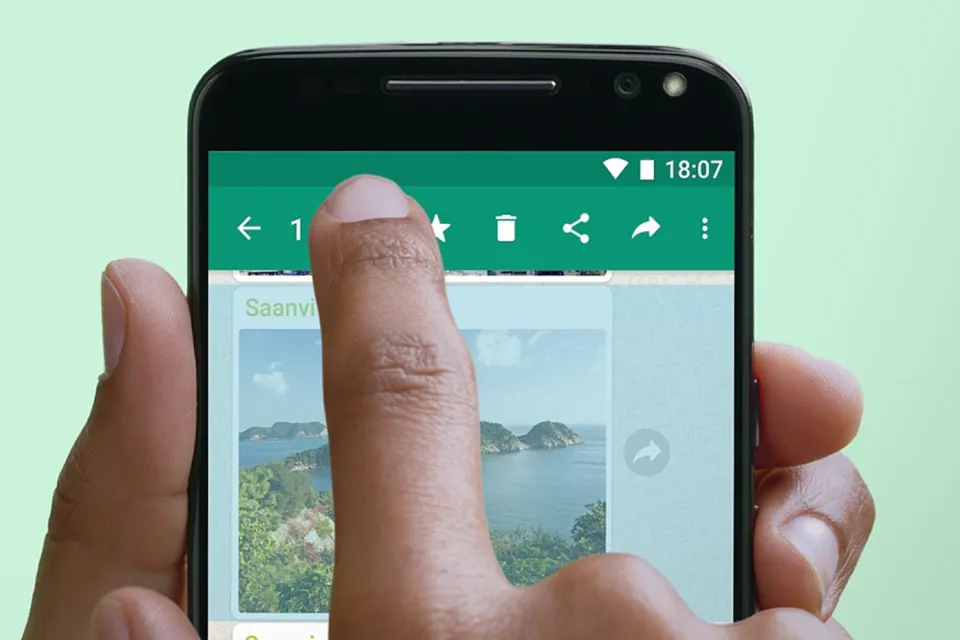
How to Contact Whatsapp: A Step-by-step Guide
Are you experiencing issues with WhatsApp and need assistance? Look no further! In this article, we will guide you through the process of contacting WhatsApp using various methods, including email, chat, phone, and business support.
Why Can’t I Reach Whatsapp Support?
Before we dive into the step-by-step instructions, it’s essential to understand that WhatsApp does not offer a direct phone number for customer support. This means that you won’t be able to reach them by calling their office directly. However, there are other ways to get help, which we will explore below.
How to Contact Whatsapp Using Email
The first method of contacting WhatsApp is through email. Here’s how:
Step 1: Open Whatsapp And Access Settings
To initiate the process, open WhatsApp on your device (Android or iOS). Tap on the three dots (⋯) in the top-right corner, then select “Settings.”
Step 2: Choose Aid And Contattaci
In the settings menu, scroll down to the “Aid” section. Tap on it, then choose “Contattaci” (Contact us).
Step 3: Write Your Message
Type a message describing your issue in the designated field. Be sure to include any relevant details, such as your phone number and device type.
Step 4: Forward The Email
Tap on the “Forward by email” option to send an email to WhatsApp’s support team. You will be prompted to enter additional information, including your name and email address.
How to Contact Whatsapp Using Chat
Another way to get in touch with WhatsApp is through their chat feature. Here’s how:
Step 1: Open Whatsapp And Access Settings
Follow the same steps as above to access the settings menu.
Step 2: Choose Aid And Contattaci
In the aid section, tap on “Contattaci” (Contact us).
Step 3: Write Your Message
Type a message describing your issue in the designated field. Be sure to include any relevant details, such as your phone number and device type.
Step 4: Initiate Chat
Tap on the “Start chat” option to initiate a conversation with WhatsApp’s support team.
How to Contact Whatsapp Using Phone (Not Possible)
Unfortunately, it is not possible to contact WhatsApp directly by phone. They do not offer a customer support hotline.
How to Contact Whatsapp Business Support
If you’re a business owner using WhatsApp Business, the process of contacting support is similar to that of the standard version:
Step 1: Open Whatsapp Business And Access Settings
Open WhatsApp Business on your device (Android or iOS). Tap on the three dots (⋯) in the top-right corner, then select “Settings.”
Step 2: Choose Aid And Contattaci
In the settings menu, scroll down to the “Aid” section. Tap on it, then choose “Contattaci” (Contact us).
Step 3: Write Your Message
Type a message describing your issue in the designated field. Be sure to include any relevant details, such as your business name and contact information.
Step 4: Forward The Email or Initiate Chat
Tap on the “Forward by email” option to send an email to WhatsApp’s support team. Alternatively, tap on the “Start chat” option to initiate a conversation with their support team.
How to Contact Whatsapp Without Providing Your Phone Number
If you don’t want to share your phone number, you can still contact WhatsApp without it:
Step 1: Access Settings And Choose Aid And Contattaci
Follow the steps above to access the settings menu and choose “Aid” > “Contattaci.”
Step 2: Write Your Message
Type a message describing your issue in the designated field. Be sure to include any relevant details about your device or account.
Step 3: Forward The Email or Initiate Chat
Tap on the “Forward by email” option to send an email to WhatsApp’s support team. Alternatively, tap on the “Start chat” option to initiate a conversation with their support team.
Conclusion
In conclusion, contacting WhatsApp can be done through various methods, including email and chat. If you’re experiencing issues with WhatsApp Business, the process is similar to that of the standard version. Remember to provide any relevant details, such as your phone number or business information, to ensure prompt assistance.
Frequently Asked Questions
- Q: Can I contact WhatsApp directly by phone?
A: No, WhatsApp does not offer a customer support hotline. - Q: How do I contact WhatsApp Business support?
A: Follow the same steps as above, accessing settings > aid > contattaci and selecting the forward by email or start chat option. - Q: Do I need to provide my phone number when contacting WhatsApp?
A: No, you can still contact WhatsApp without providing your phone number.


