
Converting Files Online: A Comprehensive Guide
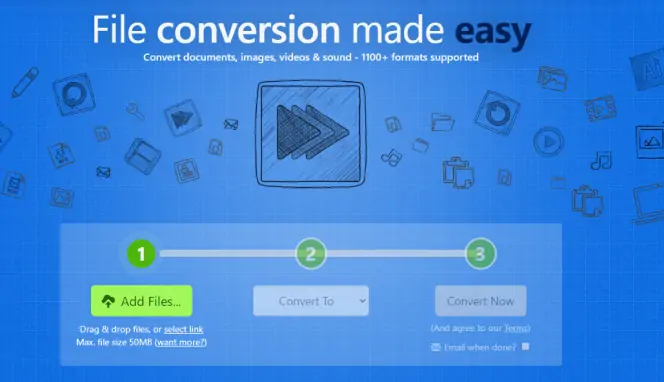
Are you tired of struggling with file conversions? Do you want to transform your PDF files into Word documents or convert images from one format to another without the hassle of complex software? Look no further! In this article, we’ll explore the world of online file conversion tools that make it easy and convenient to convert various types of files directly from your browser.
The Benefits of Online File Conversion
Converting files online offers several advantages over traditional methods. With online converters, you can:
- Save time and effort by not having to install software or manually edit files
- Access a wide range of file formats and conversion options
- Enjoy the convenience of converting files from anywhere, at any time
- Take advantage of advanced features like batch conversions and automatic formatting
Top Online File Conversion Tools
Here are some of the best online file conversion tools that you can use:
Convertio
Convertio is a free online service that supports over 300 file formats. You can convert files up to 100 MB for free, or upgrade to a paid plan to convert larger files and enjoy additional features.
- How to Use: Upload your file to Convertio’s website, select the output format, and click “Convert.”
- Supported Formats: PDF, Word, Excel, PowerPoint, Image, Audio, Video, and more
Cloudconvert
CloudConvert is another popular online converter that supports over 200 file formats. You can convert files up to 1 GB for free, or upgrade to a paid plan to convert larger files and enjoy additional features.
- How to Use: Upload your file to CloudConvert’s website, select the output format, and click “Convert.”
- Supported Formats: PDF, Word, Excel, PowerPoint, Image, Audio, Video, and more
Zamzar
ZamZar is a free online converter that supports over 100 file formats. You can convert files up to 10 MB for free, or upgrade to a paid plan to convert larger files and enjoy additional features.
- How to Use: Upload your file to ZamZar’s website, select the output format, and click “Convert.”
- Supported Formats: PDF, Word, Excel, PowerPoint, Image, Audio, Video, and more
Smallpdf
Smallpdf is a free online converter that supports over 20 file formats. You can convert files up to 1 GB for free, or upgrade to a paid plan to convert larger files and enjoy additional features.
- How to Use: Upload your file to Smallpdf’s website, select the output format, and click “Convert.”
- Supported Formats: PDF, Image, Audio, Video, and more
Converting Specific File Types
Here are some tips for converting specific file types:
Converting Kindle Books to Pdf or Epub
If you want to convert your Kindle books to PDF or ePub, you can use ZamZar or Convertio.
- How to Use: Upload your AZW file to ZamZar or Convertio’s website, select the output format (PDF or ePub), and click “Convert.”
- Supported Formats: AZW, PDF, ePub
Converting Mp4 Videos to Mp3
If you want to convert your MP4 videos to MP3, you can use 123 Apps.
- How to Use: Upload your MP4 file to 123 Apps’ website, select the output format (MP3), and click “Convert.”
- Supported Formats: MP4, MP3
Converting M4a Files to Mp3
If you want to convert your M4A files to MP3, you can use FreeConvert.
- How to Use: Upload your M4A file to FreeConvert’s website, select the output format (MP3), and click “Convert.”
- Supported Formats: M4A, MP3
Converting Pdf Files to Pdf/a
If you want to convert your PDF files to PDF/A, you can use Xodo.
- How to Use: Upload your PDF file to Xodo’s website, select the output format (PDF/A), and click “Convert.”
- Supported Formats: PDF, PDF/A
Converting Jpg Images to Pdf
If you want to convert your JPG images to PDF, you can use Smallpdf.
- How to Use: Upload your JPG file to Smallpdf’s website, select the output format (PDF), and click “Convert.”
- Supported Formats: JPG, PDF
Converting Word Files to Pdf
If you want to convert your Word files to PDF, you can use SodaPDF.
- How to Use: Upload your Word file to SodaPDF’s website, select the output format (PDF), and click “Convert.”
- Supported Formats: Word, PDF
Converting Heic Images to Jpg
If you want to convert your HEIC images to JPG, you can use iLoveIMG.
- How to Use: Upload your HEIC file to iLoveIMG’s website, select the output format (JPG), and click “Convert.”
- Supported Formats: HEIC, JPG
Conclusion
Converting files online has never been easier. With the tools mentioned in this article, you can convert a wide range of file types directly from your browser. Whether you need to convert PDFs to Word documents or images to JPGs, there’s an online converter out there for you.
Frequently Asked Questions (FAQs)
Q: What is the best online file conversion tool?
A: The best online file conversion tool depends on your specific needs. However, Convertio and CloudConvert are popular choices that support a wide range of file formats.
Q: Can I convert files larger than 100 MB for free?
A: Yes, some online converters offer paid plans that allow you to convert larger files or enjoy additional features.
Q: How do I convert MP4 videos to MP3 using 123 Apps?
A: Upload your MP4 file to 123 Apps’ website, select the output format (MP3), and click “Convert.”
Q: Can I convert PDF files to PDF/A using Xodo?
A: Yes, you can use Xodo to convert your PDF files to PDF/A.
Q: How do I convert Word files to PDF using SodaPDF?
A: Upload your Word file to SodaPDF’s website, select the output format (PDF), and click “Convert.”
Q: Can I convert HEIC images to JPG using iLoveIMG?
A: Yes, you can use iLoveIMG to convert your HEIC images to JPG.


