
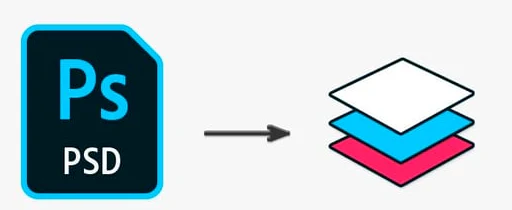
How to Convert Psd to Jpg: A Step-by-step Guide
Are you struggling to convert your Photoshop files (.PSD) to JPG format? Look no further! In this article, we will guide you through the process of converting PSD to JPG using various methods, including software, online services, and mobile apps.
Why Convert Psd to Jpg?
Before we dive into the conversion process, let’s understand why you would want to convert your PSD files to JPG. While PSD files are ideal for editing and manipulating images, they can be quite heavy and incompatible with some software and devices. Converting PSD to JPG allows you to:
- Reduce file size and make it more compatible with different devices
- Save storage space on your computer or cloud storage
- Share high-quality images without the need for Photoshop
Method 1: Using Adobe Photoshop
If you have Adobe Photoshop installed on your computer, you can use it to convert PSD to JPG. Here’s how:
Step-by-step Instructions
- Open Adobe Photoshop and select the file you want to convert.
- Go to “File” > “Save As” and choose JPEG as the format.
- Select the desired quality and compression settings.
- Click “Save” to export the image in JPG format.
Pros And Cons
- Pros: High-quality images, versatile software
- Cons: Requires Adobe Photoshop subscription, can be time-consuming
Method 2: Using Pixillion Image Converter
Pixillion Image Converter is a free software that allows you to convert PSD to JPG. Here’s how:
Step-by-step Instructions
- Download and install Pixillion Image Converter.
- Open the software and select the file you want to convert.
- Choose JPEG as the output format.
- Select the desired quality and compression settings.
- Click “Convert” to export the image in JPG format.
Pros And Cons
- Pros: Free, easy-to-use interface
- Cons: Limited features compared to Adobe Photoshop
Method 3: Online Services
If you don’t have software installed on your computer or prefer a cloud-based solution, online services can help. Here are a few options:
Iloveimg
ILoveIMG is an online service that allows you to convert PSD to JPG without installing any software. Here’s how:
- Upload the file to iLoveIMG.
- Select JPEG as the output format.
- Choose the desired quality and compression settings.
- Download the converted image.
Cloudconvert
CloudConvert is another online service that supports converting PSD to JPG. Here’s how:
- Upload the file to CloudConvert.
- Select JPEG as the output format.
- Choose the desired quality and compression settings.
- Download the converted image.
Pros And Cons
- Pros: Convenient, cloud-based solution
- Cons: Limited features compared to software solutions
Method 4: Mobile Apps
If you’re on-the-go and need to convert PSD to JPG, mobile apps can help. Here are a few options:
Rows Converter (Android)
Rows Converter is an app that allows you to convert PSD to JPG directly from your Android device.
- Download and install the app.
- Select the file you want to convert.
- Choose JPEG as the output format.
- Adjust quality and compression settings (if desired).
- Export the image in JPG format.
Converter of Images (iOS)
Converter of Images is an app that allows you to convert PSD to JPG directly from your iOS device.
- Download and install the app.
- Select the file you want to convert.
- Choose JPEG as the output format.
- Adjust quality and compression settings (if desired).
- Export the image in JPG format.
Pros And Cons
- Pros: Convenient, portable solution
- Cons: Limited features compared to software solutions
Conclusion
Converting PSD to JPG can be a straightforward process using various methods. Whether you choose Adobe Photoshop, Pixillion Image Converter, online services like iLoveIMG or CloudConvert, or mobile apps like Rows Converter or Converter of Images, the end result is high-quality images in JPG format.
Frequently Asked Questions (FAQs)
- What Are The Benefits of Converting Psd to Jpg?
Converting PSD to JPG reduces file size and makes it more compatible with different devices. - Which Method Should I Use?
Choose Adobe Photoshop for high-quality conversions or Pixillion Image Converter for a free, easy-to-use solution. - Can I Convert Multiple Files at Once?
Yes, most software and online services allow you to batch process multiple files simultaneously. - What is The Maximum File Size Limit For Online Services?
Limits vary depending on the service; check individual websites for details.


