
Converting Vhs to Dvd: A Step-by-step Guide
In today’s digital age, it’s easy to get rid of old VHS tapes and switch to DVDs or digital formats. However, before you throw away those nostalgic memories, consider converting them to a more modern format. In this article, we’ll guide you through the process of converting your VHS tapes to DVD using two different methods: With a video grabber and with a VCR-DVD combo.
Method 1: Converting Vhs to Dvd With a Video Grabber
To start, gather the necessary equipment:
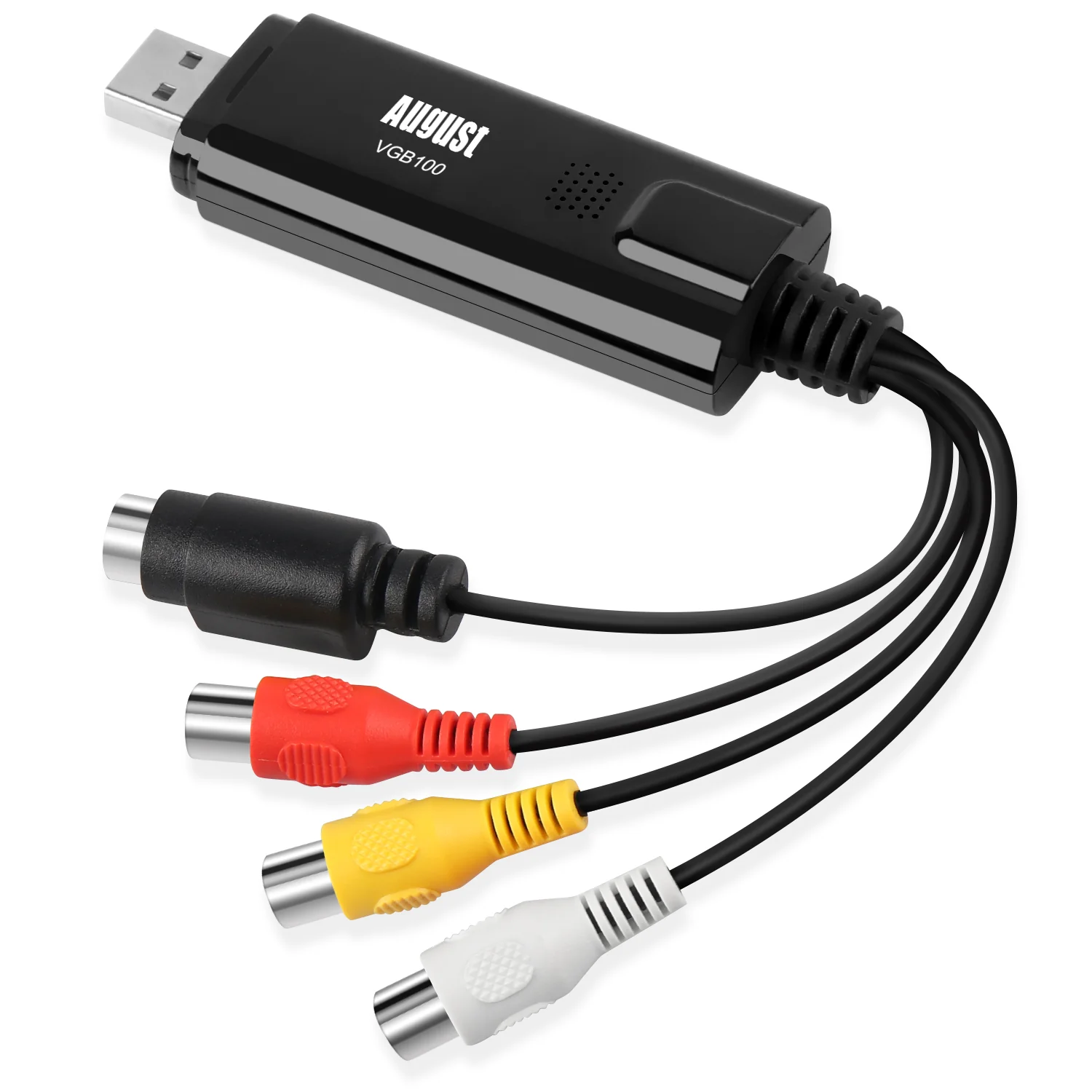
- A video grabber (also known as a TV tuner or capture card)
- A computer with Windows or macOS
- A blank DVD for burning
Next, follow these steps:
- Install The Driver: Insert the CD that came with your video grabber into your computer and install the driver.
- Connect The Devices: Use RCA cables to connect your VCR to the video grabber, then connect the video grabber to your computer using a USB cable.
- Set up The Video Capture Software: Install and configure the video capture software provided with your video grabber or use a third-party program like OBS.
- Record The Video: Connect your VCR to the video grabber, select the video source, and start recording. You can choose from various video formats and resolutions depending on your needs.
Method 2: Converting Vhs to Dvd With a Vcr-dvd Combo
Alternatively, you can use a VCR-DVD combo device, which combines a VCR player with a DVD recorder. This method is simpler but still requires some technical knowledge:
- Connect the VCR and the VCR-DVD combo using an S-Video cable or RCA cables.
- Set up the video source on the VCR-DVD combo and select the DVD as the recording destination.
- Insert an empty DVD, start playing the VHS tape, and press the “Record” button on the VCR-DVD combo.
Tips And Precautions
Before you begin:
- Ensure your VHS tapes are in good condition, as poor quality can affect the output.
- Use a high-quality video grabber or VCR-DVD combo to avoid video distortion.
- Keep an eye on the recording progress, especially when using the video grabber method.
Conclusion
Converting your VHS tapes to DVD is a straightforward process that requires minimal technical expertise. Choose the method that suits you best, and with these step-by-step guides, you’ll be enjoying your digitized memories in no time.
Frequently Asked Questions (FAQs)
- What Equipment do I Need For Converting Vhs to Dvd?
- A video grabber or a VCR-DVD combo device.
- Can I Use Any Computer For This Process?
- Yes, as long as it has Windows or macOS and enough disk space for the recordings.
Additional Tips
- Consider using a digital converter for better results.
- Keep your DVD collection organized with clear labels and cases.
- Don’t forget to test your converted DVDs before sharing them with others.


