
How to Convert Vob Files Into Ancestral Formats
Are you looking for a way to convert your VOB files into ancestral formats, such as AVI, MP4, or MOV? Look no further! In this article, we will guide you through the process of converting VOB files using various software and online tools.
What Are Vob Files?
VOB (Video Object) files are a type of video file that is commonly used on DVDs. They contain both video and audio data, and are often used as a container format for DVD videos.
Why Convert Vob Files?
There are several reasons why you might want to convert your VOB files into ancestral formats:
- To make them more compatible with different devices and operating systems
- To reduce the file size and improve playback quality
- To extract specific audio or video tracks from the original file
Software Solutions For Converting Vob Files
There are several software solutions available that can help you convert your VOB files into ancestral formats. Here are a few options:
Adapter (Windows/MacOS)
Adapter is a free, open-source software that can convert VOB files to various video formats, including AVI, MP4, and MOV. It’s easy to use and has a simple interface.
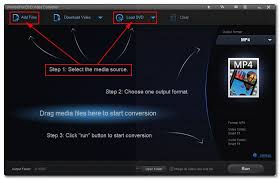
How to Convert Vob Files Using Adapter
- Download and install Adapter on your computer.
- Launch the software and select the VOB file you want to convert.
- Choose the output format (e.G. AVI, MP4, or MOV) from the drop-down menu.
- Adjust any additional settings as needed (e.G. Resolution, bitrate, etc.).
- Click “Convert” to start the conversion process.
Other Software Solutions
There are several other software solutions available that can help you convert VOB files into ancestral formats. Here are a few options:
- Mobile Media Converter (Windows/MacOS/Linux): A free, open-source software that can convert VOB files to various video formats.
- Vlc (Windows/MacOS/Linux): A popular media player that also has conversion capabilities.
- Format Factory (Windows): A free software that can convert VOB files to various video formats.
Online Solutions For Converting Vob Files
If you don’t want to download and install any software on your computer, there are several online solutions available that can help you convert your VOB files into ancestral formats. Here are a few options:
Converter Video (123Apps)
Converter Video is a free, web-based tool that allows you to convert VOB files to various video formats, including AVI, MP4, and MOV.
How to Convert Vob Files Using Converter Video
- Upload your VOB file to the Converter Video website.
- Select the output format (e.G. AVI, MP4, or MOV) from the drop-down menu.
- Adjust any additional settings as needed (e.G. Resolution, bitrate, etc.).
- Click “Convert” to start the conversion process.
Other Online Solutions
There are several other online solutions available that can help you convert your VOB files into ancestral formats. Here are a few options:
- Media.Io: A free, web-based tool that allows you to convert VOB files to various video formats.
- Cloudconvert: A paid service that offers advanced conversion capabilities for various file types.
- Convertio: A free, web-based tool that allows you to convert VOB files to various video formats.
Converting Vob Files on Mobile Devices
If you want to convert your VOB files on a mobile device, there are several apps available that can help you do so. Here are a few options:
Video Format Factory (Android)
Video Format Factory is a free app that allows you to convert VOB files to various video formats, including AVI, MP4, and MOV.
How to Convert Vob Files Using Video Format Factory
- Download and install the app on your Android device.
- Launch the app and select the VOB file you want to convert.
- Choose the output format (e.G. AVI, MP4, or MOV) from the drop-down menu.
- Adjust any additional settings as needed (e.G. Resolution, bitrate, etc.).
- Click “Convert” to start the conversion process.
The Converter Video (iOS/iPadOS)
The Converter Video is a free app that allows you to convert VOB files to various video formats, including AVI, MP4, and MOV.
How to Convert Vob Files Using The Converter Video
- Download and install the app on your iOS or iPadOS device.
- Launch the app and select the VOB file you want to convert.
- Choose the output format (e.G. AVI, MP4, or MOV) from the drop-down menu.
- Adjust any additional settings as needed (e.G. Resolution, bitrate, etc.).
- Click “Convert” to start the conversion process.
Conclusion
Converting VOB files into ancestral formats can be a straightforward process using various software and online tools. Whether you’re looking to make your videos more compatible with different devices and operating systems or simply want to reduce the file size and improve playback quality, there’s an option available for you.
Frequently Asked Questions (FAQs)
- What is The Best Software to Convert Vob Files?
The best software to convert VOB files depends on your specific needs and preferences. Some popular options include Adapter, Mobile Media Converter, and VLC. - Can I Convert Vob Files Online?
Yes, there are several online tools available that can help you convert VOB files into ancestral formats. - What Are The System Requirements For Converting Vob Files?
The system requirements for converting VOB files will vary depending on the software or online tool you choose to use. - Can I Convert Vob Files on a Mobile Device?
Yes, there are several apps available that can help you convert VOB files on a mobile device.
Additional Resources
- Adapter Official Website
- Mobile Media Converter Official Website
- VLC Official Website
- Format Factory Official Website
- Converter Video (123Apps) Official Website
- Media.Io Official Website
- CloudConvert Official Website
- Convertio Official Website
- Video Format Factory (Android) Official App Store Page
- The Converter Video (iOS/iPadOS) Official App Store Page
I hope this article has provided you with a comprehensive guide to converting VOB files into ancestral formats. If you have any further questions or need additional assistance, don’t hesitate to ask!


