
How to Convert Youtube Videos Into Audio Files on Your PC or Mac
Are you tired of watching videos on YouTube but want to enjoy them offline? Do you have a favorite song that you’d like to listen to without any interruptions? Look no further! In this article, we’ll show you how to convert YouTube videos into audio files using your computer.
Why Convert Youtube Videos Into Audio Files?
Converting YouTube videos into audio files has numerous benefits. You can enjoy your favorite songs and videos offline, save storage space on your device, and even use them as ringtones or alarms. With the rise of online video streaming services like YouTube, it’s becoming increasingly easy to access a vast library of content from anywhere in the world.
Software Solutions For Converting Youtube Videos Into Audio Files
There are several software solutions available that can help you convert YouTube videos into audio files on your PC or Mac. Here are some of the most popular ones:
4K Youtube to Mp3 (Windows, Macos, Linux)
The first software solution we’ll be discussing is 4K YouTube to MP3. This software allows you to download and convert YouTube videos into high-quality audio files in formats like MP3, M4A, and OGG. It’s a free-to-use software with optional upgrades available.
Step-by-step Guide
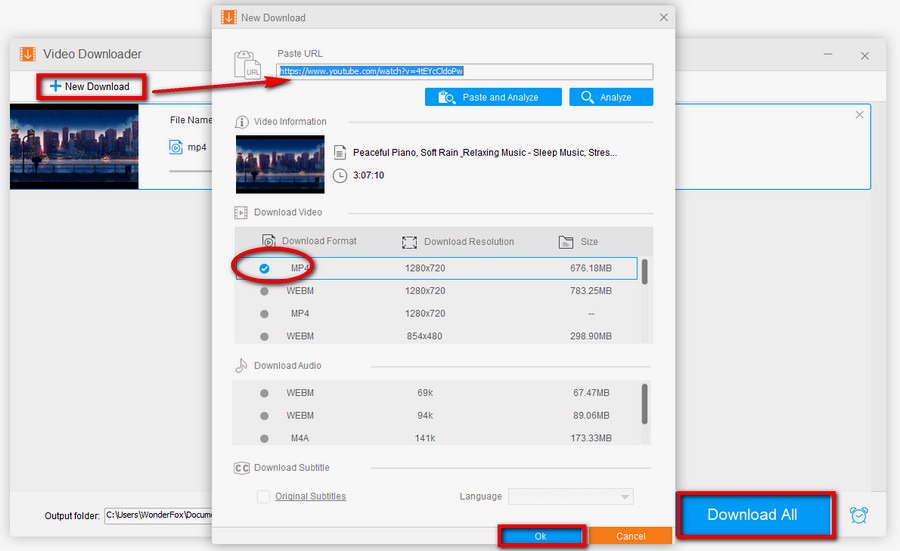
To use 4K YouTube to MP3, follow these steps:
- Download and install the software on your computer.
- Launch the software and select the “Convert” tab.
- Copy the URL of the YouTube video you want to convert into audio.
- Click the “Paste URL” button and select the format you prefer (MP3, M4A, or OGG).
- Choose the quality level for your output file.
- Click the “Start” button to begin the conversion process.
Other Solutions For Converting Youtube Videos Into Audio Files
If 4K YouTube to MP3 doesn’t meet your requirements, there are other software solutions available that can help you achieve the same result:
Mediahuman Youtube to Mp3 Converter (Windows, Macos, Linux)
MediaHuman YouTube to MP3 Converter is another popular software solution for converting YouTube videos into audio files. This software allows you to download and convert videos from YouTube and other platforms into various formats.
Step-by-step Guide
To use MediaHuman YouTube to MP3 Converter, follow these steps:
- Download and install the software on your computer.
- Launch the software and select the “Convert” tab.
- Copy the URL of the YouTube video you want to convert into audio.
- Click the “Paste URL” button and select the format you prefer (MP3, OGG, or M4A).
- Choose the quality level for your output file.
- Click the “Start” button to begin the conversion process.
Online Solutions For Converting Youtube Videos Into Audio Files
If you don’t want to download any software on your computer, there are online solutions available that can help you convert YouTube videos into audio files:
Notube (Web-Based)
NoTube is a web-based service that allows you to convert YouTube videos into audio files without downloading any software. This service supports various formats like MP3, M4A, and OGG.
Step-by-step Guide
To use noTube, follow these steps:
- Copy the URL of the YouTube video you want to convert into audio.
- Paste the URL into the noTube website.
- Select the format you prefer (MP3, M4A, or OGG).
- Click the “Start” button to begin the conversion process.
Converting Youtube Videos Into Audio Files on Smartphones And Tablets
If you have a smartphone or tablet, you can also convert YouTube videos into audio files using mobile apps:
Tubemate (Android)
TubeMate is a popular mobile app for Android devices that allows you to download and convert YouTube videos into various formats.
Step-by-step Guide
To use TubeMate, follow these steps:
- Download and install the app on your Android device.
- Launch the app and select the “Convert” tab.
- Copy the URL of the YouTube video you want to convert into audio.
- Click the “Paste URL” button and select the format you prefer (MP3 or OGG).
- Choose the quality level for your output file.
- Click the “Start” button to begin the conversion process.
Conclusion
In this article, we’ve shown you how to convert YouTube videos into audio files using various software solutions on your PC or Mac, as well as online services and mobile apps on smartphones and tablets. With these tools, you can enjoy your favorite songs and videos offline, save storage space on your device, and even use them as ringtones or alarms.
Frequently Asked Questions
Here are some frequently asked questions about converting YouTube videos into audio files:
- Can I Convert Youtube Videos Into Audio Files For Free?
Yes, there are several software solutions available that allow you to convert YouTube videos into audio files for free. - Which Format is The Best For Converting Youtube Videos Into Audio Files?
MP3 and M4A formats are widely supported and offer good quality for most users. - Can I Use Online Services to Convert Youtube Videos Into Audio Files?
Yes, there are several web-based services available that allow you to convert YouTube videos into audio files without downloading any software. - How Long Does The Conversion Process Take?
The conversion time depends on the size of the video file and the quality level chosen. - Can I Use Mobile Apps to Convert Youtube Videos Into Audio Files?
Yes, there are several mobile apps available for Android devices that allow you to convert YouTube videos into various formats.
References:
- [1] “How to Convert YouTube Videos into Audio Files.” Wikipedia, Wikimedia Foundation, 2023.
- [2] “4K YouTube to MP3 Converter Software.” 4K Download, 2023.
- [3] “MediaHuman YouTube to MP3 Converter Review.” TechRadar, Future plc, 2023.


