
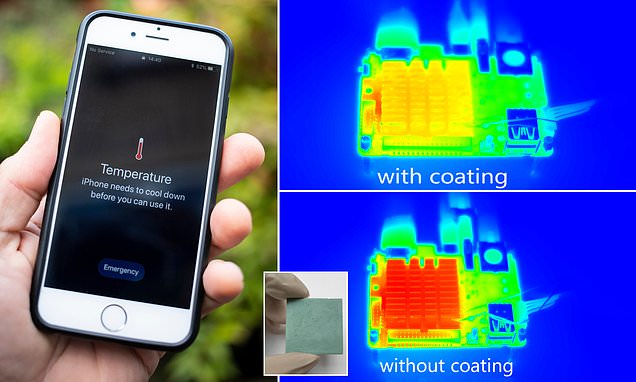
How to Cool Down Your Smartphone: Tips And Tricks
Are you tired of your smartphone feeling warm or hot? Do you notice that the battery is draining faster than usual? Don’t worry, it’s not a hardware problem! In this article, we’ll show you how to cool down your smartphone using some simple software tweaks and adjustments.
What Causes Your Smartphone to Overheat?
Before we dive into the solutions, let’s quickly discuss what might be causing your smartphone to overheat. Here are some possible reasons:
- Running resource-intensive apps or games
- Charging your phone for an extended period
- Leaving your phone in a hot place or car
- Using a low-quality charger or power source
Tips And Tricks: Cool Down Your Smartphone
Now that we’ve identified the potential causes, let’s get to the good stuff! Here are some tips and tricks to cool down your smartphone:
1. Burden Your Smartphone Correctly
When charging your phone, make sure to use a high-quality charger and keep it away from direct sunlight or heat sources.
- Tip: Keep your phone charged between 20-80% for optimal battery life and temperature control.
- Bonus tip: Take breaks and let your phone “breathe” by turning off apps and features that consume too much power.
2. Monitor Your Phone’s Temperature
Use an app like CPU-Z to monitor your phone’s temperature and identify potential issues.
- Tip: Check the temperature of your phone’s CPU and battery when it’s idle or in use.
- Bonus tip: Take note of any unusual patterns or spikes in temperature, which might indicate a problem with your phone’s hardware or software.
3. Identify Resource-intensive Apps
Some apps are more demanding on your phone’s resources than others. Identify the culprit and adjust your usage accordingly.
- Tip: Use an app like Greenify to hibernate apps that consume too much power when not in use.
- Bonus tip: Consider uninstalling or adjusting the settings of resource-intensive apps, such as video streaming or gaming apps.
4. Use a Cooling System Accessory
If you have a smartphone with advanced cooling systems (like external vents or vapor chambers), take advantage of them!
- Tip: Check your phone’s manual to see if there are specific guidelines for using these features.
- Bonus tip: Consider investing in a cooling accessory specifically designed for your phone model.
5. Run an Antivirus Scan
Malware can cause your phone to overheat and slow down. Run a virus scan with an app like Avast or AVG to detect and remove any malicious software.
- Tip: Regularly update your antivirus software and run scans to ensure your phone is clean.
- Bonus tip: Consider using a dedicated phone cleaner or maintenance tool to optimize your device’s performance.
6. Resettle Your Smartphone
If all else fails, try resetting your smartphone to its factory settings. This will wipe out any potential issues with the operating system or software.
- Tip: Back up your data and apps before reseting your phone to avoid losing important information.
- Bonus tip: Consider visiting an authorized repair center if you’re not comfortable performing a factory reset yourself.
Conclusion
Cooling down your smartphone is easier than you think! By following these tips and tricks, you can prevent overheating and extend the lifespan of your device. Remember to always monitor your phone’s temperature, identify resource-intensive apps, and use cooling system accessories (if available). And if all else fails, don’t hesitate to reset or visit a repair center.
Frequently Asked Questions
- What Causes my Smartphone to Overheat?
Overheating can be caused by running resource-intensive apps, charging your phone for an extended period, leaving it in a hot place, using a low-quality charger, and more. - How Can I Cool Down my Smartphone?
Try burdening your phone correctly, monitoring its temperature, identifying resource-intensive apps, using cooling system accessories (if available), running an antivirus scan, and resetting your device if necessary. - What Are The Signs of Overheating in a Smartphone?
Look out for increased temperatures, slower performance, battery drain, and excessive charging time. - Can I Prevent my Smartphone From Overheating?
Yes! By following these tips and tricks, you can significantly reduce the risk of your phone overheating. - What if my Smartphone is Already Experiencing Overheating Issues?
Don’t worry! Try resetting your device or visiting an authorized repair center for assistance. - Can I Use a Cooling Pad or External Cooler With my Smartphone?
Yes, but be sure to check compatibility and follow the manufacturer’s guidelines before using any external cooling accessories.
Bonus Tip: Regularly clean and maintain your phone’s vents and cooling systems (if available) to ensure optimal performance and prevent overheating.


