
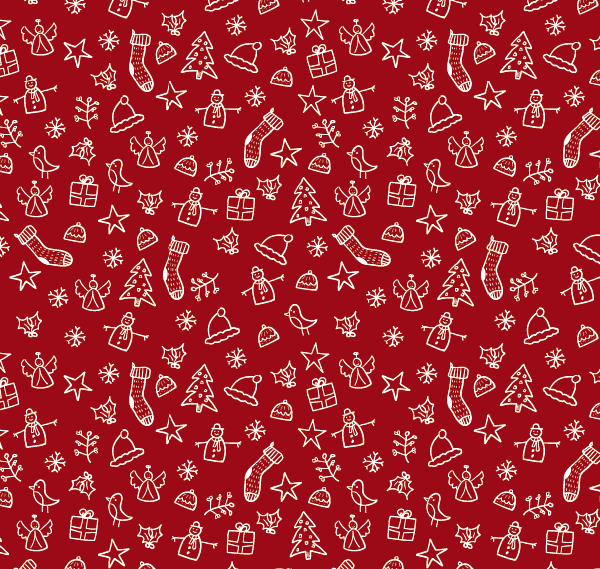
How to Create a Christmas Background
As the winter holidays approach, the spirit of Christmas is in the air. You’ve probably already decorated your living space with lights and small trees scattered here and there. But have you considered decorating your computer screen as well? As an enthusiast of desktop personalizations like yourself, it’s surprising that you haven’t thought of this yet.
However, it’s not too late to remedy this situation. I can guide you through the process in a simple but detailed manner, so let’s get started!
Programs For Creating a Christmas Background
You’ll need a program capable of creating a Christmas background tailored to your taste. Here are some options:
Adobe Photoshop
If you have Adobe Creative Cloud and its associated subscription plan (Piano Fotografia), you can use Photoshop. This software is perfect for photographers, graphic designers, and anyone looking to edit images or create custom graphics.
Creating a New Project in Photoshop
To begin, download and launch Photoshop, then select “Create new” at the top left of your screen. Choose the desired dimensions for your project and press “Create.”
From this point on, you can access all the tools within Photoshop to create your Christmas background. If you want to modify an existing image, you can use Adobe’s vast library of images or import one from your computer.
Basic Functions in Photoshop
To set up creating a new background in Photoshop, follow these steps:
- Change the background color by using the Paint Bucket tool (icon with a bucket).
- Select a new color from the Color Bar on the right or click on the colored square at the bottom of the toolbar and choose a color from the Color Picker.
- Click anywhere in the workspace to apply the new color.
Other Programs For Creating a Christmas Background
While Photoshop is an excellent option, there are many other programs you can use to create your Christmas background.
Gimp (Windows/macOS/Linux)
This free and open-source graphic editor offers a wide range of tools for creating graphics and editing images. GIMP is available on multiple platforms, including Windows, macOS, and Linux.
Coreldraw Graphics Suite (Windows/macOS)
This suite includes various design tools aimed at helping users create illustrations, logos, vector images, and more. While it’s a paid software, you can try it out for free during the 15-day trial period.
Inkscape (Windows/macOS/Linux)
Another open-source graphic editor, Inkscape is designed for vector graphics and offers a variety of tools for creating shapes, manipulating objects, editing paths, and more. It’s free to use on multiple platforms.
Online Services For Creating a Christmas Background
If you prefer using online services or have limited computer storage, consider the following options:
Canva
This web-based design platform is ideal for graphic designers and non-designers alike. Canva offers an intuitive interface with various tools and templates that can be fully customized.
Creating a Customized Christmas Background in Canva
1. Sign up for a free account on Canva’s website or use your existing credentials to access the service.
2. Utilize the search bar at the top of the page to find Christmas-themed templates, then select “Personalize this design.”
3. Import the template into the editor and begin customizing by adding elements, text, images, audio, and video from Canva’s library or upload your own files.
4. Customize each element according to your preferences, such as font type, size, color, alignment, and more.
5. Once you’ve completed all necessary modifications, click on the “Share” button and select “Download” to export the file in the desired format.
Other Online Services For Creating a Christmas Background
If Canva doesn’t meet your needs, consider these other online services:
Vistacreate
This web-based design platform offers an interface similar to Canva. Use VistaCreate’s search bar to find Christmas-themed templates, import them into the editor, and begin customizing.
Fotor
Another online service with a user-friendly interface, Fotor allows you to modify photos (e.G., Remove backgrounds, create collages, apply effects) or design from scratch using various tools and pre-made designs. You can also use their multimedia library for inspiration.
Mobile Apps For Creating a Christmas Background
If you prefer using mobile apps on your device, here are some options:
Adobe Express (Android/iOS)
This app offers an extensive range of creative tools, design templates, and customization features similar to the web-based version. You can access various models and apply them to create your desired background.
Creating a Christmas Background With Adobe Express
1. Download and install Adobe Express from the App Store or Google Play.
2. Create an account using your existing credentials (Google, Facebook, Apple ID, or email).
3. Use the search bar at the top of the app to find Christmas-themed models.
4. Select “Personalize this model” to customize the template within the editor.
5. Apply various tools and features to create your desired background.
Canva (Android/iOS)
This mobile version offers a user-friendly interface for creating custom backgrounds. Sign up for an account using your existing credentials, search for Christmas-themed templates, import them into the editor, and begin customizing.
Other Mobile Apps For Creating a Christmas Background
If you’re interested in other mobile apps, consider these options:
Desygner (Android/iOS)
This app offers a user-friendly interface with various design tools, models, and customization features. Sign up for an account using your existing credentials, search for Christmas-themed templates, import them into the editor, and begin customizing.
Conclusion
In conclusion, creating a Christmas background can be done through various programs, online services, or mobile apps. The process involves selecting a suitable tool, accessing its features and customization options, and applying them to create your desired design.
Frequently Asked Questions (FAQs)
Here are some questions you might have:
- What program is best for creating a Christmas background?
- Photoshop offers extensive tools and features for graphic creation and editing.
- Can I use free programs to create a Christmas background?
- Yes, GIMP and Inkscape are free and open-source alternatives.
- Are there any online services that can help me create a Christmas background?
- Canva, VistaCreate, Fotor, and Adobe Express offer web-based design platforms for creating custom backgrounds.
- What mobile apps can I use to create a Christmas background?
- Adobe Express and Canva are popular mobile apps for graphic creation and editing.
I hope this guide has been helpful in providing you with the necessary information to create your desired Christmas background using various programs, online services, or mobile apps. Happy creating!


