
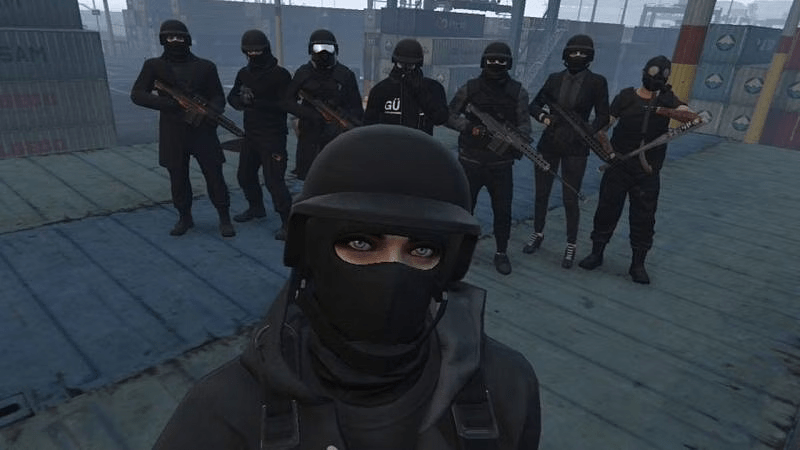
How to Create a Crew on Gta 5 Online: A Step-by-step Guide
Are you tired of playing Grand Theft Auto 5 (GTA 5) online alone? Do you want to experience the game with your friends in a more dynamic and exciting way? Look no further! In this article, we will guide you through the process of creating a crew on GTA 5 Online.
What is a Crew on Gta 5 Online?
A crew on GTA 5 Online is essentially a group of players who come together to play the game in a more coordinated and collaborative way. By joining or creating a crew, you can enjoy exclusive benefits, such as customized colors for your vehicles, decals, and more.
Why Create a Crew on Gta 5 Online?
Creating a crew on GTA 5 Online allows you to:
- Play with friends in a more dynamic and exciting way
- Enjoy exclusive benefits, such as customized colors and decals
- Access special bonuses, including increased reputation points (RP)
- Experience the game in a more social and interactive environment
How to Create a Crew on Gta 5 Online
To create a crew on GTA 5 Online, follow these steps:
Step 1: Access The Social Club Website
First, access the Rockstar Games Social Club website by visiting www.Rockstargames.Com/socialclub. If you haven’t already done so, create an account or log in using your existing credentials.
Step 2: Log In to Your Account
Once logged in, click on the “Crew” tab and select the option to “Create a Crew.” Fill out the required information, including the name of your crew, tagline, colors, and more. Be sure to save your changes.
Step 3: Invite Friends to Join Your Crew
To invite friends to join your crew, navigate to the “Crew” tab and select the option to “Invite Members.” Choose the desired platform (e.G., PlayStation, Xbox) and enter the Gamertag or username of the friend you’d like to invite.
Step 4: Configure Your Crew Settings
After inviting friends to join your crew, configure your crew settings by selecting the “Crew” tab and choosing the option to “Configure.” Here, you can adjust settings such as crew visibility, member requirements, and more.
What Can You Do With a Crew on Gta 5 Online?
As a member of a crew on GTA 5 Online, you can:
- Play missions together
- Participate in competitive events and challenges
- Enjoy exclusive benefits, such as customized colors and decals
- Access special bonuses, including increased reputation points (RP)
- Interact with other crew members through chat and voice comms
Troubleshooting Common Issues
If you encounter issues while creating or managing your crew, don’t worry! The Rockstar Games support team is here to help. Visit the Rockstar Games Support Website for assistance.
Frequently Asked Questions (FAQs)
Q: What are the benefits of joining a crew on GTA 5 Online?
A: Joining a crew on GTA 5 Online allows you to play with friends in a more dynamic and exciting way, enjoy exclusive benefits, and access special bonuses.
Q: How do I create a crew on GTA 5 Online?
A: To create a crew on GTA 5 Online, follow the steps outlined above or consult the Rockstar Games Support Website for assistance.
Q: Can I join multiple crews on GTA 5 Online?
A: Yes, you can join up to five crews at a time.
Q: How do I invite friends to join my crew?
A: To invite friends to join your crew, navigate to the “Crew” tab and select the option to “Invite Members.”
Conclusion
Creating a crew on GTA 5 Online is an exciting way to enhance your gaming experience with friends. By following the steps outlined in this article, you can enjoy exclusive benefits, access special bonuses, and participate in competitive events and challenges.
Don’t hesitate to reach out if you have any further questions or concerns!


