
Creating a Page Web Free on Google: A Step-by-step Guide
Are you looking to create a page web free on Google? Look no further! In this article, we will guide you through the process of creating a page web using various tools and platforms.
What is a Page Web?
A page web is essentially an online presence that represents your company or brand. It’s like having a virtual shop window where you can showcase your products or services to potential customers.
Why Use Google Sites?
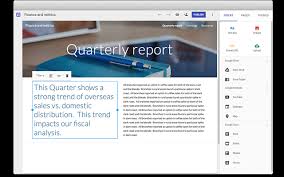
Google Sites is a free platform provided by Google that allows you to create simple websites without any coding knowledge. It’s easy to use and integrates well with other Google services such as Google Drive and Google Photos.
Getting Started With Google Sites
To start, log in to your Google account and go to the Google Sites homepage. Click on the “+” button to create a new site. Enter the name of your site in the “Title” field and choose a template from the available options.
Adding Content to Your Site
Once you’ve created your site, you can add content by clicking on the “Insert” tab. You can add text, images, videos, and even Google Maps or charts to your site. You can also use the “Blocks” feature to create standard content blocks that you can reuse throughout your site.
Integrating With Other Google Services
Google Sites integrates well with other Google services such as Google Drive and Google Photos. You can easily add images from Google Photos or documents from Google Drive to your site.
Publishing Your Site
Once you’ve added all the content you want, click on the “Public” button to publish your site. You’ll receive a URL that you can share with others.
Using Blogger
Blogger is another free platform provided by Google that allows you to create a blog. You can use it to create a simple website or a full-fledged blog with multiple posts and pages.
Getting Started With Blogger
To start, log in to your Google account and go to the Blogger homepage. Click on the “Create Your Blog” button and enter the title of your blog. Choose a template from the available options and click on the “Save” button.
Adding Content to Your Blog
Once you’ve created your blog, you can add content by clicking on the “New Post” button. You can add text, images, videos, and even links to other websites or social media profiles.
Customizing Your Blog
You can customize your blog by clicking on the “Layout” tab. Here, you can change the header, footer, and other design elements of your blog.
Other Platforms For Creating a Page Web Free on Google
There are many other platforms that allow you to create a page web free on Google. Some popular options include Wix, WordPress.Com, and Altervista.Org.
Wix: A User-friendly Platform
Wix is a user-friendly platform that allows you to create a website without any coding knowledge. It has hundreds of templates to choose from and a drag-and-drop editor that makes it easy to customize your site.
WordPress.Com: A Popular Choice
WordPress.Com is another popular choice for creating a website. It offers a free plan with limited features, as well as paid plans with more advanced features.
Altervista.Org: A Free Platform
Altervista.Org is a free platform that allows you to create a website without any coding knowledge. It has a simple editor and a wide range of templates to choose from.
Conclusion
Creating a page web free on Google is easier than ever, thanks to the many platforms available. Whether you choose Google Sites, Blogger, Wix, WordPress.Com, or Altervista.Org, you can create a professional-looking website without any coding knowledge.
Faqs
- What is a Page Web?
A page web is an online presence that represents your company or brand. - Why Use Google Sites?
Google Sites is a free platform provided by Google that allows you to create simple websites without any coding knowledge. - How do I Add Content to my Site?
You can add text, images, videos, and even Google Maps or charts to your site using the “Insert” tab. - Can I Integrate my Site With Other Google Services?
Yes, Google Sites integrates well with other Google services such as Google Drive and Google Photos. - How do I Publish my Site?
You can publish your site by clicking on the “Public” button. - What is Blogger?
Blogger is a free platform provided by Google that allows you to create a blog. - Can I Customize my Blog?
Yes, you can customize your blog by changing the header, footer, and other design elements using the “Layout” tab. - Are There Other Platforms For Creating a Page Web Free on Google?
Yes, there are many other platforms available such as Wix, WordPress.Com, and Altervista.Org.


