
How to Create a Gmail Account: A Step-by-step Guide
Are you looking for a reliable email service that’s free, easy to use, and widely supported? Look no further than Gmail! With over 1.5 Billion active users, Gmail is one of the most popular email services in the world. In this article, we’ll show you how to create a Gmail account step-by-step.
Why Choose Gmail?
Gmail offers many benefits that make it an attractive choice for individuals and businesses alike. Here are just a few reasons why:
- Free: Gmail is completely free to use, with no hidden costs or fees.
- Easy to Use: Gmail’s interface is intuitive and easy to navigate, making it perfect for beginners and experienced users alike.
- Highly Customizable: Gmail allows you to personalize your experience with custom themes, labels, and filters.
- Reliable: Gmail’s servers are highly reliable, ensuring that your emails are delivered quickly and efficiently.
Step 1: Accessing The Gmail Website
To create a new Gmail account, start by accessing the Gmail website. You can do this by typing www.Gmail.Com into your web browser and pressing enter.
Step 2: Selecting Your Country or Region
When you arrive at the Gmail website, select your country or region from the drop-down menu. This will allow Google to tailor the sign-up process to your location.
Step 3: Entering Your First And Last Names (Optional)
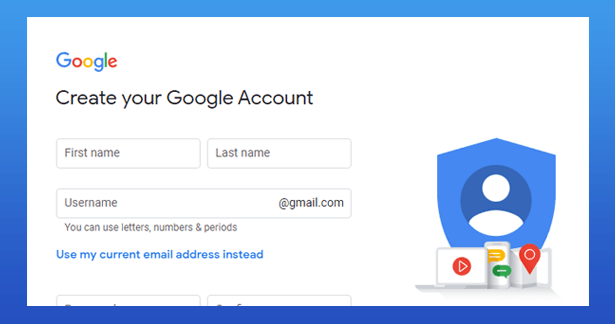
Next, enter your first and last names in the required fields. This information is optional but helps Gmail provide a more personalized experience.
Step 4: Creating a Password
Create a strong password for your new account. Make sure it’s at least 8 characters long and includes a mix of uppercase letters, lowercase letters, numbers, and special characters.
Step 5: Entering Your Recovery Information
Enter your recovery information, including your name, birthday, and phone number. This will help Gmail recover your account if you forget your password or lose access to it.
Step 6: Selecting Your Email Address
Choose a unique email address that reflects your personality or brand. Make sure it’s easy to remember and doesn’t contain any special characters.
Step 7: Reviewing The Terms of Service
Review Gmail’s terms of service and privacy policy before agreeing to them. This ensures you understand how Gmail uses and protects your data.
Step 8: Activating Your Account
Finally, click on the “Create account” button to activate your new account. You’ll receive a verification email at the address you just created. Follow the instructions in this email to verify your account.
Creating a Gmail Account From Android Device
If you have an Android device, creating a new Gmail account is even easier. Here’s how:
- Open the Settings app on your device.
- Select “Accounts” or “Users and accounts.”
- Tap on “Add account.”
- Choose Google as the type of account to add.
- Follow the prompts to sign in with your existing Google account credentials.
- Fill out the required information, including your name, email address, password, and recovery phone number.
Creating a Gmail Account From Iphone or Ipad
If you have an iPhone or iPad, creating a new Gmail account is just as simple:
- Open the Settings app on your device.
- Select “Accounts & Passwords.”
- Tap on “Add account…”
- Choose Google as the type of account to add.
- Follow the prompts to sign in with your existing Google account credentials.
- Fill out the required information, including your name, email address, password, and recovery phone number.
Tips For Creating a Gmail Account
Here are some additional tips to keep in mind when creating a new Gmail account:
- Use a Strong Password: Make sure your password is at least 8 characters long and includes a mix of uppercase letters, lowercase letters, numbers, and special characters.
- Choose a Unique Email Address: Select an email address that reflects your personality or brand. Avoid using special characters or numbers unless you want to create a professional-looking email address.
- Review The Terms of Service: Take some time to review Gmail’s terms of service and privacy policy before agreeing to them.
Conclusion
Creating a new Gmail account is quick, easy, and free! By following these steps and tips, you can set up a reliable and customizable email service that meets your needs. Whether you’re looking for personal or professional use, Gmail has something to offer everyone.


