
How to Create a Player on Fifa: A Comprehensive Guide
Are you ready to create your dream player on FIFA? Look no further! In this article, we will guide you through the process of creating a player from scratch, covering every aspect of their physical appearance and footballing abilities.
Understanding The Basics of Fifa
Before diving into the nitty-gritty of creating a player, it’s essential to understand the basics of FIFA. The game is issued annually for each football season, and updates are released throughout the year to keep the gameplay fresh and exciting. Each edition may have slight changes in terms of title, licenses, and commercial partnerships.
Creating a Player on Fifa: Step-by-step Guide
To create a player on FIFA, follow these steps:
- Accessing The Avatar Editor: Start by accessing the avatar editor from the home menu. Select “Personalize” and confirm to enter the creation mode.
- Choosing The Type of Footballer: Choose the type of footballer you want to create, which in this case is a player.
- Selecting an Existing Avatar or Creating a New One: You will be presented with nine pre-set avatars created by the system. Select one that resembles your desired player, and then confirm to enter the modification phase.
- Modifying Physical Characteristics: In the “INFO” window, carefully fill out the required information, including name, surname, alias, and other details. These data are not modifiable later in the process.
- Personalizing The Player’s Appearance: Enter the physical appearance section to customize your player’s face, skin tone, and facial hair. Use the analog sticks or mouse to make precise adjustments.
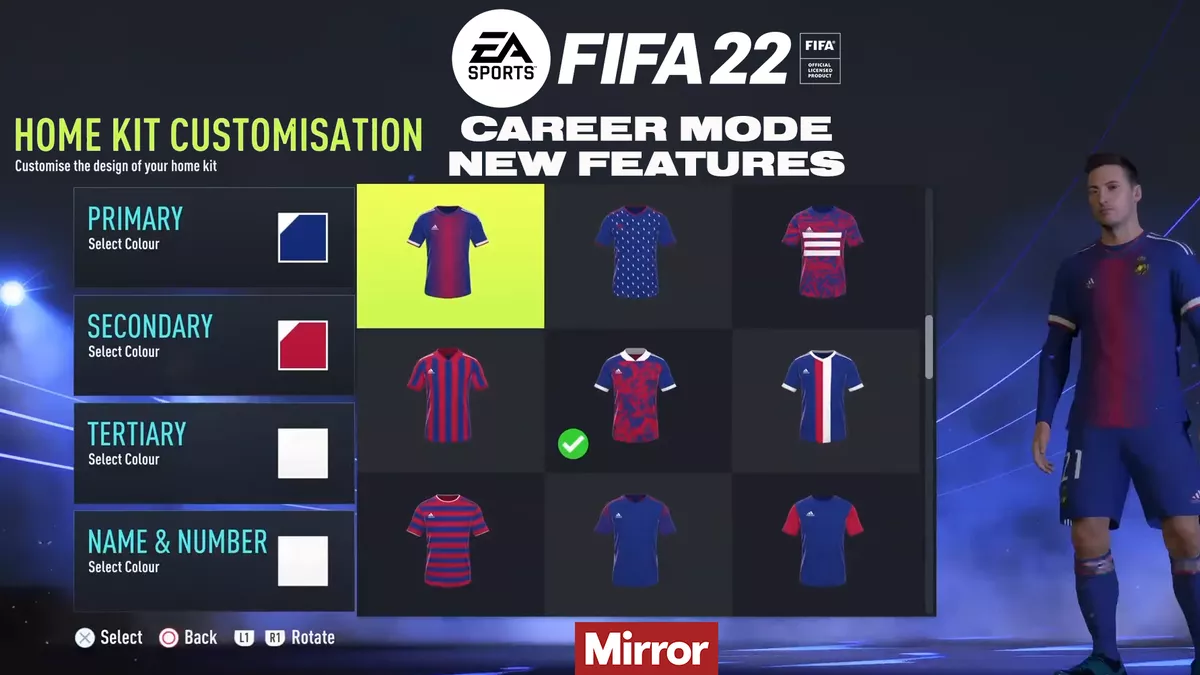
- Choosing Uniform Style: Select a style of vest, shoes, and accessories that suit your player’s personality.
- Customizing Animations: In the “Animations” section, choose the animations you want your player to exhibit during gameplay.
Creating Statistical Abilities
To create a player with exceptional footballing abilities, follow these steps:
- Selecting Position And Role: Choose the position and role of your player, which will determine their statistical abilities.
- Assigning Attributes: Assign attributes such as attack, defense, ability, power, motion, mentality, and porters to create a well-rounded player.
- Customizing Each Attribute: Adjust each attribute level according to your desired player’s characteristics.
Tips For Creating a Legend
To create a legend like CR7 or Neymar on FIFA, follow these tips:
- Focus on specific attributes such as finalization, precision of head, passages courtyards, shots to the flight, and ability weak foot.
- Assign high attributes to attack-related categories, while also considering other domains like motion and mentality.
Conclusion
Creating a player on FIFA is an exciting process that requires attention to detail. By following this guide, you’ll be able to create a unique and exceptional player that suits your style of play. Remember to experiment with different options and attributes to find the perfect combination for your dream team.
Frequently Asked Questions (FAQs)
Q: How do I access the avatar editor on FIFA?
A: Access the avatar editor from the home menu by selecting “Personalize” and confirming.
Q: Can I create a player that looks like a real footballer?
A: Yes, you can customize your player’s appearance to resemble a real footballer or create a unique look.
Q: How do I assign statistical abilities to my player?
A: Assign attributes such as attack, defense, ability, power, motion, mentality, and porters to create a well-rounded player.
Q: Can I create a legend like CR7 or Neymar on FIFA?
A: Yes, you can create a legendary player by focusing on specific attributes and assigning high levels accordingly.
Q: How do I customize animations for my player?
A: In the “Animations” section, choose the animations you want your player to exhibit during gameplay.
Q: Can I use real-life footballers as inspiration for my created players?
A: Yes, feel free to draw inspiration from real-life footballers and create unique players that reflect their characteristics.
Q: How do I save my created player on FIFA?
A: Save your created player by confirming the changes in each section and saving the file.


