
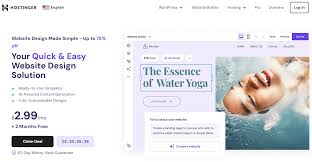
Creating a Professional Website: A Step-by-step Guide
As a small business owner or entrepreneur, having an online presence is crucial in today’s digital age. A professional website can help you establish credibility, reach a wider audience, and ultimately drive more sales. However, creating a website from scratch can be overwhelming, especially if you have no prior experience.
In this article, we will take you through the process of creating a professional website, step by step. We’ll cover everything from choosing a domain name to selecting a web hosting service, designing your website, and finally, launching it online.
Why Create a Professional Website?
Before we dive into the nitty-gritty details, let’s quickly discuss why having a professional website is essential for any business or individual:
- Establish Credibility: A well-designed website can help establish trust with potential customers.
- Increase Visibility: A website can be easily found online, making it easier to reach a wider audience.
- Drive Sales: A website can serve as an e-commerce platform, allowing you to sell products or services directly to customers.
Step 1: Choose a Domain Name
Your domain name is the address of your website. It should be easy to remember, relevant to your business, and available for registration. When choosing a domain name:
- Keep it Simple: Avoid using numbers or special characters.
- Make it Memorable: Use words that are easy to spell and remember.
- Be Unique: Ensure the domain name is not already taken by another website.
Step 2: Select a Web Hosting Service
Your web hosting service will provide storage for your website files, bandwidth for visitors, and technical support. When selecting a web hosting service:
- Consider Cost: Choose a plan that fits your budget.
- Think About Scalability: Ensure the hosting service can grow with your business.
- Check For Reliability: Look for services with high uptime guarantees.
Step 3: Design Your Website
Your website design should reflect your brand and be easy to navigate. When designing your website:
- Use a Responsive Theme: Ensure your website looks great on all devices, including smartphones and tablets.
- Keep it Simple: Avoid cluttering the homepage with too much information.
- Make it Mobile-friendly: Use a mobile-optimized design to cater to an increasingly mobile audience.
Step 4: Launch Your Website
Once you’ve designed your website, it’s time to launch it online. When launching your website:
- Test For Errors: Ensure all links and buttons are working correctly.
- Check For Compatibility: Test the website on different browsers and devices.
- Promote Your Website: Share your website with friends, family, and social media networks.
Tools For Creating a Professional Website
There are many tools available to help you create a professional website. Some popular options include:
- Wix: A user-friendly website builder that offers a range of templates and drag-and-drop functionality.
- WordPress: A popular content management system (CMS) that allows you to create and customize your own website.
- Shopify: An e-commerce platform that provides a range of features and tools for creating an online store.
Conclusion
Creating a professional website can seem daunting, but with the right guidance and tools, it’s achievable. By following these steps and choosing the right web hosting service, you’ll be well on your way to establishing an online presence that showcases your brand and attracts new customers.
Faqs
- What is The Cost of Creating a Professional Website?
The cost of creating a professional website varies depending on the tools and services used. With Wix, for example, you can create a basic website for free, while more advanced features may require a monthly subscription. - How Long Does it Take to Create a Professional Website?
The time it takes to create a professional website depends on your level of experience and the complexity of the design. With some web hosting services, you can have a basic website up and running in just a few hours. - What Are The Benefits of Using Wix or WordPress?
Both Wix and WordPress offer a range of benefits, including ease of use, flexibility, and scalability. They also provide access to a wide range of templates and features that can help you create a professional website quickly and easily. - How do I Promote my Website?
There are many ways to promote your website, including social media marketing, search engine optimization (SEO), and email marketing. You can also reach out to friends, family, and business associates to spread the word about your new online presence.
Additional Resources


