
Creating a Shop Window on Facebook: A Comprehensive Guide
In today’s digital age, having an online presence is crucial for any business looking to increase its sales and reach a wider audience. One effective way to achieve this is by creating a shop window on Facebook, which allows businesses to showcase their products and services to potential customers. In this article, we will guide you through the process of creating a shop window on Facebook, also known as Facebook Shops.
Why Create a Shop Window on Facebook?
Creating a shop window on Facebook provides several benefits for businesses, including:
- Increased visibility: A shop window on Facebook allows businesses to showcase their products and services to a wider audience.
- Improved sales: By making it easy for customers to purchase from your business, you can increase sales and revenue.
- Enhanced customer experience: A well-designed shop window can improve the overall customer experience, making it easier for them to find what they’re looking for.
Understanding Facebook Shops
Facebook Shops is a feature that allows businesses to create a digital storefront on Facebook and Instagram. This feature enables businesses to showcase their products, manage inventory, and process sales all within the platform.
How to Create a Shop Window on Facebook
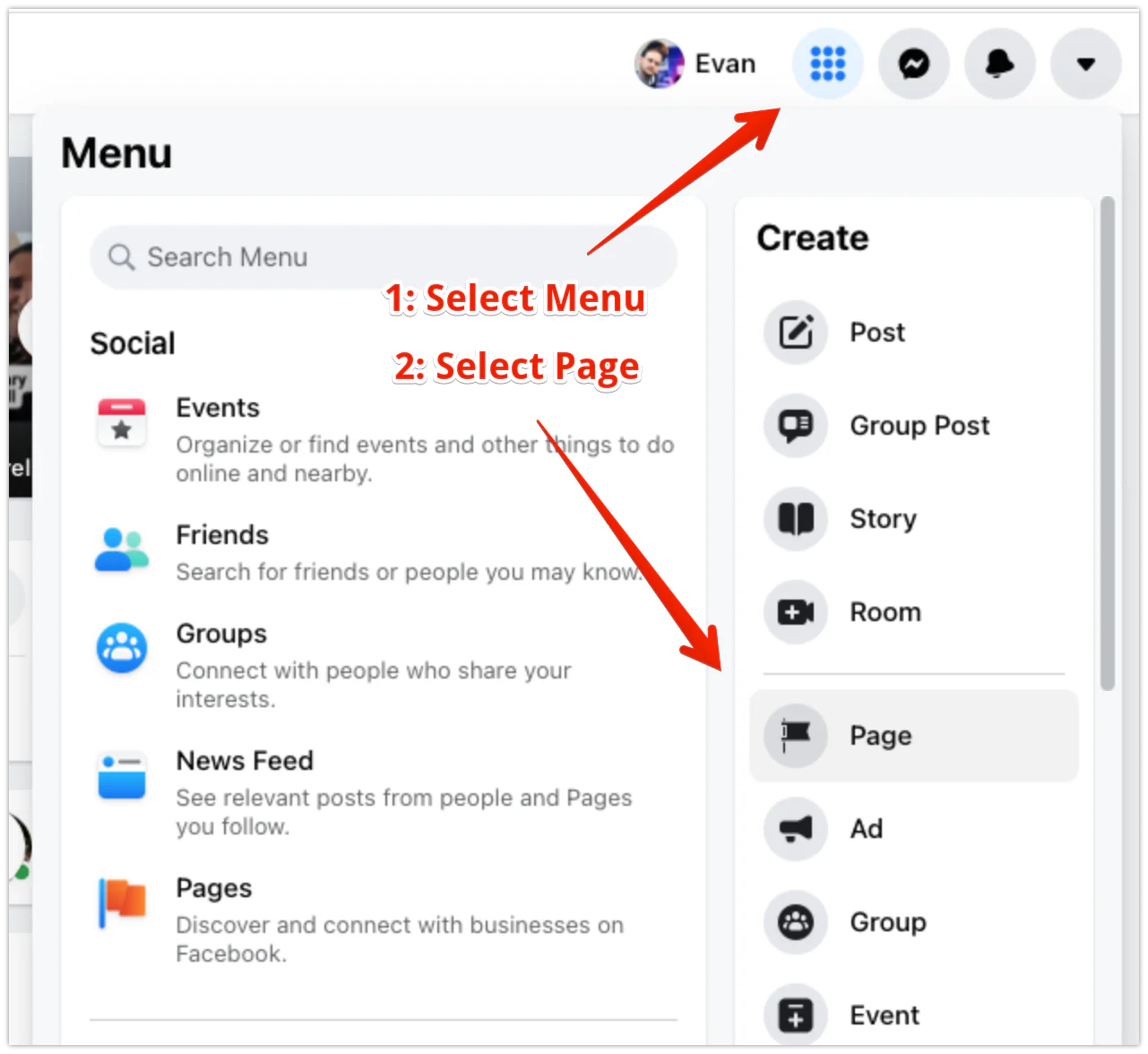
To create a shop window on Facebook, follow these steps:
- Create a Business Profile: Before creating a shop window, you need to have a business profile on Facebook. This will serve as the foundation for your shop.
- Claim Your Page: Make sure your page is claimed and verified by Facebook.
- Configure Facebook Shops: Go to your Facebook page settings and click on “Shop” to configure Facebook Shops.
- Add Products: Add your products to the shop window, including images, descriptions, and prices.
- Configure Payment Options: Set up payment options for customers to purchase from your shop.
Configuring Facebook Shops on PC
To configure Facebook Shops on a PC, follow these steps:
- Access your Facebook page settings and click on “Shop”.
- Click on the “Configure” button.
- Choose where you want to direct buyers to complete their purchases (e.G., Website, Facebook Messenger, or Instagram).
- Add products to the shop window, including images, descriptions, and prices.
Configuring Facebook Shops on Smartphone
To configure Facebook Shops on a smartphone, follow these steps:
- Access your Facebook app and navigate to your page settings.
- Click on “Shop” and then click on “Configure”.
- Choose where you want to direct buyers to complete their purchases (e.G., Website, Facebook Messenger, or Instagram).
- Add products to the shop window, including images, descriptions, and prices.
Connecting an Online Store to Facebook
To connect your online store to Facebook, follow these steps:
- Access your Facebook page settings and click on “Shop”.
- Click on the “Configure” button.
- Choose the option to connect your online store (e.G., Shopify).
- Follow the instructions to complete the setup process.
Other Solutions
If you have an existing online store that is not connected to Facebook, there are other solutions available. For example:
- WooCommerce: A popular e-commerce plugin for WordPress.
- Big Cartel: A platform for creating online stores and managing sales.
- Ecwid: A helpful solution for small business activities.
Conclusion
Creating a shop window on Facebook can be an effective way to increase your sales and reach a wider audience. By following the steps outlined in this article, you can create a digital storefront that showcases your products and services to potential customers. Remember to configure Facebook Shops correctly and connect it to your online store for seamless sales processing.
Frequently Asked Questions
- Q: What is Facebook Shops?
A: Facebook Shops is a feature that allows businesses to create a digital storefront on Facebook and Instagram. - Q: How do I Create a Shop Window on Facebook?
A: To create a shop window on Facebook, follow the steps outlined in this article. - Q: What Are The Benefits of Creating a Shop Window on Facebook?
A: The benefits include increased visibility, improved sales, and enhanced customer experience. - Q: Can I Connect my Online Store to Facebook?
A: Yes, you can connect your online store to Facebook by following the steps outlined in this article. - Q: What Other Solutions Are Available For Connecting an Online Store to Facebook?
A: Other solutions include WooCommerce, Big Cartel, and Ecwid. - Q: How do I Configure Facebook Shops on a Smartphone?
A: To configure Facebook Shops on a smartphone, follow the steps outlined in this article. - Q: What Payment Options Are Available For Customers to Purchase From my Shop Window?
A: Payment options include credit cards, PayPal, and other third-party payment services. - Q: Can I Manage my Inventory And Sales Within The Facebook Platform?
A: Yes, you can manage your inventory and sales within the Facebook platform by using the “Shop” feature.


