
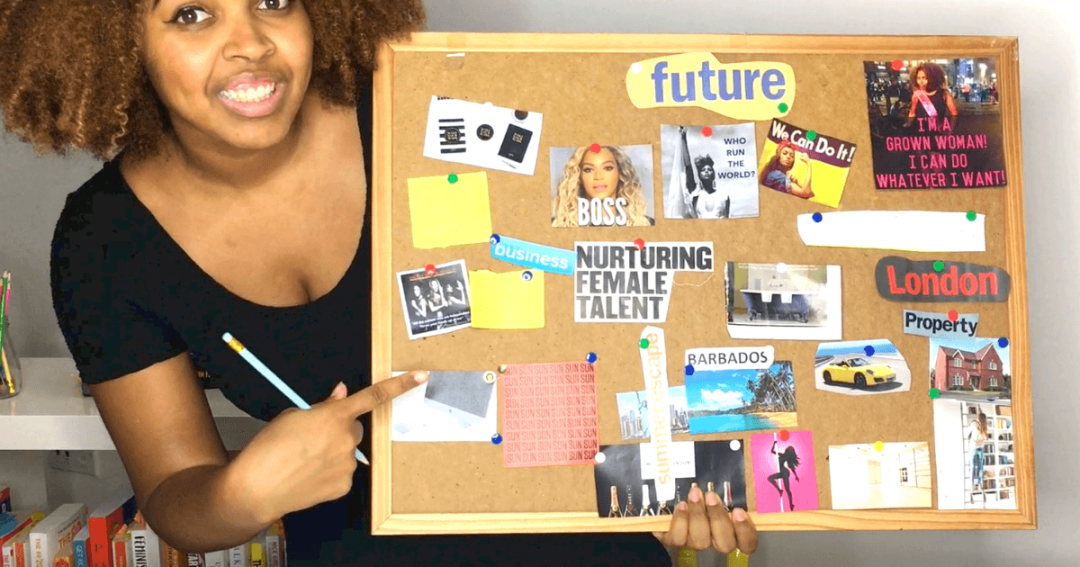
Creating a Vision Board: A Guide to Unlocking Your Goals And Dreams
Are you tired of feeling stuck and unsure about your life’s purpose? Do you want to unlock your full potential and achieve your goals? Creating a vision board is an effective way to clarify your desires, focus on what truly matters, and make progress towards your aspirations.
What is a Vision Board?
A vision board, also known as a mind map or dream board, is a visual representation of your goals, dreams, and desires. It’s a tool that helps you identify what you want to achieve in different areas of your life, such as career, relationships, health, and personal growth.
Why Create a Vision Board?
Creating a vision board can have a profound impact on your life. Here are some benefits:
- Clarifies Your Goals: A vision board helps you identify what’s truly important to you and what you want to achieve.
- Boosts Motivation: Seeing your goals and desires visualized on a board can motivate you to take action towards making them a reality.
- Fosters Focus: A vision board helps you prioritize your goals and stay focused on what matters most.
How to Create a Vision Board
There are various ways to create a vision board, and we’ll explore some popular methods in this article. Before we dive into the steps, it’s essential to note that creating a vision board is not just about physical creation; it’s also about mental preparation and commitment.
Method 1: Creating a Vision Board on Canva
Canva is an excellent platform for creating visual content, including vision boards. Here’s how to create one:
- Sign up: Create a free account on Canva or sign in if you already have one.
- Choose a Template: Select the “Vision Board” template from the drop-down menu.
- Add Images And Text: Upload your favorite images, quotes, and words that resonate with your goals. You can also use Canva’s built-in library of graphics and fonts.
- Customize: Use Canva’s editing tools to customize your vision board as desired.
- Download or Share: Download your vision board as a PDF or PNG file, or share it on social media.
Method 2: Creating a Vision Board on Pinterest
Pinterest is an ideal platform for creating and sharing visual boards. Here’s how to create a vision board on Pinterest:
- Sign up: Create a free account on Pinterest or sign in if you already have one.
- Create a New Board: Click the “+” icon at the top right corner of your screen and select “New Board.”
- Name Your Board: Give your vision board a name that reflects its purpose, such as “My Dreams and Goals.”
- Pin Images And Quotes: Search for images and quotes related to your goals on Pinterest. Pin them to your board by clicking the “Save” button.
- Organize Your Pins: Use the “Organize” feature to group similar pins together.
Method 3: Creating a Vision Board on Adobe Express
Adobe Express is another excellent platform for creating visual content, including vision boards. Here’s how to create one:
- Sign up: Create a free account on Adobe Express or sign in if you already have one.
- Choose a Template: Select the “Vision Board” template from the drop-down menu.
- Add Images And Text: Upload your favorite images, quotes, and words that resonate with your goals. You can also use Adobe Express’s built-in library of graphics and fonts.
- Customize: Use Adobe Express’s editing tools to customize your vision board as desired.
- Download or Share: Download your vision board as a PDF or PNG file, or share it on social media.
Conclusion
Creating a vision board is an effective way to clarify your goals, boost motivation, and focus on what truly matters. With these simple steps, you can create a vision board on Canva, Pinterest, or Adobe Express. Remember, the key to making progress towards your goals is commitment and action.
Frequently Asked Questions
- What’s The Best Way to Create a Vision Board?
Any method that works for you! Consider using a platform like Canva, Pinterest, or Adobe Express for easy creation and customization. - How Often Should I Review my Vision Board?
Regularly reviewing your vision board can help you stay focused on your goals and make adjustments as needed. - Can I Share my Vision Board With Others?
Yes! Sharing your vision board with friends, family, or a mentor can provide accountability and support in achieving your goals. - How Long Should it Take to Create a Vision Board?
Creating a vision board can be a quick process, but the time it takes will depend on the complexity of your design and the amount of detail you want to include. - Can I Use my Phone or Tablet to Create a Vision Board?
Yes! Many platforms, including Canva, Pinterest, and Adobe Express, offer mobile apps that allow you to create and customize vision boards on-the-go. - Is There a Specific Size For a Vision Board?
Not necessarily! Choose a size that works best for you, but keep in mind that smaller boards may be more portable and convenient. - Can I Use a Physical Board or Paper Instead of Digital?
Absolutely! Creating a physical vision board can be a fun and tactile experience. Use a large piece of cardboard, foam board, or paper to create your vision board. -
How do I Stay Motivated And Focused on my Goals After Creating a Vision Board?
-
Regularly review your vision board
- Break down larger goals into smaller, manageable tasks
- Create an action plan for achieving each goal
- Celebrate small victories along the way


