
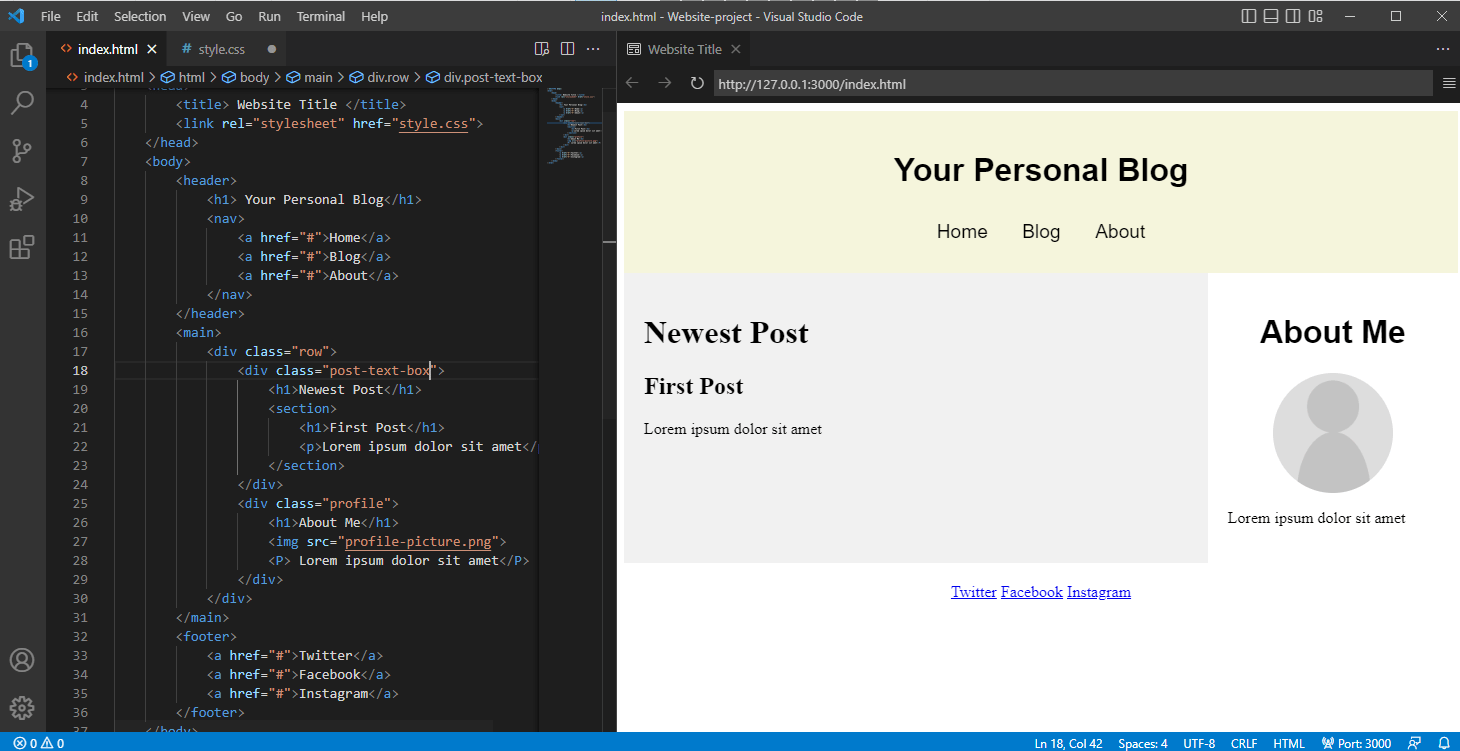
How to Create a Website: A Comprehensive Guide
In today’s digital age, having an online presence is crucial for individuals and businesses alike. Creating a website can seem like a daunting task, but with the right guidance, it’s easier than you think. In this article, we’ll take you through the process of creating a website, from start to finish.
Why Create a Website?
Before we dive into the nitty-gritty of creating a website, let’s talk about why you might want one in the first place. Here are just a few reasons:
- To showcase your products or services
- To establish an online presence for your business or personal brand
- To provide information and resources to your audience
- To connect with customers, clients, or fans
What is a Website?
A website is essentially a collection of web pages that are hosted on the internet. It’s like a digital brochure that showcases your content, products, or services. A website can be static or dynamic, meaning it can change frequently or remain the same.
Types of Websites
There are many types of websites, including:
- Business websites
- Personal blogs
- E-commerce sites
- Informational websites
- Social media platforms
How to Create a Website: Step-by-step Guide
Now that we’ve covered the basics, let’s dive into the step-by-step guide on how to create a website.
Step 1: Choose a Domain Name
The first step in creating a website is to choose a domain name. This is the web address people will use to access your site (e.G., Www.Example.Com). You can choose from various top-level domains (TLDs) such as .Com, .Org, or .Net.
Step 2: Select a Web Hosting Service
Once you have a domain name, you’ll need to select a web hosting service. This is where your website will be stored and made available to the public. You can choose from various web hosts like Bluehost, HostGator, or SiteGround.
Step 3: Choose a Website Platform
Next, you’ll need to choose a website platform. Some popular options include:
- WordPress
- Wix
- Squarespace
- Weebly
Each platform has its strengths and weaknesses, so it’s essential to research and choose the one that best suits your needs.
Step 4: Design Your Website
Now that you have a domain name, web hosting service, and website platform, it’s time to design your website. This includes choosing a template or theme, adding content, and customizing the layout.
Step 5: Add Content
Adding content is one of the most critical steps in creating a website. This can include text, images, videos, audio files, and more. Make sure to optimize your content for search engines (SEO) to improve visibility.
Step 6: Launch Your Website
Once you’ve added all the necessary content, it’s time to launch your website. This includes making it available to the public by creating a domain name and configuring your web hosting service.
How to Create a Page Web With Wix
Wix is one of the most popular website builders on the market. Here’s how to create a page web with Wix:
- Sign up for a Wix account.
- Choose a template or theme that suits your needs.
- Customize the layout and design of your website.
- Add content, such as text, images, and videos.
- Configure your domain name and web hosting service.
- Launch your website.
How to Create a Page Web With WordPress
WordPress is another popular website builder on the market. Here’s how to create a page web with WordPress:
- Sign up for a WordPress account.
- Choose a theme or template that suits your needs.
- Customize the layout and design of your website.
- Add content, such as text, images, and videos.
- Configure your domain name and web hosting service.
- Launch your website.
How to Create a Page Web Free on Google
Google Sites is a free website builder that allows you to create a page web without any coding knowledge. Here’s how:
- Sign up for a Google account.
- Choose a template or theme that suits your needs.
- Customize the layout and design of your website.
- Add content, such as text, images, and videos.
- Configure your domain name and web hosting service.
- Launch your website.
How to Create a Page Web in Local
If you want to create a page web in local, there are several options available. Here’s how:
- Install a CMS (Content Management System) on your computer.
- Choose a template or theme that suits your needs.
- Customize the layout and design of your website.
- Add content, such as text, images, and videos.
- Configure your web hosting service.
- Launch your website.
How to Create a Page Web in Html
Creating a page web in HTML is more advanced but possible without any coding knowledge. Here’s how:
- Choose an HTML editor or tool.
- Write the HTML code for your webpage.
- Add content, such as text, images, and videos.
- Configure your domain name and web hosting service.
- Launch your website.
Conclusion
Creating a website is easier than you think! With these steps and guidelines, you can create a beautiful and functional website that showcases your products or services. Remember to choose the right platform, design your website with care, add content that resonates with your audience, and launch it with confidence.
Faqs
Q: How long does it take to create a website?
A: It depends on the complexity of your website and your level of expertise.
Q: What is the cost of creating a website?
A: The cost varies depending on the platform, hosting service, and customizations you choose.
Q: Do I need coding knowledge to create a website?
A: No, most platforms have drag-and-drop interfaces or visual editors that make it easy to create a website without coding knowledge.
Q: Can I create a website for free?
A: Yes, there are several free website builders like Wix, WordPress, and Google Sites that allow you to create a website without any costs.
Q: How do I host my website?
A: You can choose from various web hosting services like Bluehost, HostGator, or SiteGround, depending on your needs.
Q: Can I design my own website?
A: Yes, most platforms offer customizable templates and designs that you can personalize to fit your brand.


