
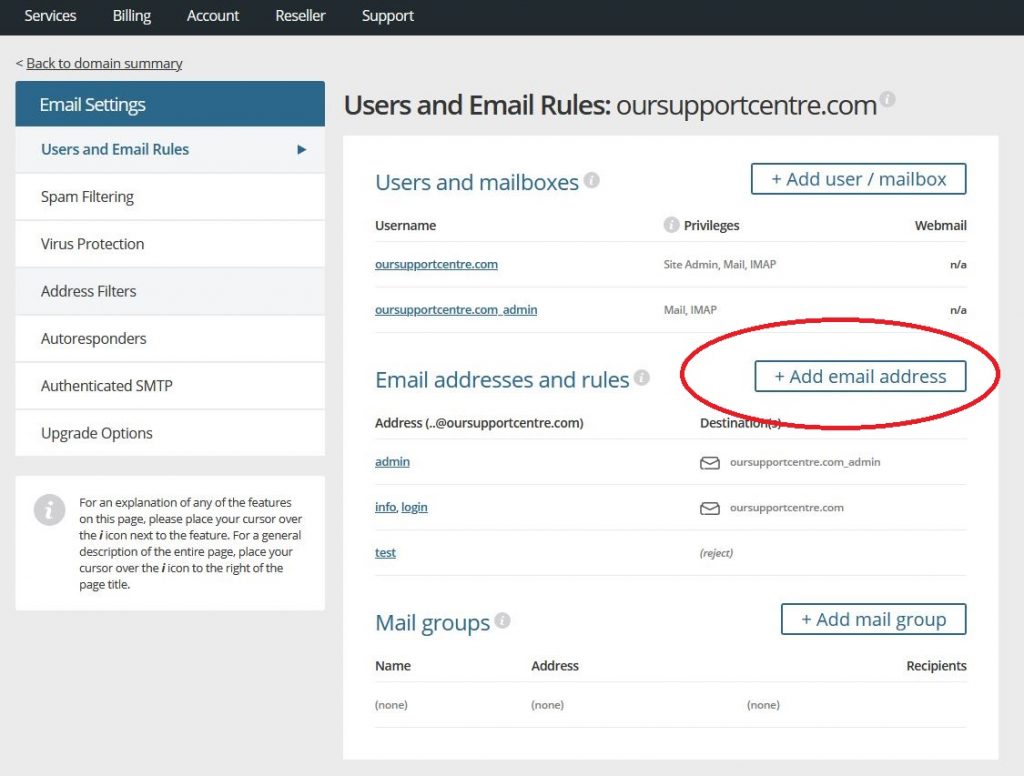
How to Create a New Email Account: A Step-by-step Guide
In today’s digital age, having a reliable email account is essential for personal and professional communication. Whether you’re looking to create a new email account for personal use or for business purposes, this guide will walk you through the process step by step.
Why Do You Need a New Email Account?
Before we dive into the instructions, let’s quickly discuss why you might need a new email account. Perhaps your current email account is getting cluttered with spam messages, or maybe you’re looking to separate your personal and professional email communications. Whatever the reason, creating a new email account can be a liberating experience.
How to Create a New Email Account: A Step-by-step Guide
Option 1: Creating a Gmail Account
Gmail is one of the most popular email services available today. With its user-friendly interface and robust features, it’s an excellent choice for personal or business use.
Step 1: Go to Gmail.com
Open your web browser and navigate to www.Gmail.Com. Click on the “Create account” button to get started.
Step 2: Fill Out The Registration Form
Fill out the registration form with your name, surname, password, and other required information. Make sure to choose a strong password that’s easy for you to remember but hard for others to guess.
Step 3: Verify Your Account
Google will send you a verification email to the account you just created. Open the email and click on the verification link to activate your account.
Option 2: Creating an Icloud Email Account
If you’re using an iPhone, iPad, or Mac, creating an iCloud email account is a straightforward process. Here’s how:
Step 1: Go to Settings
Open your device’s Settings app and navigate to the “iCloud” section.
Step 2: Create a New Mail Account
Tap on the “Mail” option and then tap on the “Create a new mail account” button.
Step 3: Fill Out The Registration Form
Fill out the registration form with your name, surname, password, and other required information.
Option 3: Creating an Outlook Email Account (formerly Hotmail)
Outlook is another popular email service that offers a user-friendly interface and robust features. Here’s how to create a new email account:
Step 1: Go to Outlook.com
Open your web browser and navigate to www.Outlook.Com. Click on the “Create account” button.
Step 2: Fill Out The Registration Form
Fill out the registration form with your name, surname, password, and other required information.
Option 4: Creating a Free or Virgilio Email Account
Free and Virgilio are two email services that offer free accounts with limited features. Here’s how to create a new account:
Step 1: Go to The Website
Open your web browser and navigate to www.Free.It (for Free email) or www.Virgilio.It (for Virgilio email).
Step 2: Fill Out The Registration Form
Fill out the registration form with your name, surname, password, and other required information.
Option 5: Creating a Pec Email Account (in Italian)
PEC stands for “Posta Elettronica Certificata” in Italian. It’s an email service specifically designed for official communication between public administrations and citizens. Here’s how to create a new account:
Step 1: Go to The Website
Open your web browser and navigate to www.Postecertificata.It.
Step 2: Fill Out The Registration Form
Fill out the registration form with your name, surname, password, and other required information.
Option 6: Creating an Institutional Email Account (in Italian)
An institutional email account is a type of email address used by members of an institution for official communication. Here’s how to create a new account:
Step 1: Go to The Website
Open your web browser and navigate to the website of the institution where you want to create the email account.
Step 2: Fill Out The Registration Form
Fill out the registration form with your name, surname, password, and other required information.
Option 7: Creating a Temporary Email Account (in Italian)
A temporary email account is an address used for temporary communication or as a disposable email address. Here’s how to create a new account:
Step 1: Go to The Website
Open your web browser and navigate to www.Guerrillamail.Com (for Guerrilla Mail) or another website that offers temporary email addresses.
Step 2: Fill Out The Registration Form
Fill out the registration form with your name, surname, password, and other required information.
Conclusion
Creating a new email account is a straightforward process that requires minimal effort. Whether you choose Gmail, iCloud, Outlook, or another service, make sure to follow the instructions carefully and choose a strong password for security reasons.
Frequently Asked Questions (FAQs)
- Q: Why do I need a new email account?
A: You may need a new email account if your current one is getting cluttered with spam messages or you’re looking to separate your personal and professional email communications. - Q: Which email service should I choose?
A: The choice of email service depends on your needs and preferences. Consider factors like features, pricing, and user interface when making a decision. - Q: How do I create an institutional email account?
A: To create an institutional email account, contact the institution’s IT department or visit their website for instructions. - Q: Can I create a temporary email account?
A: Yes, you can create a temporary email account using services like Guerrilla Mail or other disposable email providers. - Q: What is PEC, and how do I create an account?
A: PEC stands for “Posta Elettronica Certificata” in Italian. It’s an email service specifically designed for official communication between public administrations and citizens. To create a PEC account, visit the website www.Postecertificata.It and follow the instructions. - Q: How do I choose a strong password?
A: Choose a strong password that’s easy for you to remember but hard for others to guess. Avoid using easily guessable information like your name or birthdate.
Note: The answers provided above are based on the assumption that you have already read and understood the instructions for creating email accounts from various services. If you have any further questions, please don’t hesitate to ask!


