
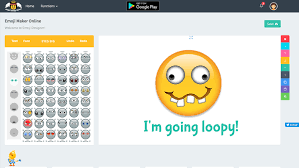
Creating Custom Emojis: A Step-by-step Guide
Are you tired of using the same old emojis on your smartphone or computer? Do you want to create custom emojis that reflect your personality or mood? Look no further! In this article, we’ll show you how to create custom emojis for various platforms, including Android, iPhone, WhatsApp, Discord, and more.
Why Create Custom Emojis?
Creating custom emojis can be a fun and creative way to express yourself on social media or messaging apps. With custom emojis, you can convey your emotions and personality in a unique and personalized way. Plus, they can add a touch of humor or whimsy to your online interactions.
Method 1: Creating Emojis on Android
If you have an Android device, you can create custom emojis using the built-in Emoji AR feature on Samsung Galaxy devices. Here’s how:
- Open the camera app and tap on the emoji AR icon.
- Select “Create Emoji” and follow the prompts to capture your face.
- Choose a sticker template or modify it to create your own custom emoji.
Method 2: Using Gboard
Gboard is another way to create custom emojis on Android devices. Here’s how:
- Open Gboard and tap on the smiley face icon.
- Select “Mini” and choose a sticker template.
- Tap on the camera icon to capture your face, and then select the sticker you want to use.
Method 3: Using Bitmoji
Bitmoji is a popular app for creating custom avatars and emojis. Here’s how to use it:
- Download and install the Bitmoji app.
- Create an account or link your Snapchat profile to Bitmoji.
- Select a sticker template or create your own custom avatar.
Method 4: Creating Emojis on Iphone
If you have an iPhone, you can create custom emojis using the Memoji feature. Here’s how:
- Open Messages and tap on the App Store icon.
- Search for “Memoji” and select the app.
- Create a new conversation or select an existing one.
- Tap on the pencil icon to initiate a video call, and then select the Memoji option.
Method 5: Creating Emojis For Whatsapp
To create custom emojis for WhatsApp, you can use Bitmoji or Gboard. Here’s how:
- Open WhatsApp and tap on the chat icon.
- Select a conversation or create a new one.
- Tap on the emoji icon to access your custom emojis.
Method 6: Creating Emojis For Discord
If you’re a Discord user, you can create custom emojis using the platform’s built-in feature. Here’s how:
- Open Discord and select your server.
- Click on the settings icon and then click on “Emoji”.
- Select the option to upload an emoji from your gallery.
Method 7: Creating Emojis For Twitch
To create custom emojis for Twitch, you’ll need to have a verified account with at least 50 followers, 500 minutes of live streaming in the last 30 days, and at least 3 viewers at any given time. Here’s how:
- Open the Discord app or client.
- Select your server and click on the settings icon.
- Click on “Emoji” and then select the option to upload an emoji from your gallery.
Conclusion
Creating custom emojis is a fun and creative way to express yourself online. With these methods, you can create custom emojis for various platforms, including Android, iPhone, WhatsApp, Discord, and more. Whether you want to add some humor or whimsy to your online interactions or simply create something unique, creating custom emojis is a great way to personalize your online presence.
Frequently Asked Questions
- Q: Can I Create Custom Emojis For Free?
A: Yes, most of the methods mentioned above are free. - Q: What’s The Difference Between an Emoji And an Emoticon?
A: An emoji is a small digital image used to express emotions or ideas, while an emoticon is a text-based representation of a face or emotion. - Q: Can I Use Custom Emojis on Social Media Platforms Like Facebook or Twitter?
A: Yes, you can use custom emojis on most social media platforms, but be aware that some may have specific rules or restrictions on using certain types of emojis. - Q: How do I Save my Custom Emojis For Future Use?
A: You can save your custom emojis to your device’s gallery or computer file system, depending on the method used. - Q: Can I Create Custom Emojis For Other Platforms Not Mentioned Above?
A: Yes, you can try using other methods and apps to create custom emojis for other platforms, but be aware that some may have specific rules or restrictions. - Q: What’s The Best Way to Share my Custom Emojis With Others?
A: You can share your custom emojis via messaging apps like WhatsApp, Discord, or Twitch, or by posting them on social media platforms. - Q: Can I Use Custom Emojis For Commercial Purposes?
A: Check the terms and conditions of each platform or app you plan to use your custom emojis on to see if there are any restrictions on using them for commercial purposes.
I hope this article has been helpful in showing you how to create custom emojis for various platforms. If you have any further questions or need more assistance, feel free to ask!


