
Creating a Course Online: A Comprehensive Guide
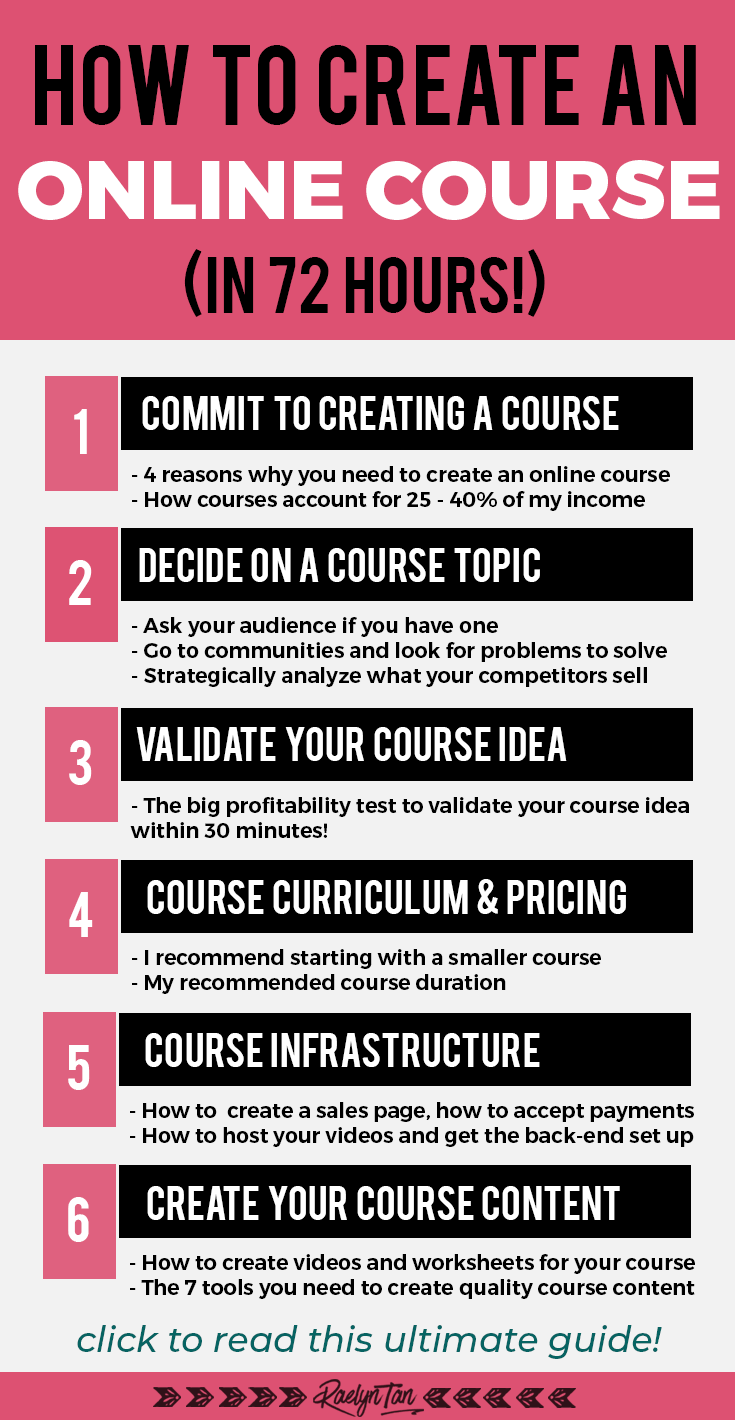
Are you interested in sharing your knowledge and expertise with others online? Creating a course online is an excellent way to do so, and it can be a rewarding experience both personally and professionally. In this guide, we will walk you through the process of creating a course online, from determining the topic and typology to using various platforms and tools.
Determining The Topic And Typology
The first step in creating a course online is to determine the topic and typology of your course. This involves identifying what subject area or theme you want to cover, as well as the type of course you want to create (e.G., Video-based, text-based, interactive). It’s essential to choose a topic that you are passionate about and have expertise in, as this will make it easier to create engaging content.
Choosing a Platform
Once you’ve determined the topic and typology of your course, the next step is to choose a platform to host it on. There are several options available, including Udemy, Teachable, Thinkific, and Google Classroom. Each platform has its own unique features and benefits, so it’s essential to research and compare them before making a decision.
Creating a Course on Google Classroom
Google Classroom is a free platform that allows you to create and share online courses with students. To create a course on Google Classroom, follow these steps:
- Sign in to your Google account and navigate to the Google Classroom website.
- Click on the “+” button to create a new course.
- Enter the course title, description, and other relevant details.
- Set up the course settings, including the start and end dates, as well as any specific requirements or permissions.
- Add content to your course, such as videos, text, images, and links.
Creating a Course on Moodle
Moodle is another popular platform for creating online courses. To create a course on Moodle, follow these steps:
- Sign in to your Moodle account and navigate to the dashboard.
- Click on the “Create a new course” button.
- Enter the course title, description, and other relevant details.
- Set up the course settings, including the start and end dates, as well as any specific requirements or permissions.
- Add content to your course, such as text, images, videos, and links.
Tools And Equipment
To create a high-quality online course, you’ll need some essential tools and equipment, including:
- A good webcam for video recording
- A microphone for clear audio
- A stable internet connection
- A computer or laptop with necessary software installed (e.G., Adobe Creative Cloud, Google Drive)
- A smartphone or tablet for mobile learning
Content Creation
The next step in creating a course online is to create engaging content. This can include:
- Video recordings of lessons and tutorials
- Text-based content, such as articles, blogs, and PDF documents
- Images and graphics to illustrate key concepts
- Interactions, such as quizzes, surveys, and discussions
Tips For Creating an Engaging Course
Here are some tips for creating an engaging course online:
- Make it interactive: Incorporate interactions, such as quizzes, surveys, and discussions, to keep students engaged.
- Use high-quality content: Invest in good quality video recordings, images, and graphics to make your course visually appealing.
- Keep it concise: Break down complex topics into bite-sized chunks to make them easier to understand.
- Encourage feedback: Allow students to provide feedback on the course content and structure.
Conclusion
Creating a course online can be a rewarding experience both personally and professionally. By following these steps, you can create high-quality content that engages and educates your audience. Remember to choose a platform that suits your needs, invest in essential tools and equipment, and focus on creating engaging content. Good luck!
Frequently Asked Questions (FAQs)
- Q: What is The Best Platform For Creating an Online Course?
A: The best platform for creating an online course depends on your specific needs and goals. Consider factors such as cost, features, and target audience before making a decision. - Q: How do I Create Engaging Content For my Online Course?
A: To create engaging content, focus on using high-quality video recordings, images, and graphics. Incorporate interactions, such as quizzes, surveys, and discussions, to keep students engaged. - Q: What Tools And Equipment do I Need to Create an Online Course?
A: You’ll need a good webcam for video recording, a microphone for clear audio, a stable internet connection, and a computer or laptop with necessary software installed (e.G., Adobe Creative Cloud, Google Drive). - Q: How do I Promote my Online Course?
A: Promote your online course through social media, email marketing, and paid advertising. Utilize search engine optimization (SEO) techniques to improve visibility. - Q: What Are The Benefits of Creating an Online Course?
A: The benefits of creating an online course include increased revenue potential, enhanced professional reputation, and improved skills and knowledge sharing. - Q: How do I Ensure my Online Course is Accessible And Inclusive?
A: Ensure your online course is accessible and inclusive by following accessibility guidelines (e.G., Closed captions, alt text for images). Provide clear instructions and feedback mechanisms to accommodate different learning styles. - Q: What Are The Costs Associated With Creating an Online Course?
A: The costs associated with creating an online course depend on factors such as platform fees, software licenses, and marketing expenses. Estimate costs and create a budget accordingly. - Q: How do I Measure The Effectiveness of my Online Course?
A: Measure the effectiveness of your online course by tracking student engagement metrics (e.G., Completion rates, quiz scores), gathering feedback through surveys or focus groups, and monitoring revenue generation.


