
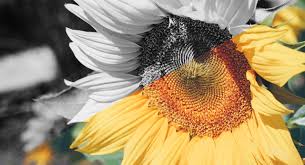
How to Create Photos in White And Black With a Particular Coloured: A Step-by-step Guide
Are you looking to create stunning photos in white and black with a particular coloured effect? Look no further! In this article, we will guide you through the process of achieving this unique visual effect using various software and apps.
What is Photo Editing?
Photo editing is the process of manipulating digital images to enhance their quality, appearance, or functionality. With the advancement of technology, photo editing has become an essential tool for photographers, designers, and artists. In this article, we will explore how to create photos in white and black with a particular coloured effect using various software and apps.
Software Options
There are several software options available that can help you achieve the desired effect. Let’s take a look at some of them:
Photoshop (Windows/MacOS)
If you’re already familiar with Adobe Photoshop, you’ll be happy to know that it’s still one of the best tools for photo editing. To create a photo in white and black with a particular coloured effect, follow these steps:
- Open Photoshop and navigate to File > Open.
- Select the image you want to edit and open it.
- Go to Image > Adjustment > Levels.
- Adjust the levels to make the image black and white.
- Use the Brush tool to select specific areas of the image that you want to remain coloured.
Gimp (Windows/MacOS/Linux)
GIMP is a free and open-source photo editing software that offers many features similar to Adobe Photoshop. To create a photo in white and black with a particular coloured effect using GIMP, follow these steps:
- Open GIMP and navigate to File > Open.
- Select the image you want to edit and open it.
- Go to Image > Mode > Grayscale.
- Use the Brush tool to select specific areas of the image that you want to remain coloured.
Online Options
If you’re looking for online solutions, here are some options:
Fotor
Fotor is a free online photo editing service that offers many features similar to Adobe Photoshop. To create a photo in white and black with a particular coloured effect using Fotor, follow these steps:
- Go to the Fotor website and select the “Color Splash” tool.
- Upload your image or select one from your device.
- Use the Brush tool to select specific areas of the image that you want to remain coloured.
Mobile Apps
If you’re looking for mobile apps, here are some options:
Fotor (Android/iOS/iPadOS)
Fotor is a popular mobile app that offers many features similar to Adobe Photoshop. To create a photo in white and black with a particular coloured effect using Fotor, follow these steps:
- Download the Fotor app from the App Store or Google Play Store.
- Select the image you want to edit and open it.
- Use the Brush tool to select specific areas of the image that you want to remain coloured.
Other Mobile Apps
There are many other mobile apps available that can help you create photos in white and black with a particular coloured effect. Some popular options include:
- Colour Touch Effects (Android)
- Modify Photo Retouching Colour (Android/iOS/iPadOS)
- Photoshop For iPad (iPadOS)
Conclusion
Creating photos in white and black with a particular coloured effect is easier than you think! With the right software or app, you can achieve this unique visual effect. Whether you’re using Adobe Photoshop, GIMP, Fotor, or one of the many mobile apps available, follow the steps outlined above to create stunning photos that will captivate your audience.
Frequently Asked Questions
- What is Photo Editing?
Photo editing is the process of manipulating digital images to enhance their quality, appearance, or functionality. - What Software Options Are Available For Creating Photos in White And Black With a Particular Coloured Effect?
Some popular software options include Adobe Photoshop, GIMP, Fotor, and others. - How Can I Create a Photo in White And Black With a Particular Coloured Effect Using Mobile Apps?
Use mobile apps such as Fotor (Android/iOS/iPadOS), Colour Touch Effects (Android), Modify Photo Retouching Colour (Android/iOS/iPadOS), or Photoshop For iPad (iPadOS). - What Are Some Online Options For Creating Photos in White And Black With a Particular Coloured Effect?
Some popular online options include Fotor, Photopea, Pixlr And, and others. - Can I Create Photos in White And Black With a Particular Coloured Effect Using Free Software or Apps?
Yes! Many free software options such as GIMP and mobile apps like Colour Touch Effects offer features to help you achieve this unique visual effect. - How Can I Save my Edited Photo?
Save your edited photo in the desired format, such as JPEG, PNG, or PSD. - Can I Use These Software or Apps For Commercial Purposes?
Check the terms and conditions of each software or app to ensure you’re allowed to use them for commercial purposes. - How Can I Learn More About Photo Editing?
Practice, experiment with different software and apps, and watch tutorials online to improve your skills!


