
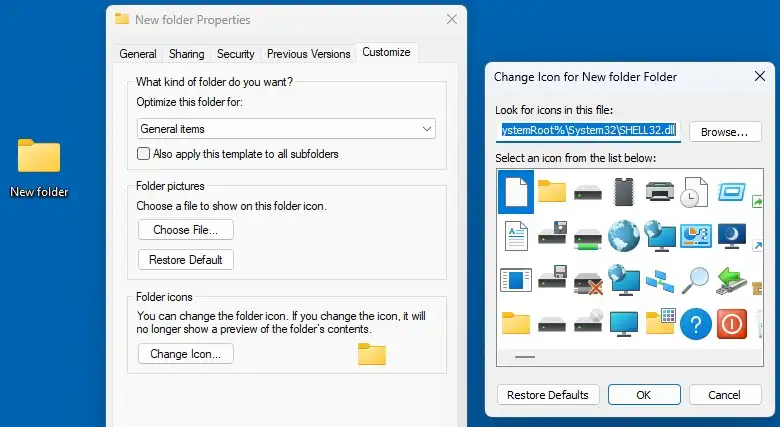
How To Create Personalized Icons On Your Pc, Mac, Smartphone And Tablet
Are you tired of using the same old icons on your computer or mobile device? Do you want to personalize them with images that reflect your personality or style? Look no further! In this article, we will show you how to create personalized icons on your PC, Mac, smartphone and tablet.
Why Create Personalized Icons?
Creating personalized icons can enhance the look and feel of your digital devices. It’s a simple way to express yourself and make your devices stand out from the crowd. With personalized icons, you can add a touch of personality to your computer or mobile device, making it truly unique.
How To Create Personalized Icons On PC
To create personalized icons on your PC, you’ll need to use a software that allows you to edit images and convert them into icon format. One such software is IconFX, which is available for Windows operating system.
Here’s how to use IconFX:
- Download And Install Iconfx: Go to the official website of IconFX and download the software. Follow the installation instructions to install it on your PC.
- Choose an Image: Select an image that you want to use as a personalized icon. You can choose from your existing images or create a new one using a graphics editor.
- Edit The Image: Use the editing tools in IconFX to modify the image as desired. You can add text, shapes, and other elements to make it more interesting.
- Convert to Icon Format: Once you’ve edited the image, convert it into icon format using the software.
- Save The Icon: Save the personalized icon in a folder on your PC.
How To Create Personalized Icons On Mac
To create personalized icons on your Mac, you can use Image2icon, a free software available for macOS operating system.
Here’s how to use Image2icon:
- Download And Install Image2icon: Go to the official website of Image2icon and download the software. Follow the installation instructions to install it on your Mac.
- Drag And Drop an Image: Drag and drop an image that you want to use as a personalized icon into the Image2icon window.
- Edit The Image: Use the editing tools in Image2icon to modify the image as desired. You can add text, shapes, and other elements to make it more interesting.
- Export The Icon: Export the personalized icon in the format of your choice (e.G., ICNS, PNG).
- Save The Icon: Save the personalized icon in a folder on your Mac.
How To Create Personalized Icons On Smartphone And Tablet
To create personalized icons on your smartphone or tablet, you can use a variety of apps available for Android and iOS operating systems.
Here are some popular options:
- For Android: Nova Launcher, which allows you to customize the look and feel of your home screen, including changing the icon packs.
- For iOS: Command, which enables you to create custom icons for individual apps.
Tips And Variations
When creating personalized icons, remember that the image should be high-resolution and visually appealing. You can use a variety of editing software or apps to edit and modify the images as desired.
Some other options for creating personalized icons include:
- Using online services like Iconizer.Net, which allows you to create custom icons from your own images.
- Creating custom icon packs using software like IconFX or Image2icon.
Conclusion
Creating personalized icons is a fun and easy way to enhance the look and feel of your digital devices. With the right software or app, you can create high-quality icons that reflect your personality or style. Whether you’re using a PC, Mac, smartphone or tablet, there’s an option for creating personalized icons that suits your needs.
Frequently Asked Questions
- What is The Best Software For Creating Personalized Icons on Pc?
The best software for creating personalized icons on PC is IconFX. - How do I Create Personalized Icons on my Mac?
To create personalized icons on your Mac, use Image2icon. - Can I Create Personalized Icons on my Smartphone or Tablet?
Yes, you can create personalized icons on your smartphone or tablet using apps like Nova Launcher (Android) and Command (iOS). - What is The Best Online Service For Creating Custom Icons?
The best online service for creating custom icons is Iconizer.Net. - How do I Edit And Modify my Personalized Icon Images?
You can use a variety of editing software or apps to edit and modify your personalized icon images, such as Adobe Photoshop or GIMP. - Can I Create Customized Icon Packs Using Software Like Iconfx or Image2icon?
Yes, you can create customized icon packs using software like IconFX or Image2icon. - How do I Save my Personalized Icons on my PC or Mac?
To save your personalized icons on your PC or Mac, simply export them in the format of your choice (e.G., ICNS, PNG) and save them in a folder on your device. - Can I Use my Personalized Icons on Other Devices?
Yes, you can use your personalized icons on other devices, such as smartphones or tablets, by exporting them in a compatible format.


